Hardware Installation
PixelStor 5000 User Manual
Rev. 1, May 2013
Once you have selected the drives to add to the Disk Group, click the Finish button to start the
expansion.
4.2.6 Step 4 – Virtual Disk Setup
Once you have built at least one Disk Group, clicking on Step 4, Virtual Disk Setup will open the
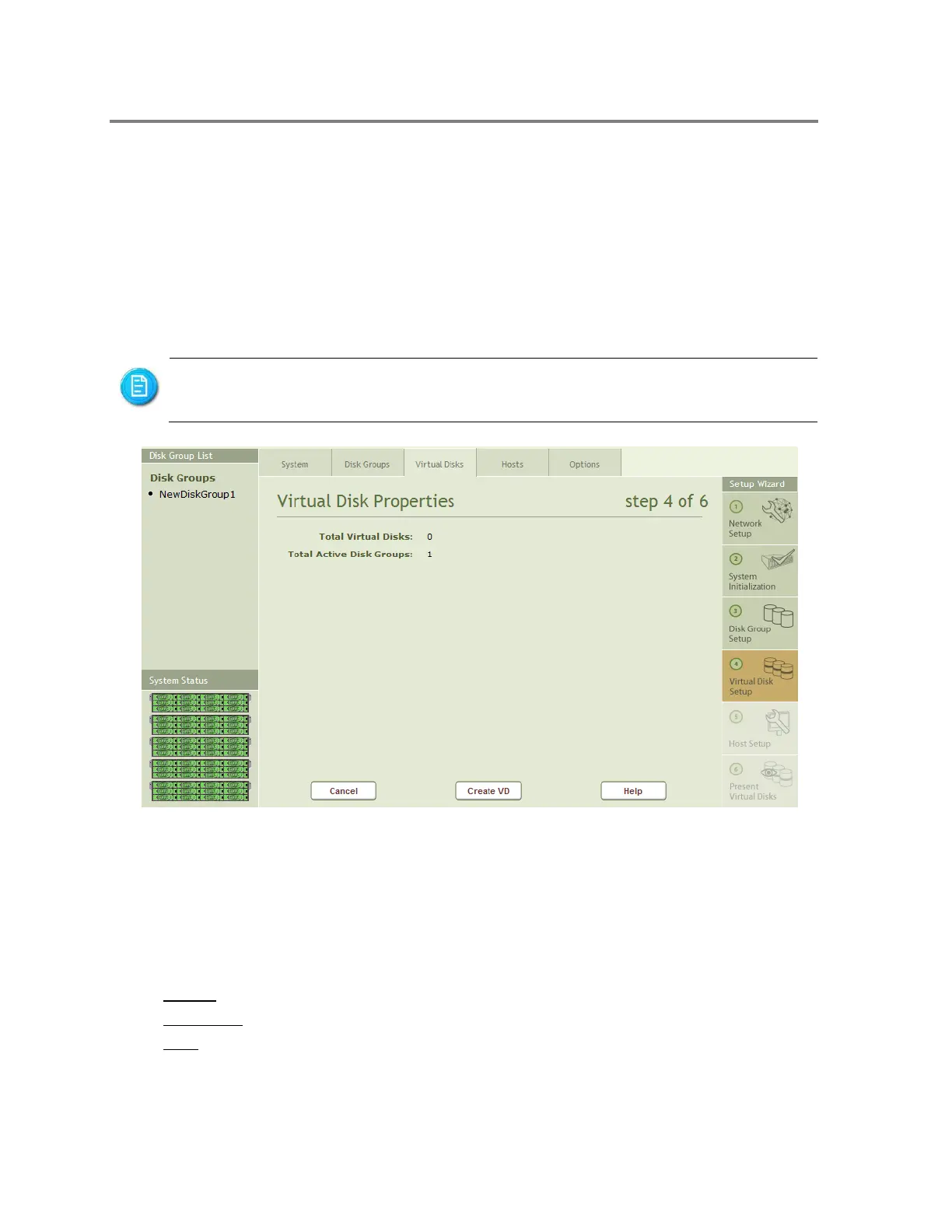
Virtual Disk Properties pages shown in Figure 4-25.
Figure 4-25 Virtual Disk Setup
The Virtual Disk Properties page in Figure 4-25, shows the Total number of Virtual Disk and
Total active Disk Groups in the work area.
Buttons on the page include:
Cancel - Returns the user to the System Properties Page
Create VD - Opens the page to create a Virtual Disk
Help - Displays help information.
Clicking on Create VD will open the page shown in Figure 4-26.
The number of Virtual Disks (also known as logical volumes or LUNs) in all the Disk
Groups in the system must not exceed 256.



 To Next Page