Hardware Installation
PixelStor 5000 User Manual
Rev. 1, May 2013
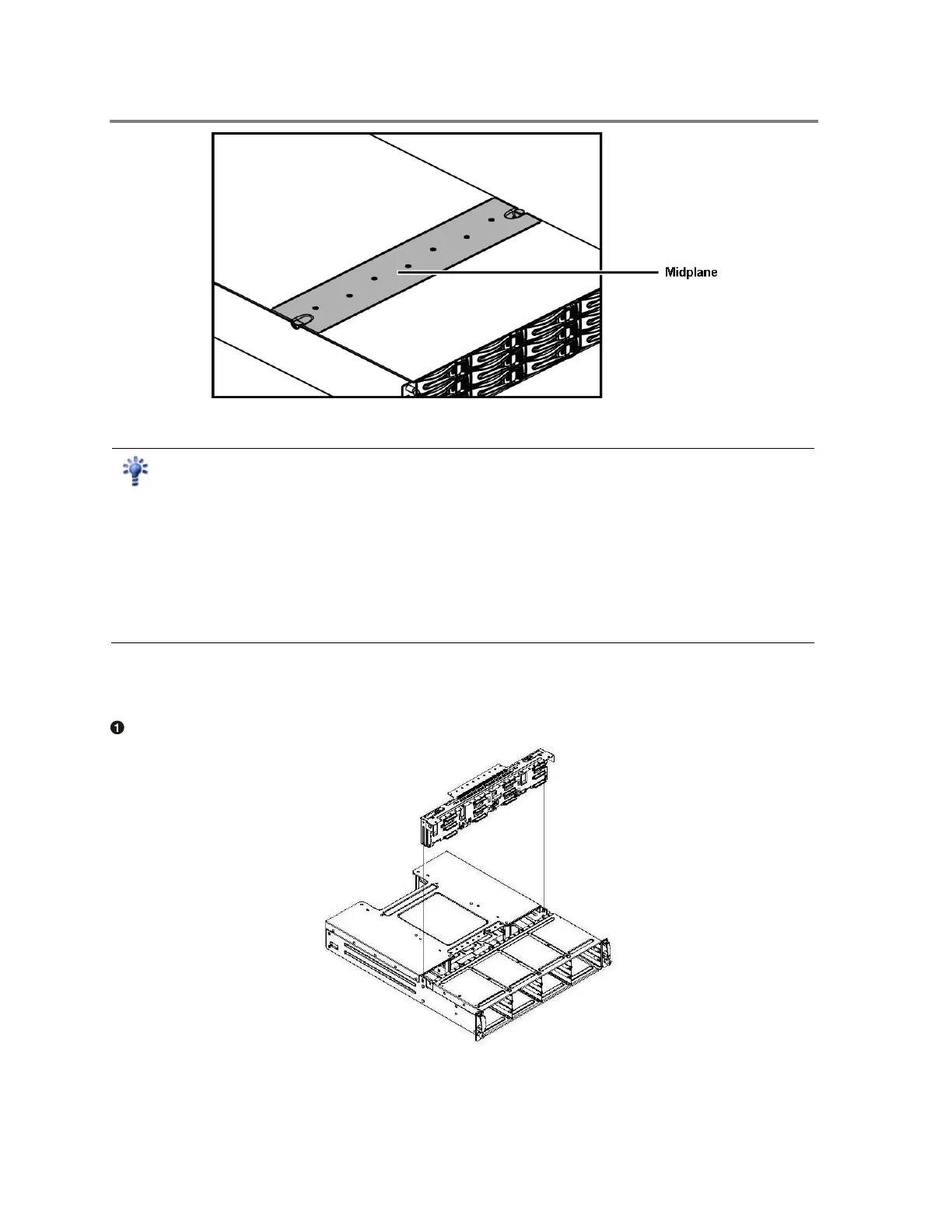
Figure 3-12 Mid-plane Location
Reminder
Before you remove or install the mid-plane, you must remove all modules connected to the
mid-plane. Please follow the steps below:
Step 1:
Make sure the PixelStor 5000 is turned off and not connected to AC power.
Step 2:
Remove the controller module.
Step 3:
Remove the power supply module.
Step 4:
Remove the drives.
To install the Mid-plane
Insert the Mid-plane into the chassis.
Figure 3-13 Installing the Mid-plane



 To Next Page