Hardware Installation
PixelStor 5000 User Manual
Rev. 1, May 2013
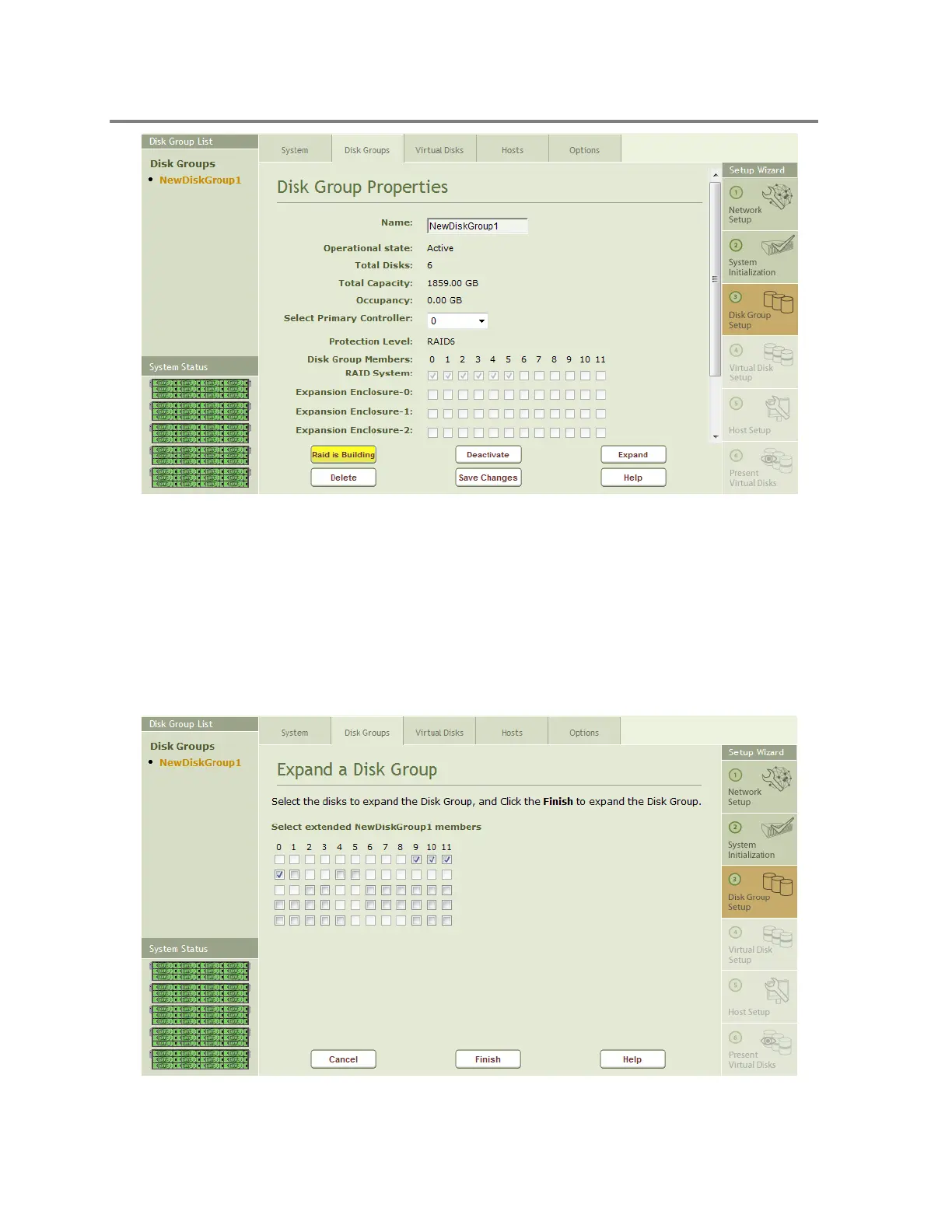
Figure 4-23 Disk Group Properties - Expand
To expand a Disk Group, select the Disk Group you wish to expand from the Disk Group List on
the left hand side of the Management Console and click on the Expand button at the bottom of
the properties page for that Disk Group shown in Figure 4-23.
This will open the Expand a Disk Group window shown in Figure 4-24, where you select the
additional drives for the Disk Group.
Figure 4-24 Expand a Disk Group



 To Next Page