Gilat Satellite Networks | Confidential and Proprietary Information | 31
Routing Cables Through the Rear Hatch of an SUV
You can route the cable into the vehicle behind the rear hatch.
To route the cables through the rear hatch:
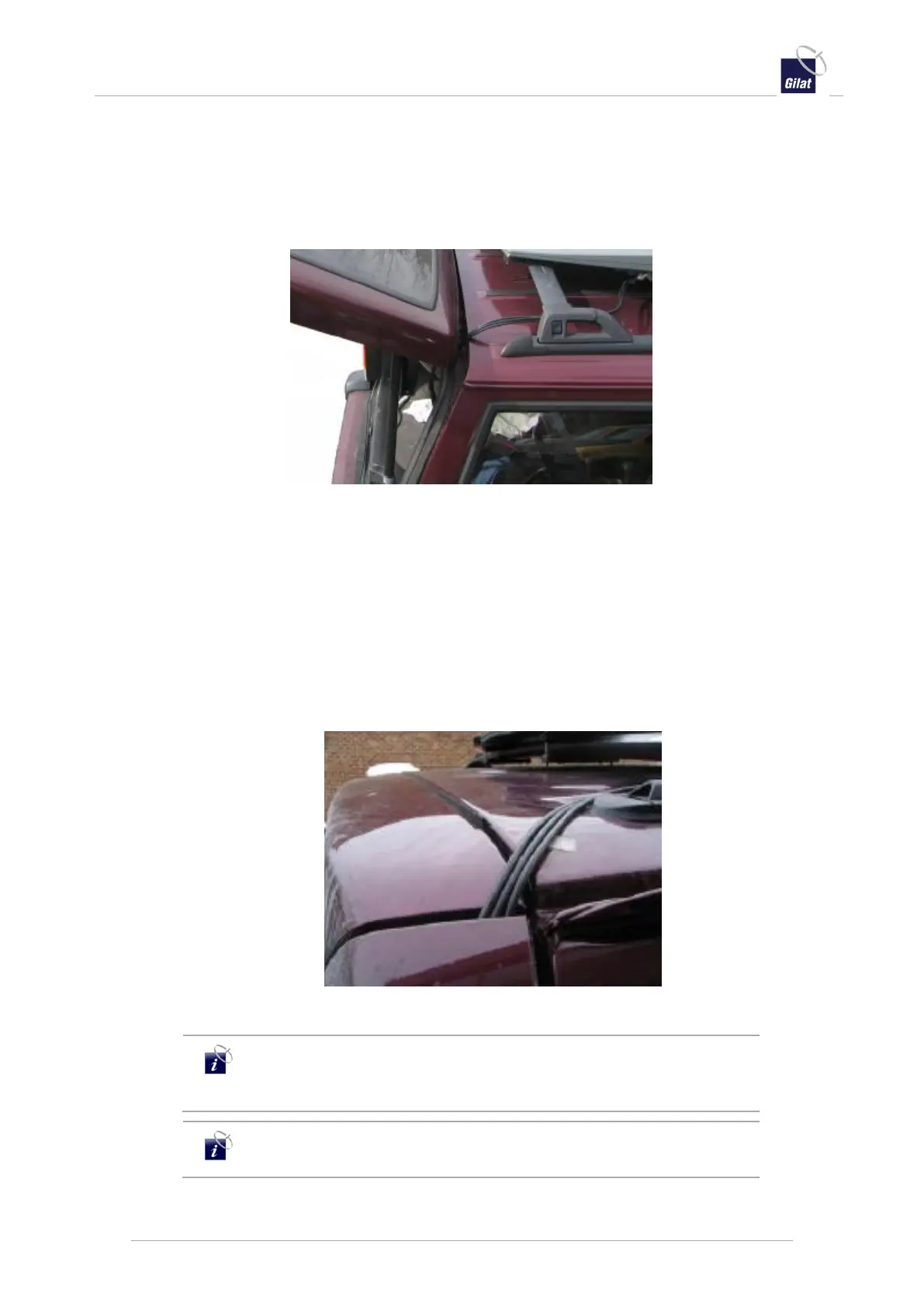
1. Run the cable along the roof rack to the back of the vehicle. With the hatch open,
route the cable behind the hatch to inside the vehicle.
Figure 35: Open hatch routing of single cable from a Uni Pol antenna
2. Close the hatch gently and carefully inspect the cable to make certain that it is
not bent, pinched or damaged.
Routing Cables Through Two Panels
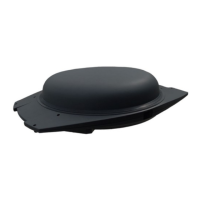
You can route the cable between two body panels of the vehicle. The antenna cable
may be small enough for certain vehicles. Do not use this option if the space between
the body panels is too small.
Take every precaution to protect the vehicle from body damage and water
infiltration.
Figure 36: Routing cable between two panels or through a grommet
Do not fold or kink the cables. Any bends should be gradual and
kept to a 12 cm bend radius to avoid damaging cables and
degrading received satellite signals.
Prior to the cable entering the vehicle, create a drip loop to prevent
water from entering the vehicle and causing damage.


 To Next Page