Gilat Satellite Networks | Confidential and Proprietary Information | 33
Connecting the System
This section describes how to connect the system components and how to connect
the system to power.
Connecting the Cables to the Antenna
This section describes how to connect the coaxial RF cables to the antenna, and how
to route the cables inside the vehicle to the ACU location.
This procedure assumes the antenna was installed correctly, with TNC connectors
facing the intended point of entry into the vehicle - see Routing Cables Into the
Vehicle, on page 30).
Refer to Connecting the System Components, on page 34, for specific details about
system cable connections.
To connect the cables to the antenna:
1. Connect the cables to the antenna a described in Connecting the System
Components, on page 34.
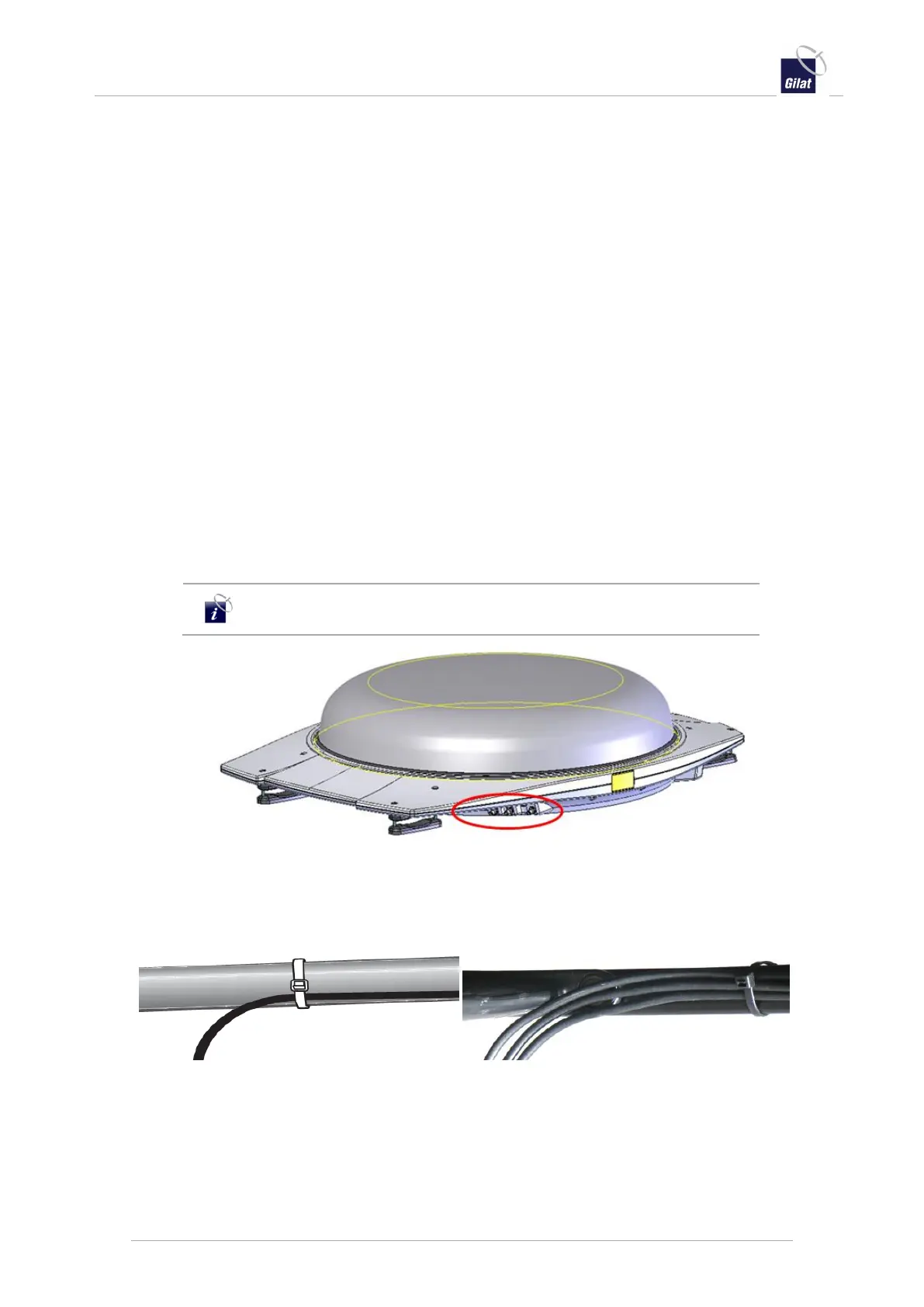
For the Dual Pol antenna version installation, label both sides of each cable with
the associated connector Ctrl, LB, HB for easy identification inside the vehicle.
Do not overtighten the antenna connections.
Figure 38: Dual Pol TNC connector inputs
2. Guide the cables toward the point of entry into the vehicle.
3. Secure the cables to the roof rack crossbars or vehicle with tie-wraps or self-
adhesive cable straps.
Figure 39: Tie wrap cables to roof rack (Uni Pol and Dual Pol examples)
4. Guide the cables into the vehicle through the point of entry. See Routing Cables
Into the Vehicle, on page 30.
5. Connect the indoor equipment, as described in Connecting the System
Components, on page 34.


 To Next Page