58 | Gilat Satellite Networks | Confidential and Proprietary Information
Creating a Satellite
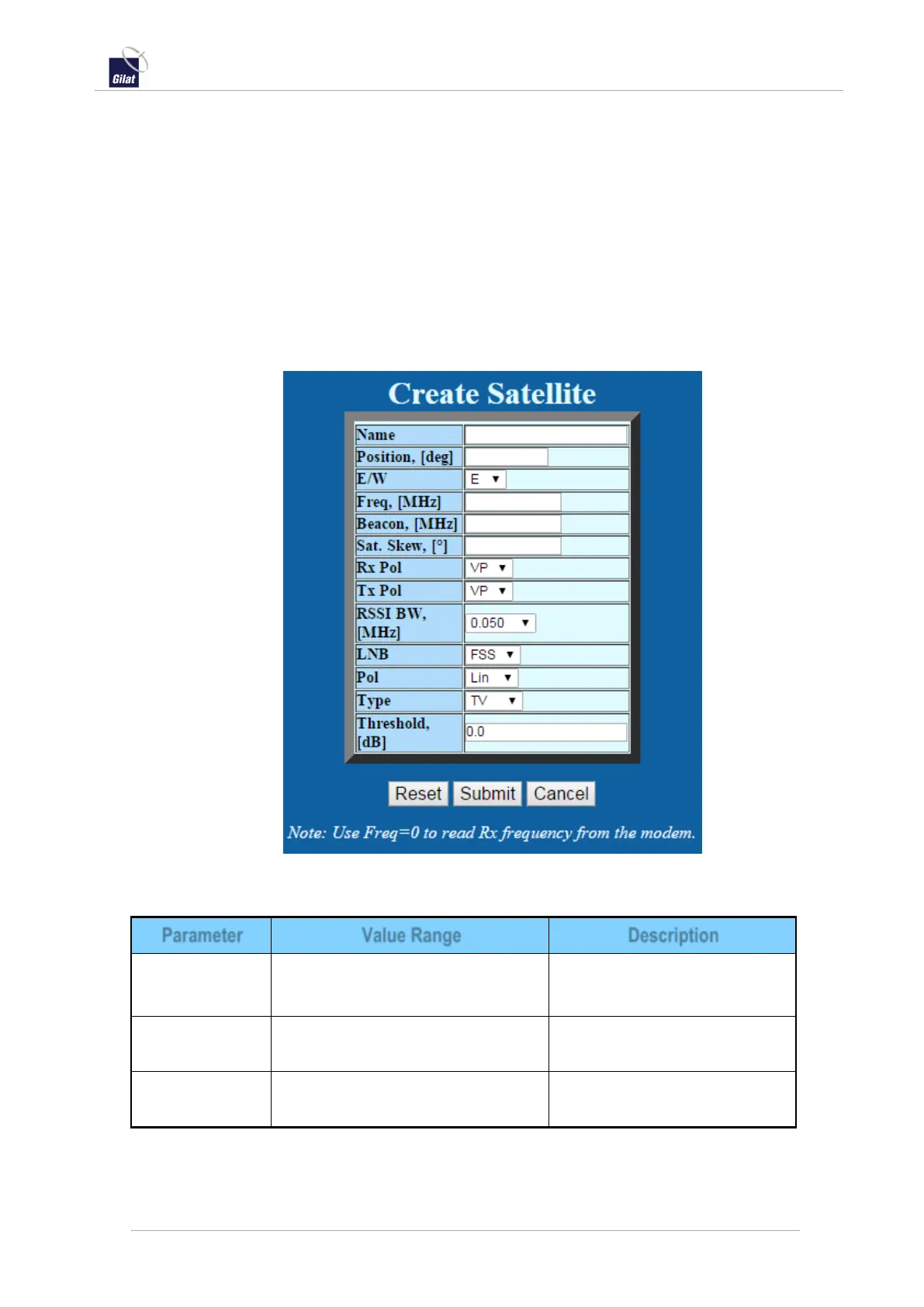
The Create Satellite page allows you to define a new satellite in the satellite database.
After the satellite is created, the parameters can be edited in the Satellite parameters
page. See Editing a Satellite, below.
To define a new satellite:
1. Access the Satellite Settings page – see Configuring Satellite Settings, on page 57.
2. From the Satellite drop-down list, click Create. The Create Satellite page is
displayed.
3. Fill the fields with the desired satellite name and other parameters.
4. Click Submit to save.
Figure 60: Create Satellite
Table 19: ACU web interface - Satellite parameters
Any combination of alphanumeric
characters, no spaces or tabs
Satellite orbital position in
degrees.
East/West indication for
satellite longitude.


 To Next Page