60 | Gilat Satellite Networks | Confidential and Proprietary Information
Editing a Satellite
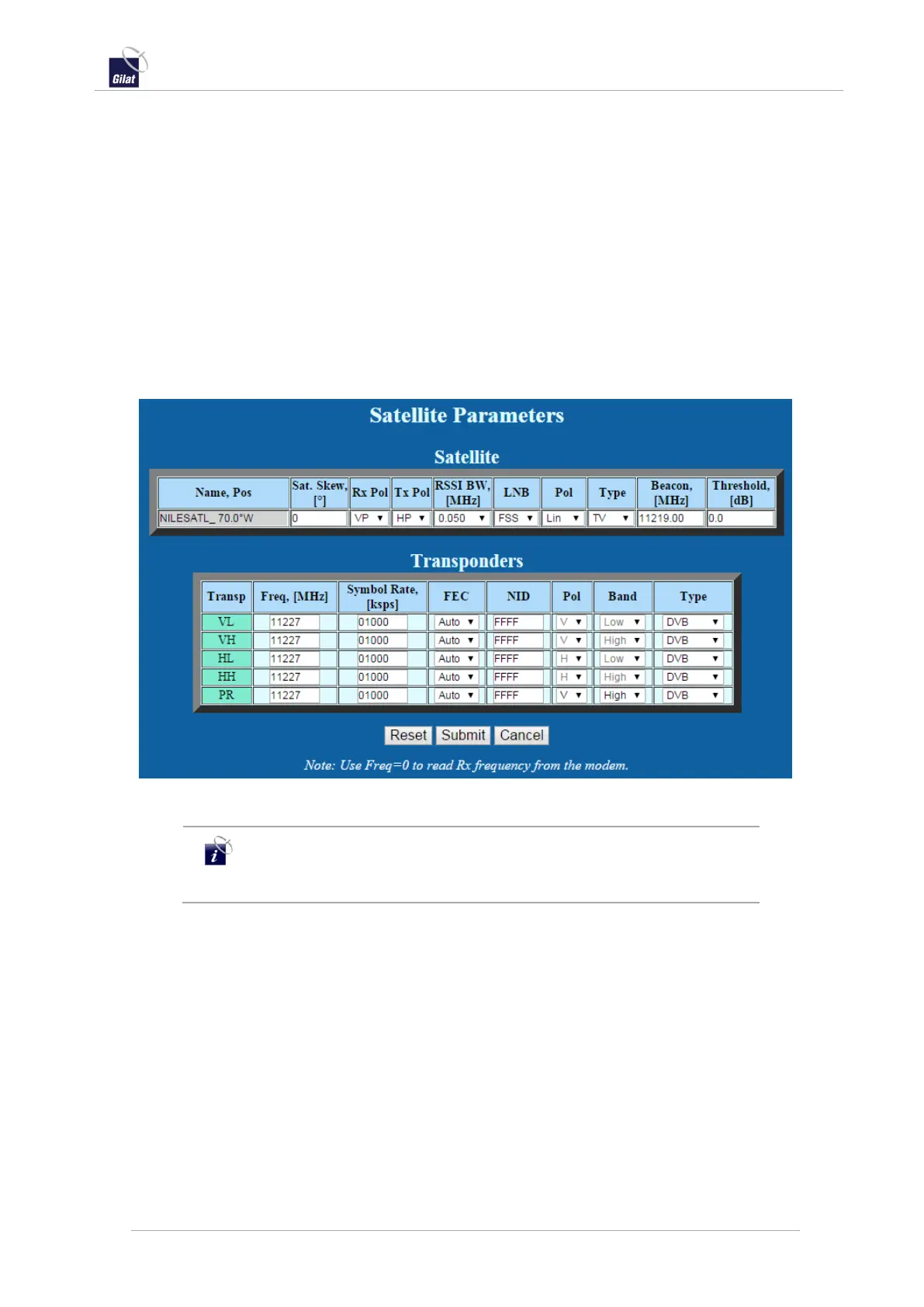
The Edit Satellite page allows editing values for an existing satellite in the satellite
database.
The Edit Satellite page appears the same as the Create Satellite page – See Creating a
Satellite. All parameters except Name and Position are editable.
To edit satellite values:
1. Access the Satellite Settings page – see Configuring Satellite Settings, on page 57.
2. From the Satellite drop-down list, select a satellite and click Edit. The Edit
Satellite page is displayed.
3. Fill in the fields with the desired satellite name and parameters.
4. Click Submit to save.
Figure 61: Satellite Parameters Edit
You can enable the Rx frequency to be read from the satellite
modem by setting the Transponder frequency to zero (available on
some modem models.)


 To Next Page