46 | Gilat Satellite Networks | Confidential and Proprietary Information
ACU Controls
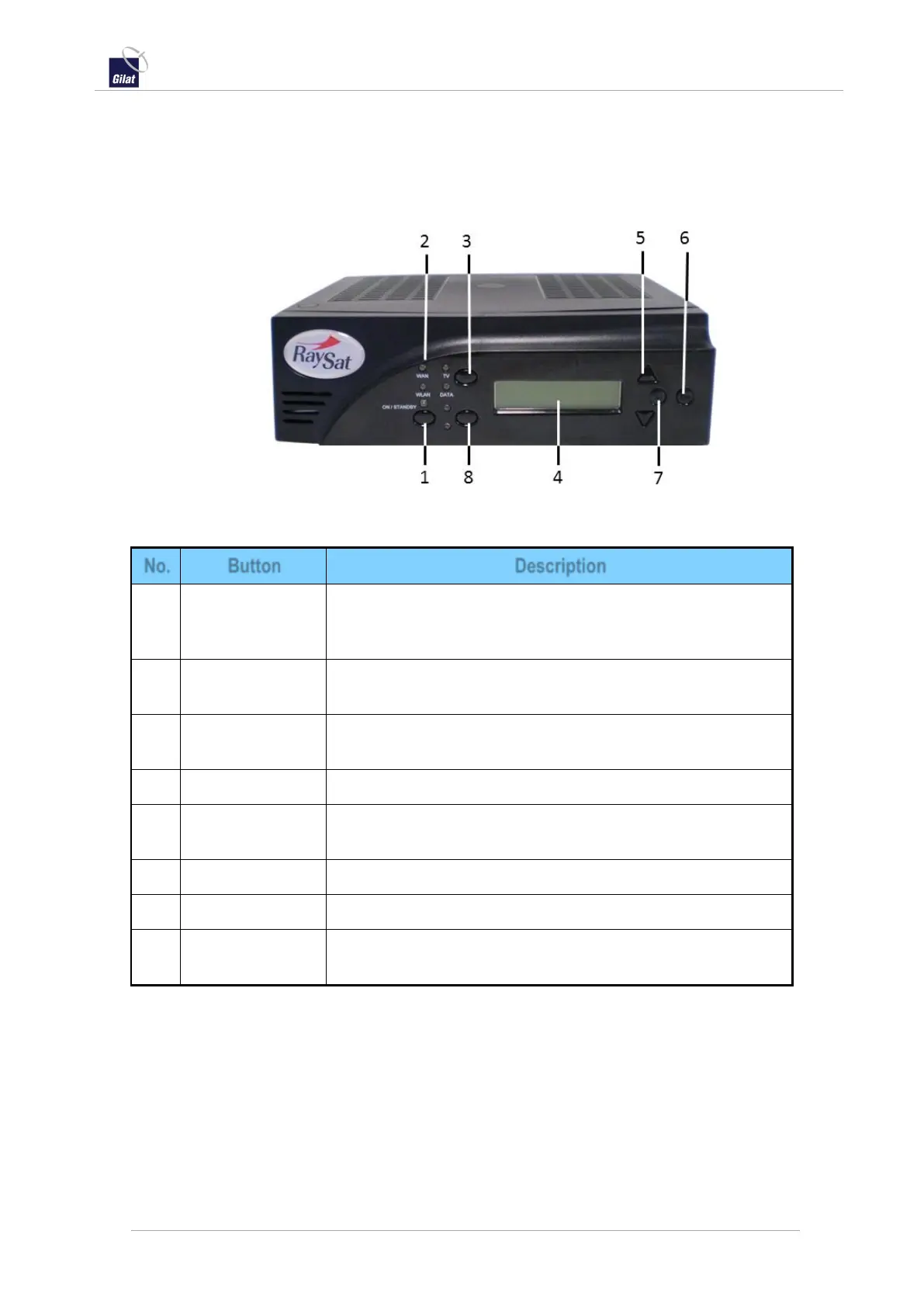
This section describes the ACU unit front and rear panel controls.
Front View
Figure 51: ACU front panel controls
Table 11: ACU front panel controls
Allows the ACU to be placed in standby mode, without
needing to turn the unit off with the power switch located on
the back. The antenna does not track in Standby mode.
Switches between WAN/WLAN two-way data networking.
Switches the ACU configuration between TV and Data modes
of operation.
Used for verification of system status and troubleshooting.
Used to scroll through menu options on the LCD screen.
Used to back out of or cancel the current menu option.
Used to select the current menu option.
For engineering systems control only. Pressing this button
does not affect system operations.


 To Next Page