40
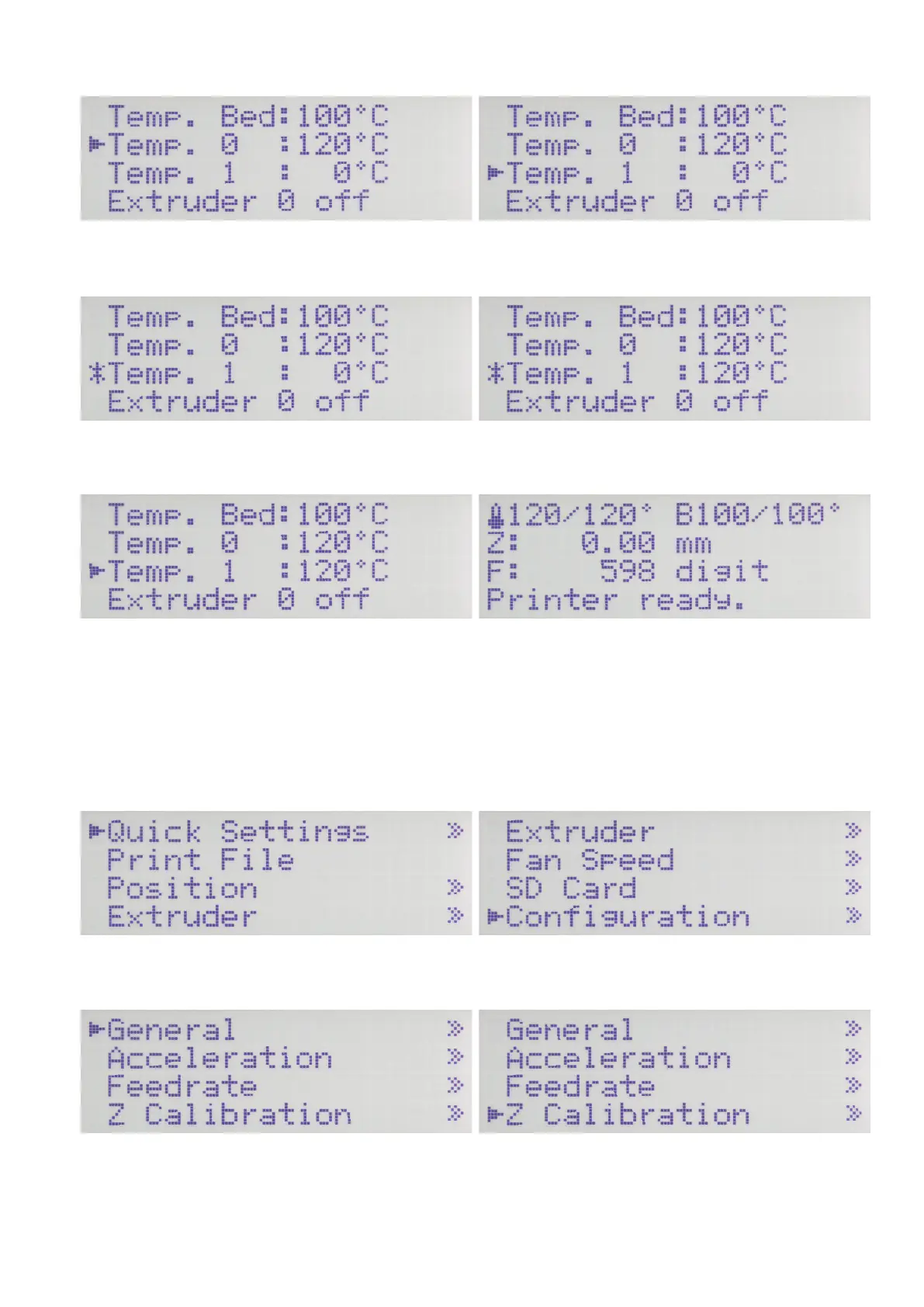
Use the direction buttons to select "Temp. 1". Push OK.
Use the direction buttons to set "120 °C". Push OK.
Push the direction button "left" 2 x to return to the main menu. Wait until the actual temperature of the extruders in the display is
120 °C and the actual temperature of the printing plate is 100 °C.
Let then both continue to heat up for at least another 10 minutes until
the printing plate temperature has stabilised and it is entirely heated
through, and the extruder have completely expanded.
Then push OK.
Start of the heat bed scan
Use the direction buttons to move to item "Conguration". Push OK.
Use the direction buttons to select "Z Calibration". Push OK.



 To Next Page