80
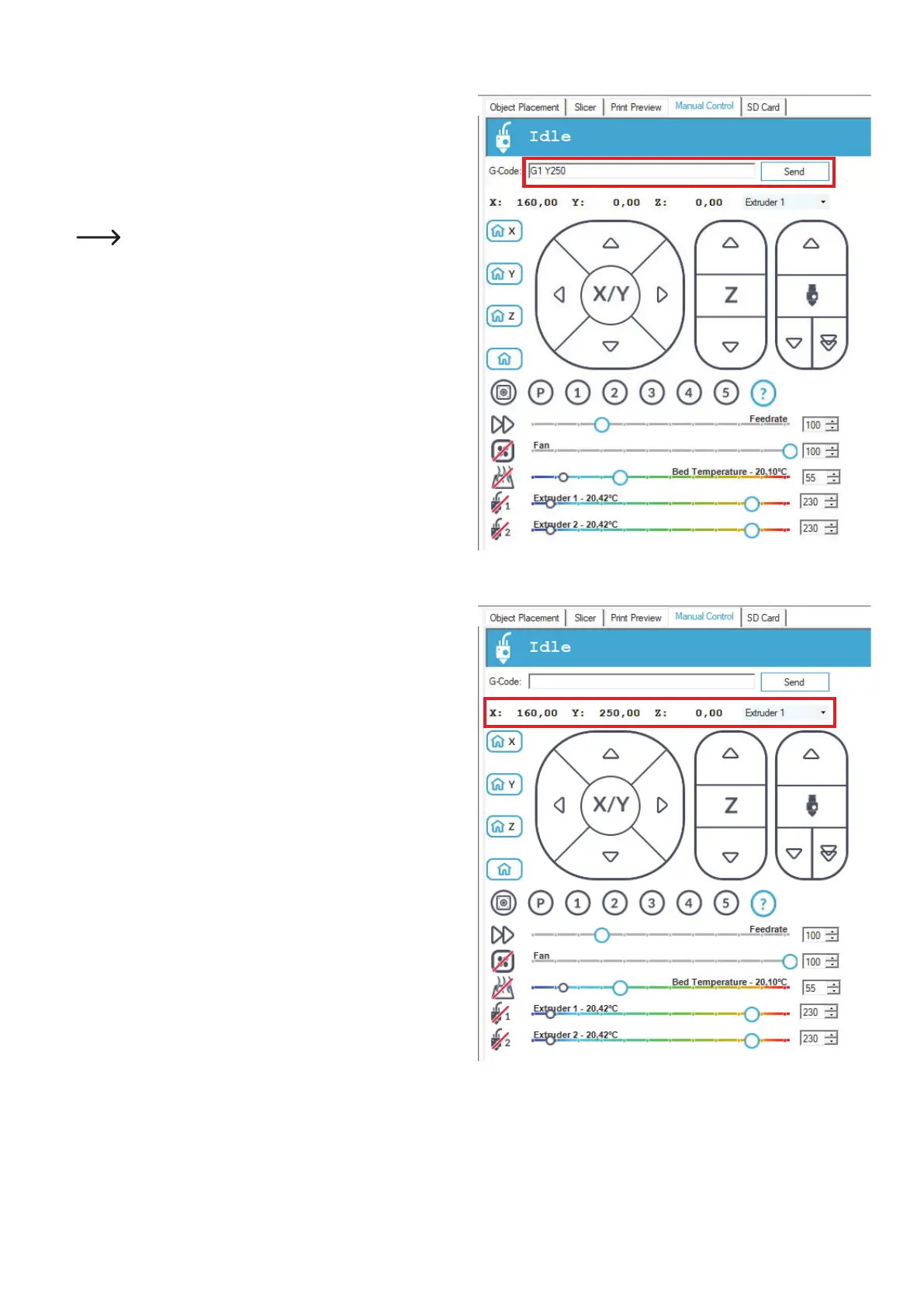
• NowmovetheY-axistothepositionpreviouslyread.
• Forthis,enterthecommand"G1 Y250" (without quotation marks)
intheeld"G-Code" and click"Send".Replace250byyourY-val-
ue.
TheprintermovestheY-axistotheposition.Inourexample,thisis
theY-position250.
Whenthepositionisreached,theeldYwillshowthecur-
rent position. In our example, this is 250.00.
• Ifeverythingworkedcorrectly,theXandYeldsnowdisplaythe
two values read and the printer has also moved to these positions.
• NowsettheextruderasdescribedinChapter"14.c)Settingthe
distancebetweenthenozzleandtheprintingplate";thenperform
a heat bed scan.



 To Next Page