89
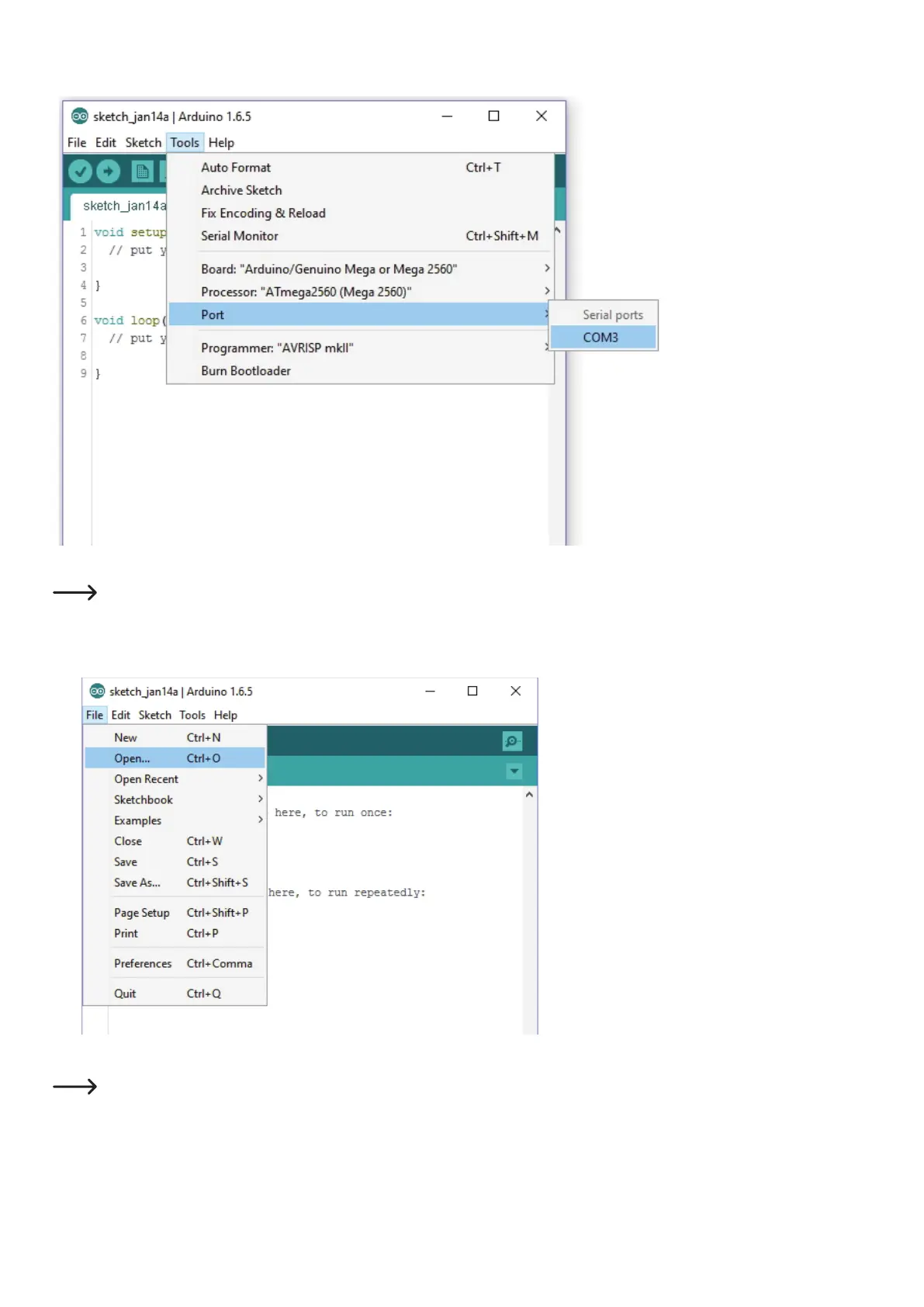
• Inthemenu"Tools" (1), select the option "Port" (2) and set the correct port (3).
Theportnumberissystem-dependent.Youcannditinthedevicemanagerofthecontrolpanel,underconnections(COMandLPT).
• Inthemenu"File", choose the option "Open..."andselectthele"Repetier.ino"fromthedownloadedrmwarefolder.
Thele"Repetier.ino"canbefoundviathefollowinglepath:"Repetier-Firmware-master\RF2000v2\Repetier"
• Anewwindowopens.
1
2
3
1
2



 To Next Page