Beijing RichAuto S&T Co., Ltd.
Forging ahead and determined to win 6
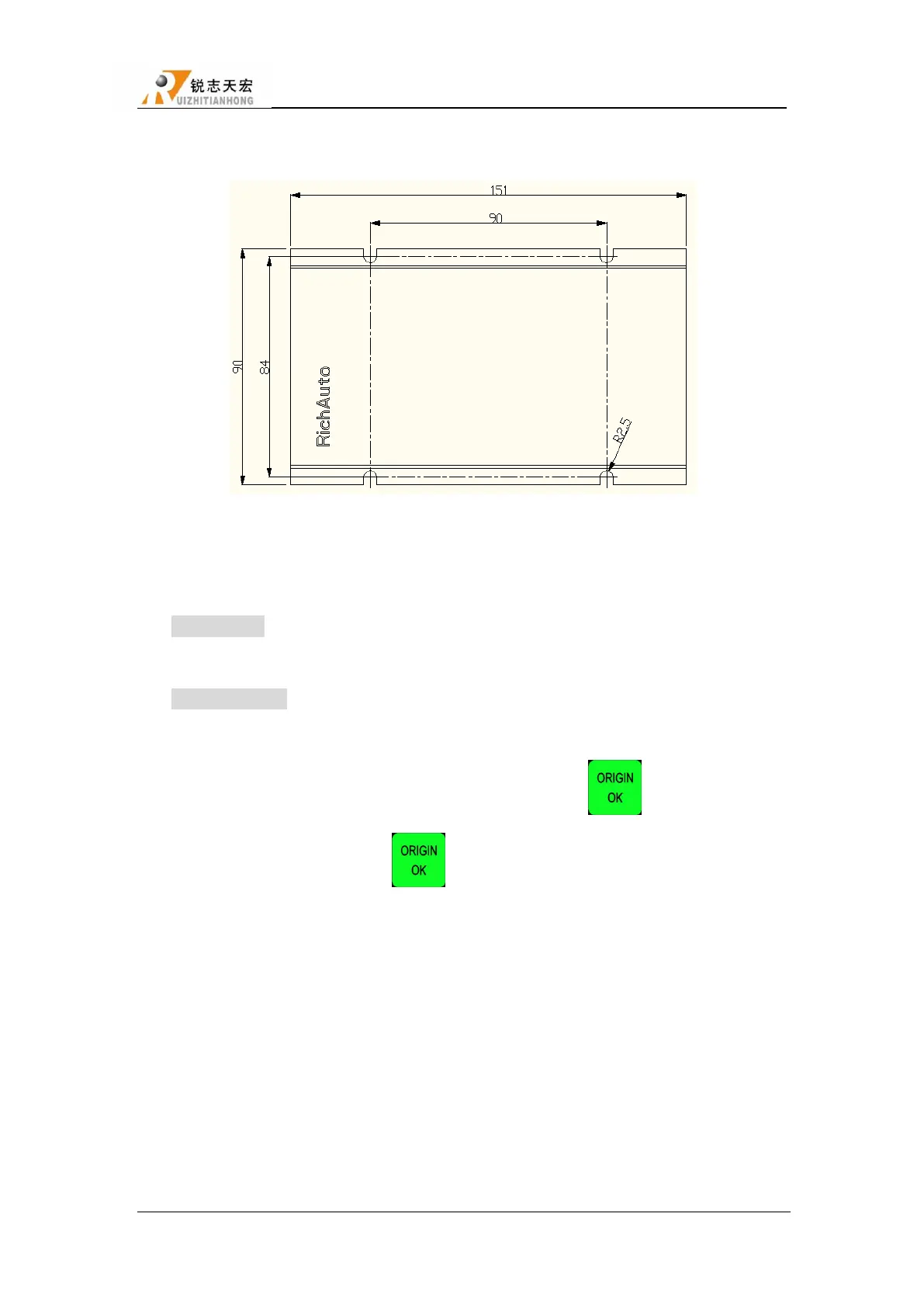
1.3 Interface board shell size
Ratio:1:1 ,Unit: mm
1.4 System start-up mode
Normal start:After power up, the system enters the homing type interface and manual
control interface.
Emergency start:After power up, if the system can not enter the homing type interface and
manual control interface,users need to make an emergency start operation.
Firstly, cut off the power supply,and then press and hold button“ ”, power up again,
after 3-4 seconds,release button “ ”, if system enters the Emergency state, you can
choose to“Update System”,“Format System”,and then restart the system.
2. Handle Buttons Introduction
2.1 Buttons introduction
RichAuto motion control system defines 16 buttons according to functional requirements.
Each button has one or more functions under different work status.



 To Next Page