Beijing RichAuto S&T Co., Ltd.
Forging ahead and determined to win 7
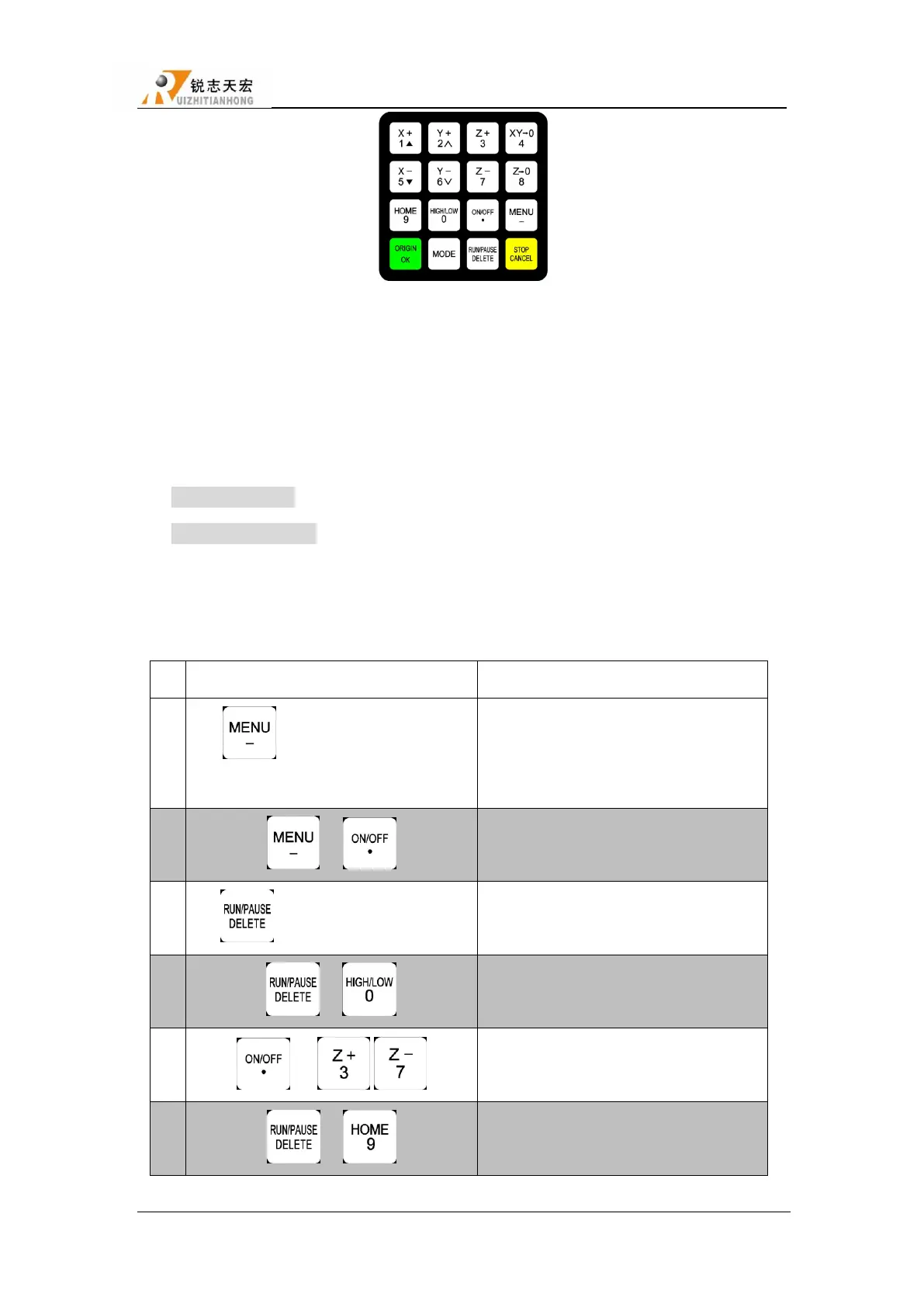
Buttons picture
2.2 Usage mode
RichAuto control system provide two modes of buttons’ operation,including one-touch button
& Combination button.
One-touch button:Press one button on handle.
Combination button:Press two buttons at the same time to achieve the operation;the
operation step: press one main function button and meanwhile press a second accessibility button,
and then release the two buttons at the same time to realize the combination button operation.
List of Combination buttons:
Switch the coordinate system (0 for the
mechanical coordinate system , 1 - 9 for
the work coordinate system)
Start Z-axis automatic tool setting
Start the breakpoints processing (support
number 1 - 8)
Start advanced processing
To switch gear shaft under manual mode
Repeat last time processing



 To Next Page