Beijing RichAuto S&T Co., Ltd.
Forging ahead and determined to win 8
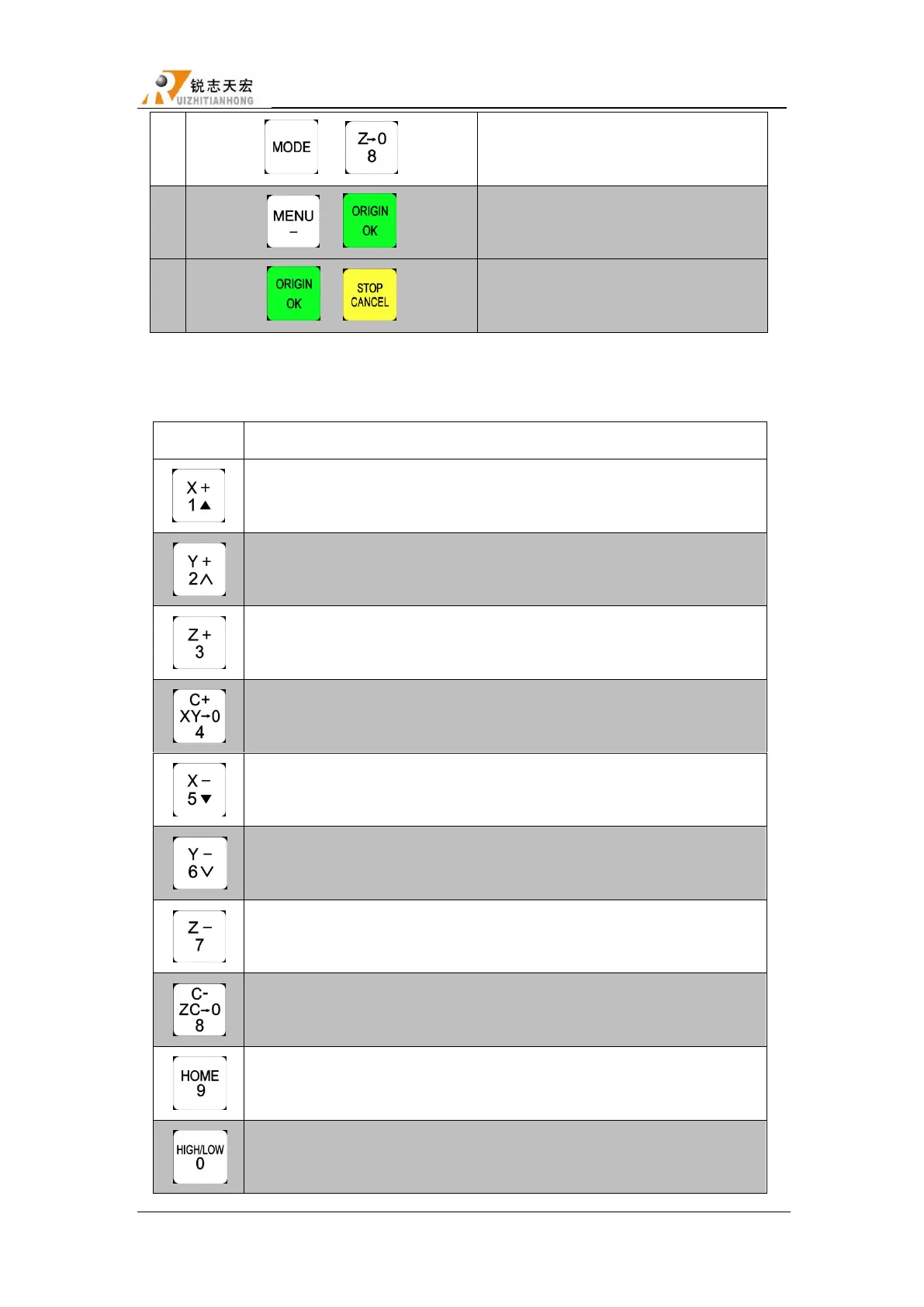
2.3 Detail information for buttons function
Positive movement of X axis, menu upward , figure 1 inputting
Positive movement of Y axis, speed-up processing speed, figure 2 inputting
Positive movement of Z axis, figure 3 inputting, increase spindle speed
during processing
Set X axis and Y axis work origin, figure 4 inputting
Negative movement of X axis, menu downward, figure 5 inputting
Negative movement of Y axis, solw down processing speed, figure 6
inputting different property selecting in Menu
Negative movement of Z axis, figure 7 inputting, reduce spindle speed
during processing
Set Z axis work origin, figure 8 inputting
Machine back home, figure 9 inputting,check information during processing
High or low speed selection under manual mode, figure 0 inputting,change
work coordinate & mechanical coordinate during processing



 To Next Page