1.Replacement and Adjustment
98
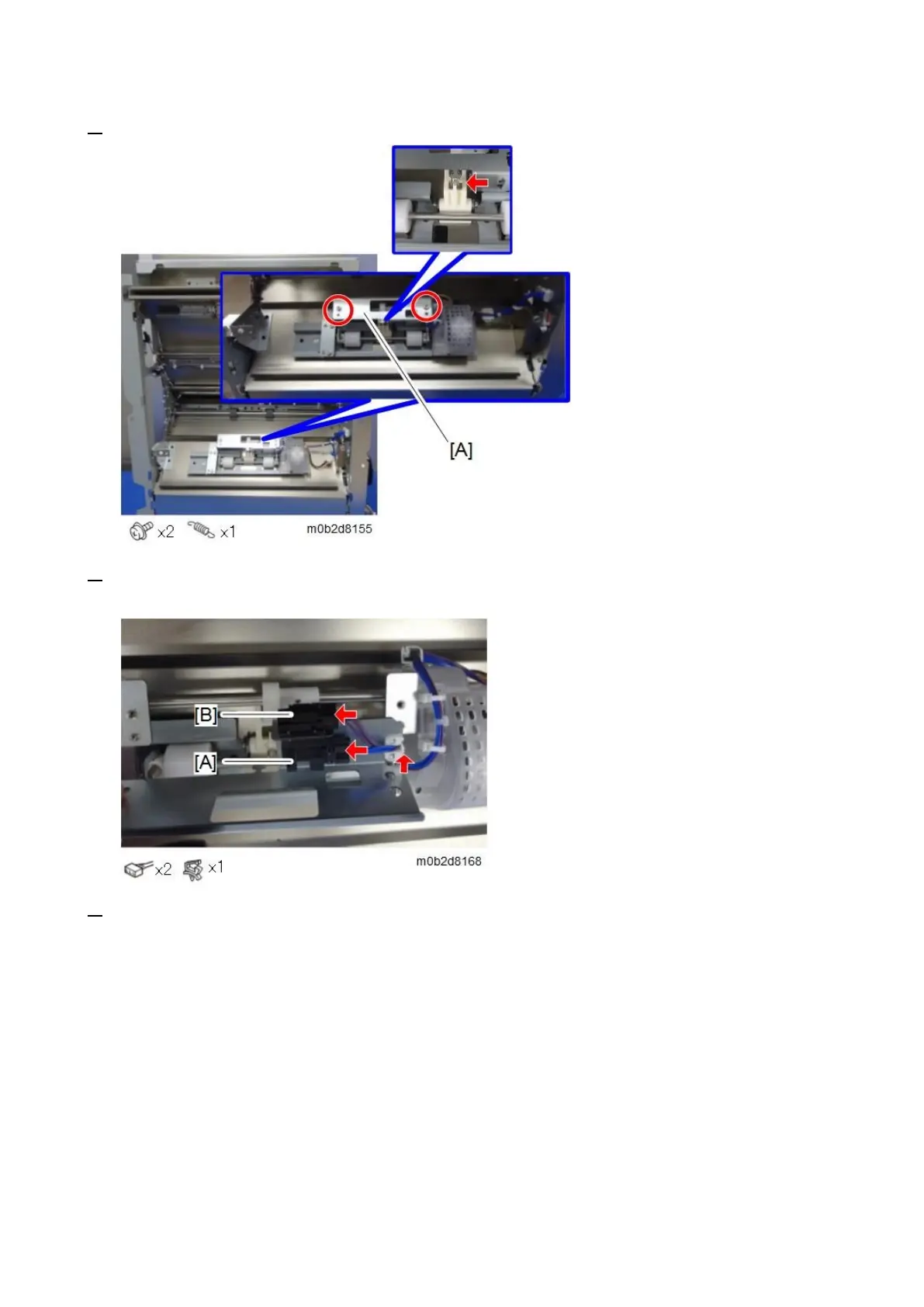
4. Remove the spring and the sensor bracket [A].
5. Turn over the sensor bracket, release the edge saddle, and disconnect the connectors of the
vertical transport entrance contact sensor [A] and vertical transport entrance sensor [B].
6. Remove the vertical transport entrance contact sensor [A] and vertical transport entrance sensor









 To Next Page