1.Replacement and Adjustment
47
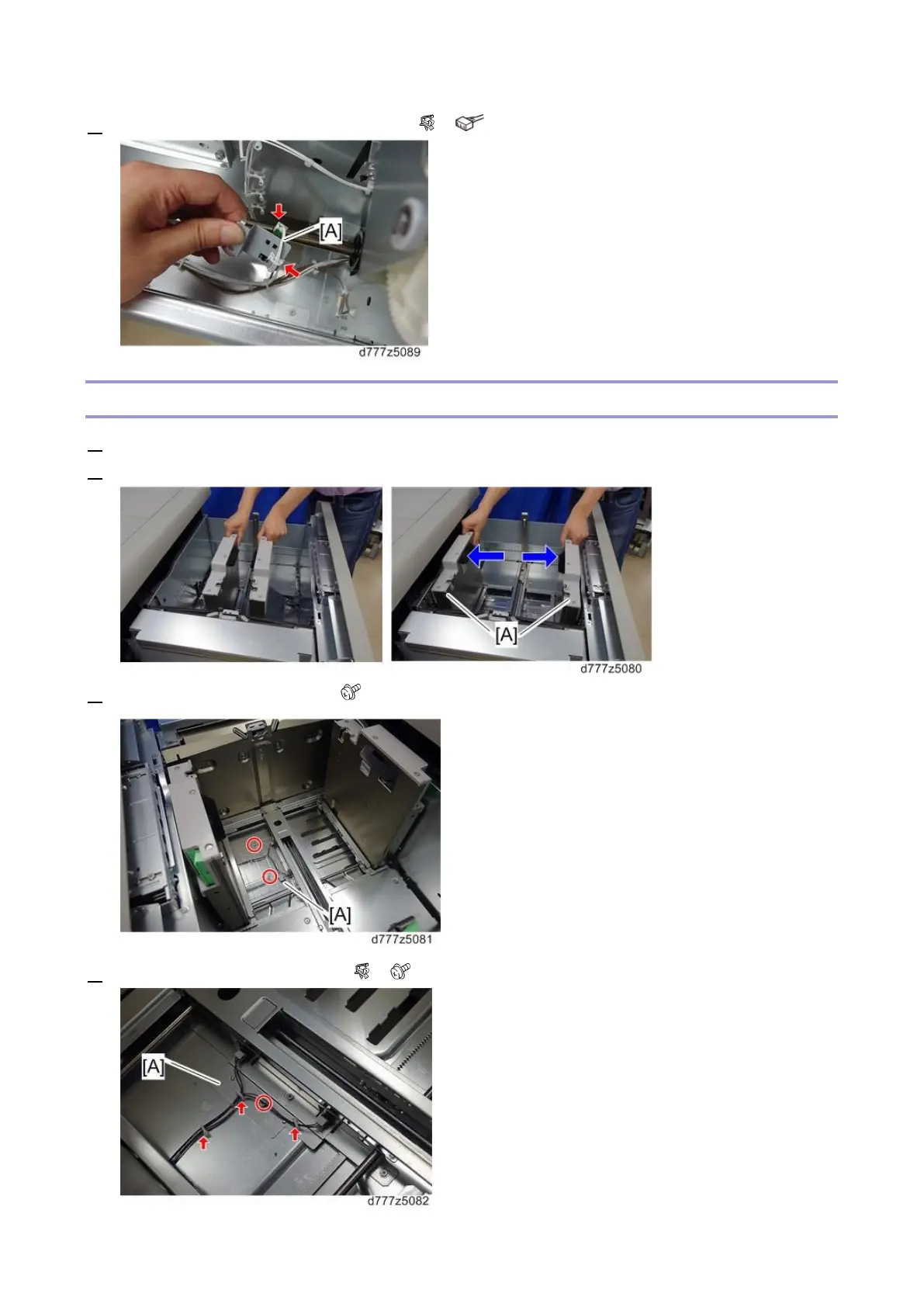
7. Remove the paper lower limit sensor [A] ( x1, x1)
LCIT Paper Length Sensors 1 and 2
1. Open the paper tray.
2. Hold the side fence lock to open the side fence [A].
3. Remove the sensor cover [A] ( x2)
4. Remove the sensor bracket [A] ( x3, x1)









 To Next Page