1.Replacement and Adjustment
7
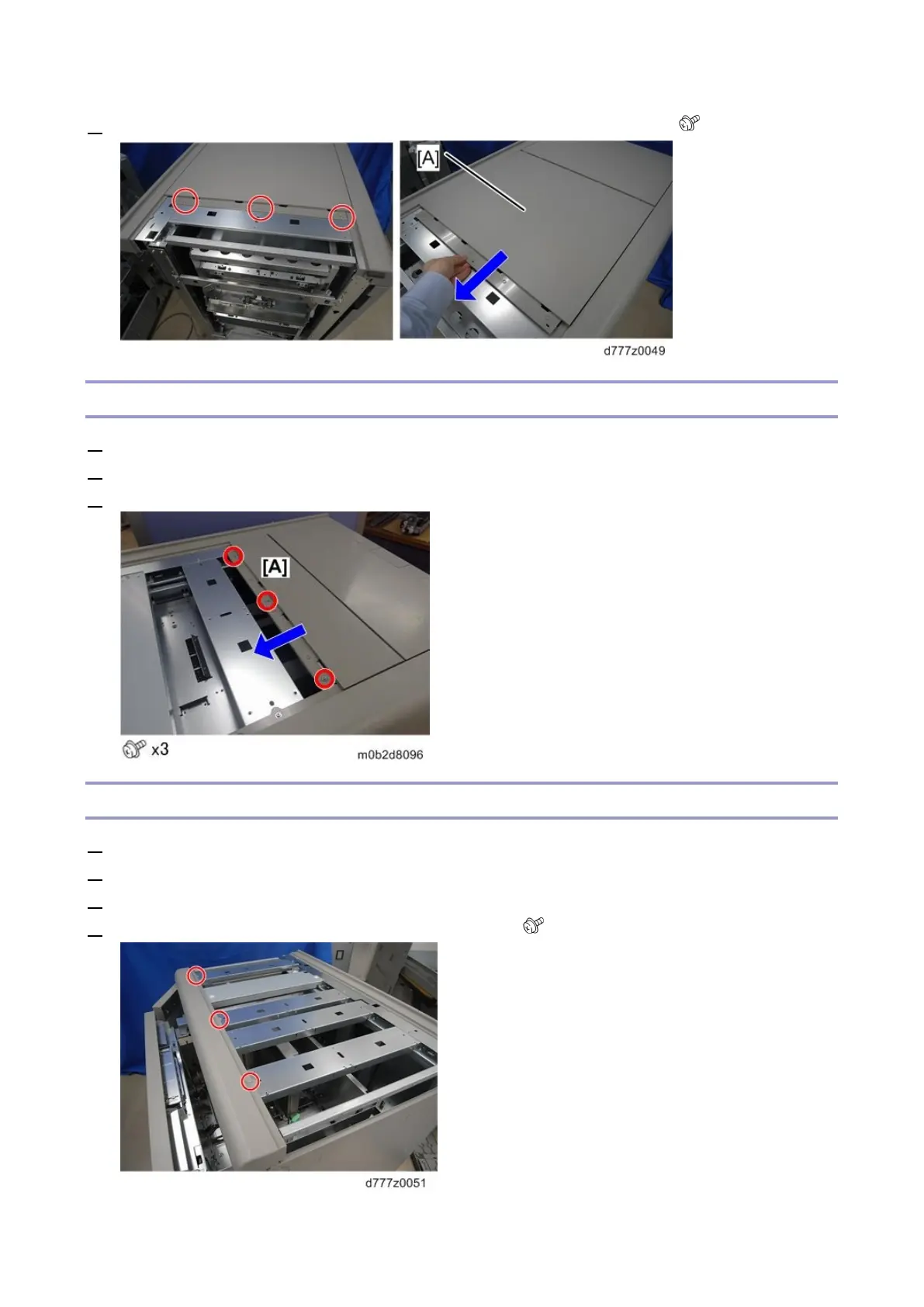
2. Slide the center top cover [A] in the direction of the blue arrow and remove it ( x3).
Right Top Cover
1. Remove the left top cover (Left Top Cover)
2. Remove the center top cover (Center Top Cover)
3. Remove the screws to slide the right top cover [A] in the direction of the arrow and remove it.
Front Corner Cover
1. Remove the left top cover (Left Top Cover)
2. Remove the center top cover (Center Top Cover)
3. Remove the right top cover (Right Top Cover)
4. Remove the screws at the top of the front corner cover ( x3).









 To Next Page