1.Replacement and Adjustment
76
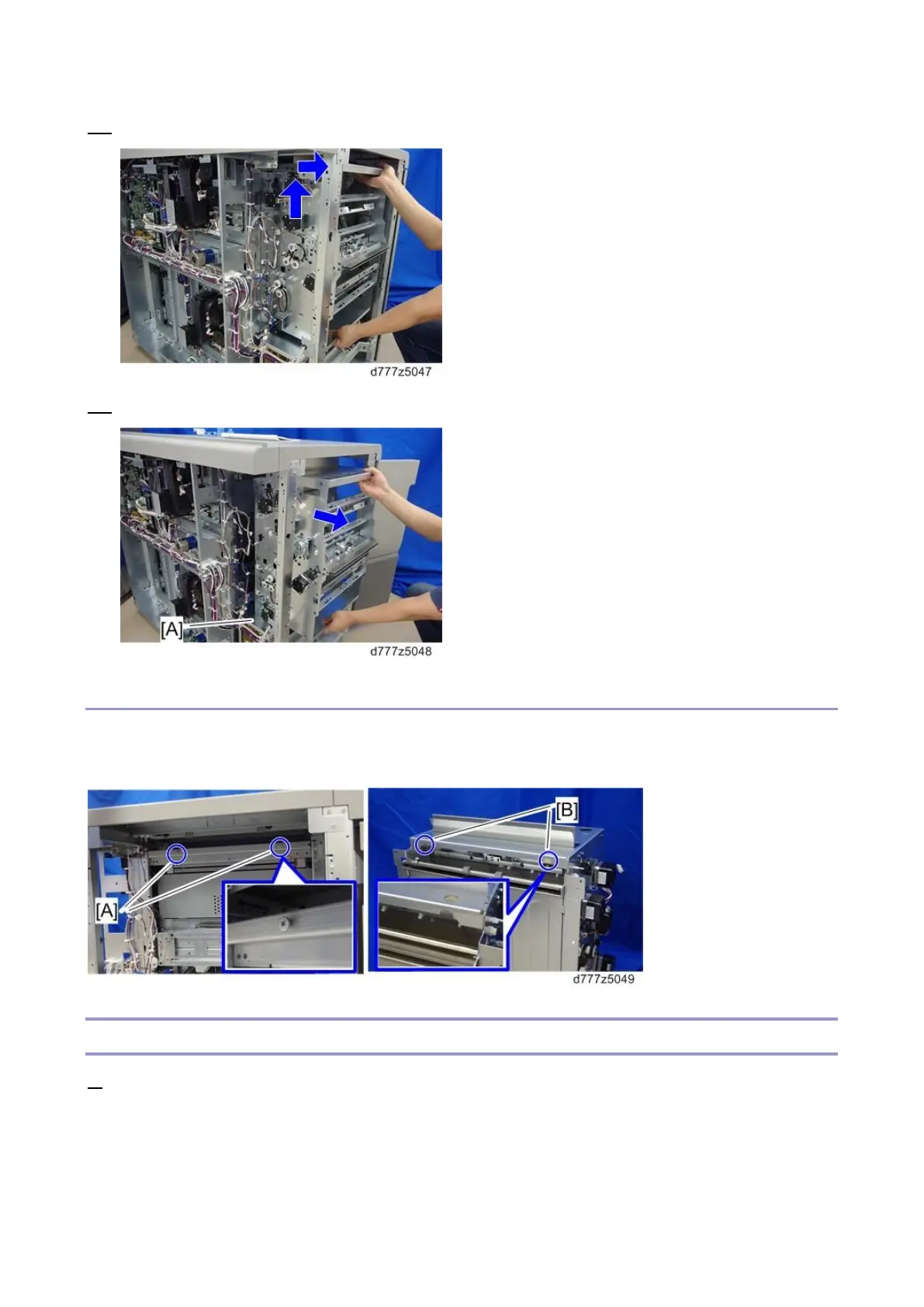
12. Use both hands to support the vertical feed unit, raise it slightly and pull it towards you.
13. Place the vertical feed unit on the PSU box [A] and pull it out gently.
Re-installation
When installing the vertical feed unit, place the notches [B] on the right side of the frame of the vertical
feed unit on the two shoulder screws [A] on the left side of the LCIT.
Tray 1 Vertical Transport Motor 1
1. Remove the rear right and left covers (Rear Right Cover, Rear Left Cover).









 To Next Page