1.Replacement and Adjustment
15
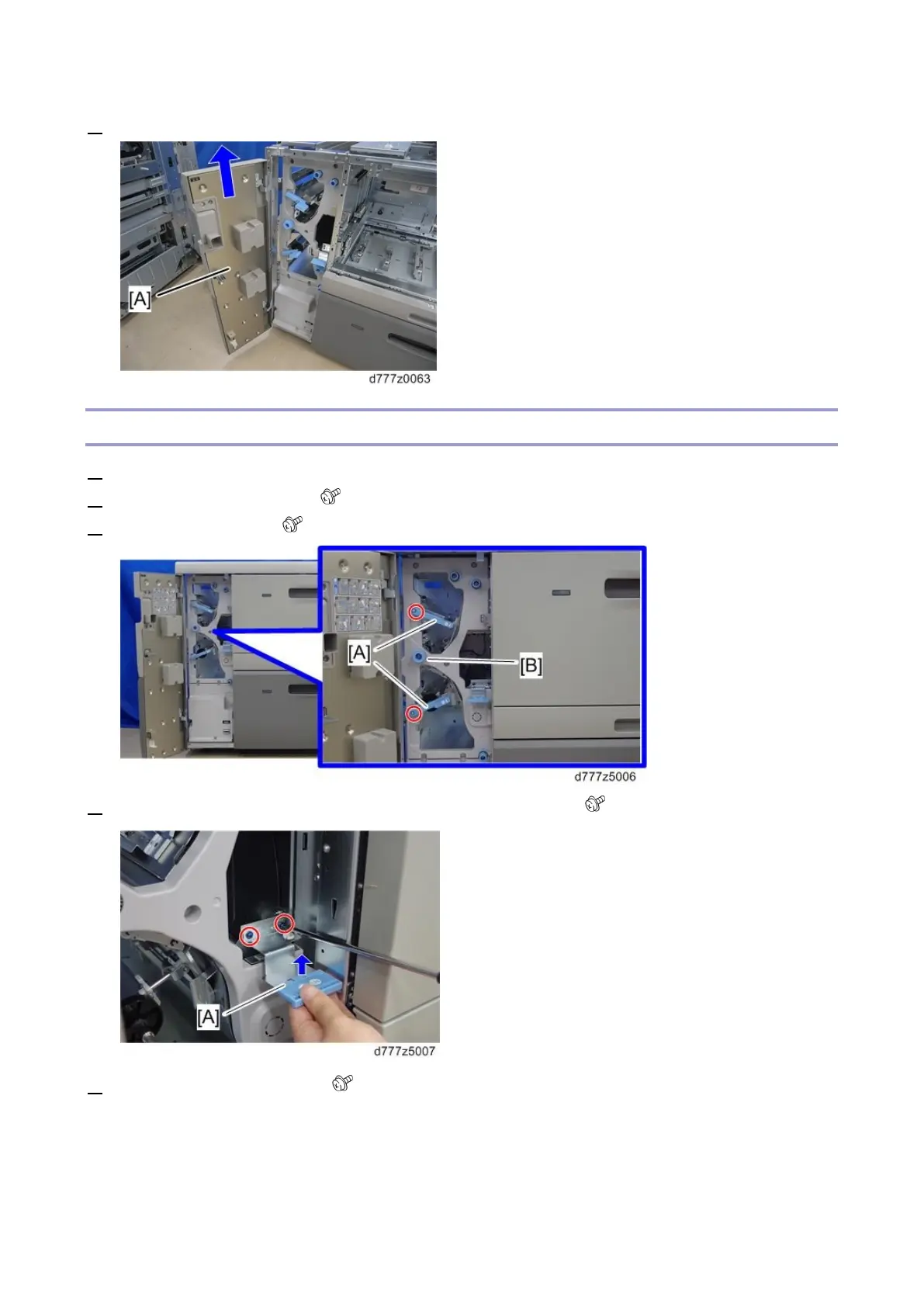
5. Lift the front door [A] and remove it.
Upper Inner Cover
1. Open the front door.
2. Remove the two levers [A] ( x1 each).
3. Remove the knob [B] ( x1)
4. Raise the paper jam U9 clearing plate and remove the knob [A] ( x2).
5. Remove the three knobs [A] ( x1 each)









 To Next Page