1.Replacement and Adjustment
29
Transport Roller Unit
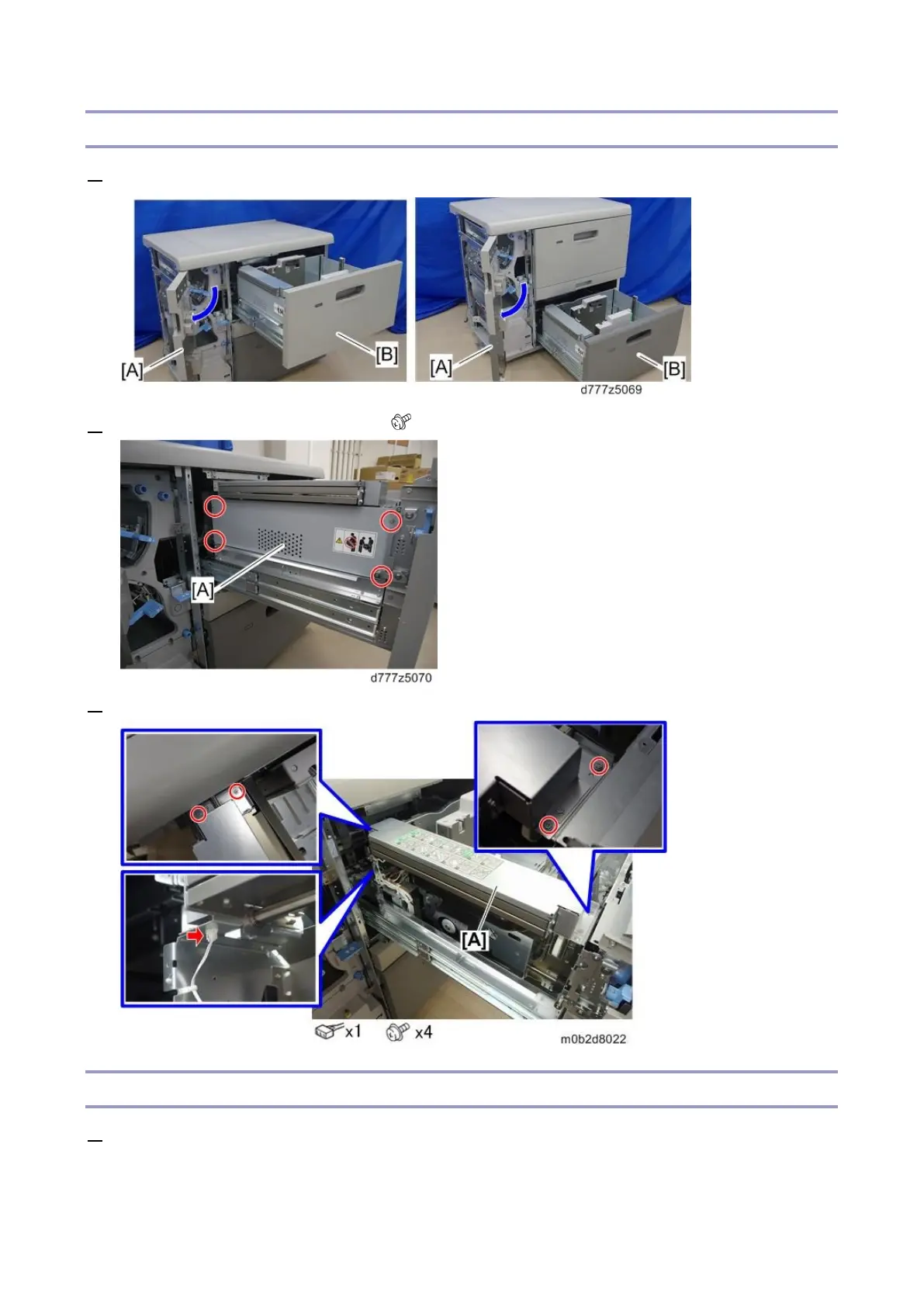
1. Open the front door [A] and pull out the paper tray [B].
2. Remove the tray left upper cover [A] ( x4)
3. Remove the transport roller unit [A].
Float/Separation/Return Fan Duct
1. Remove the paper tray (Paper Tray)









 To Next Page