1.Replacement and Adjustment
14
Rear Corner Cover
1. Remove the left top cover (Left Top Cover)
2. Remove the center top cover (Center Top Cover)
3. Remove the right top cover (Right Top Cover)
4. Remove the rear right and rear left covers (Rear Right Cover,Rear Left Cover).
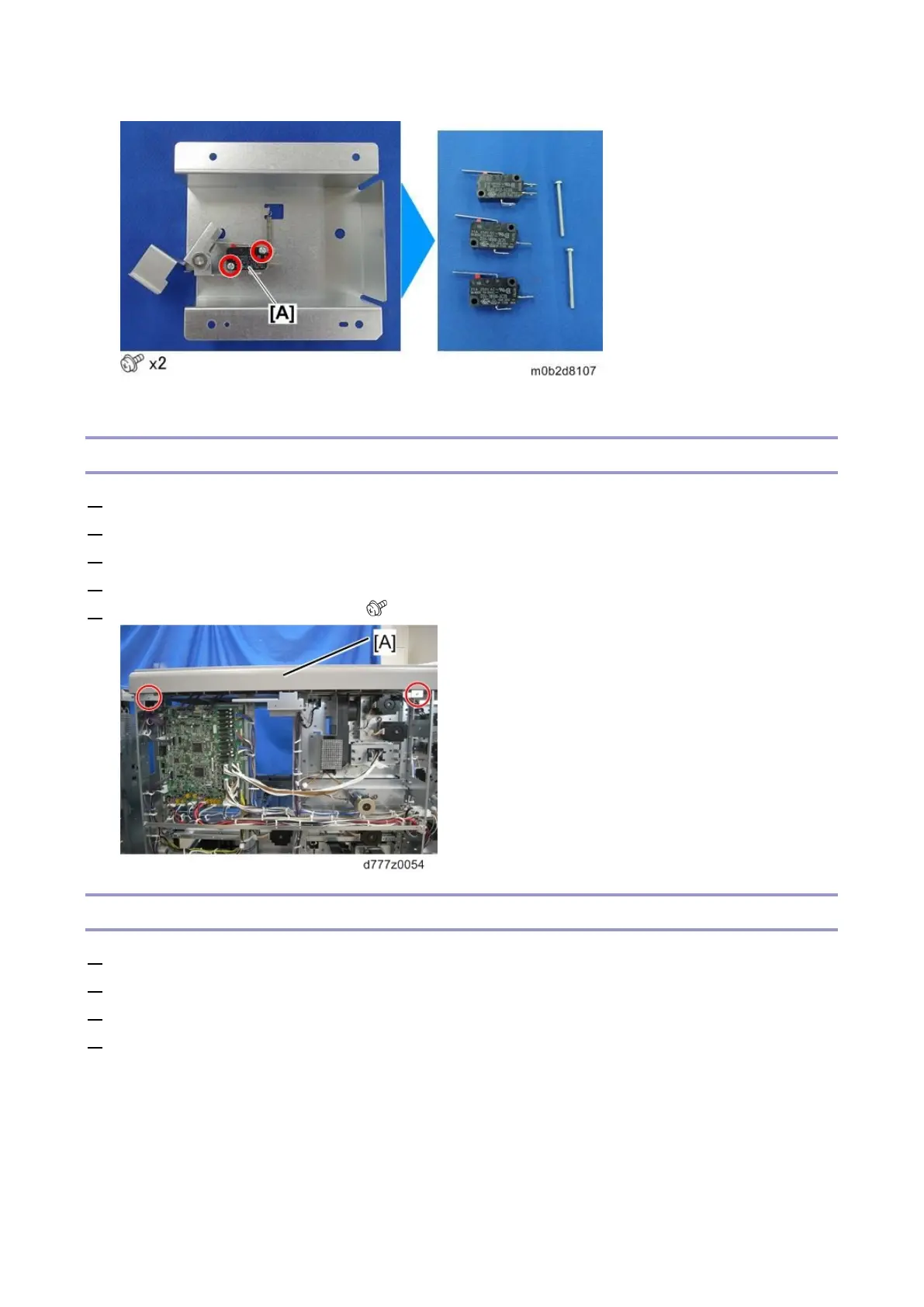
5. Remove the rear corner cover [A]( x2)
Front Door
1. Remove the left top cover (Left Top Cover)
2. Remove the center top cover (Center Top Cover)
3. Remove the right top cover (Right Top Cover)
4. Remove the front corner cover (Front Corner Cover)









 To Next Page