1.Replacement and Adjustment
13
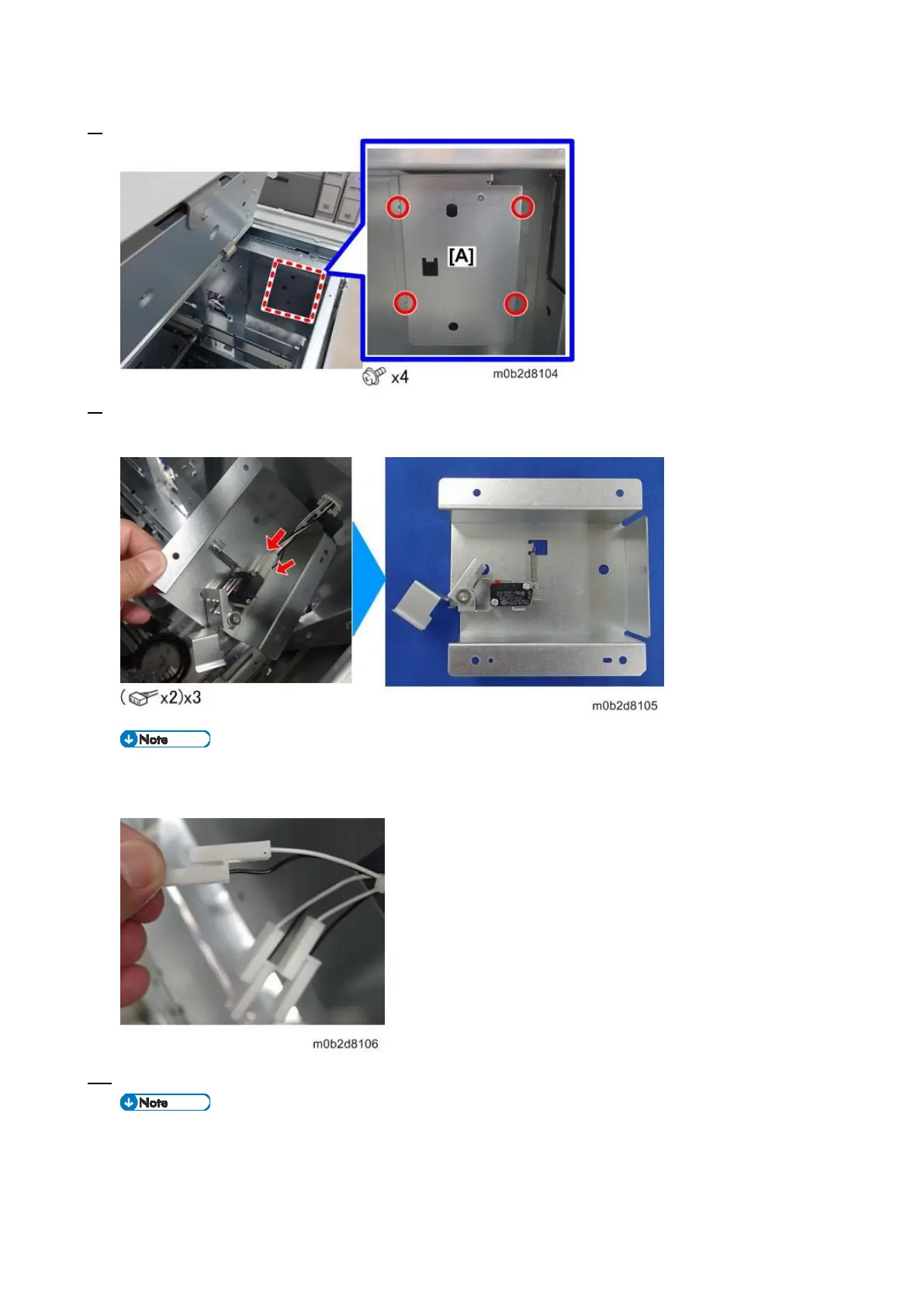
8. Remove the screws on the interlock switch bracket [A].
9. Pull the bracket slight to access the backside of it. Then, disconnect the connectors of the switches
to remove the bracket.
Each of white and black harness connectors is fixed as a pair. This prevents wrong-pair
connection.
10. Remove the screws on the switches [A] to detach them.
The three switches are installed adjoiningly and secured with the same screws.









 To Next Page