1.Replacement and Adjustment
41
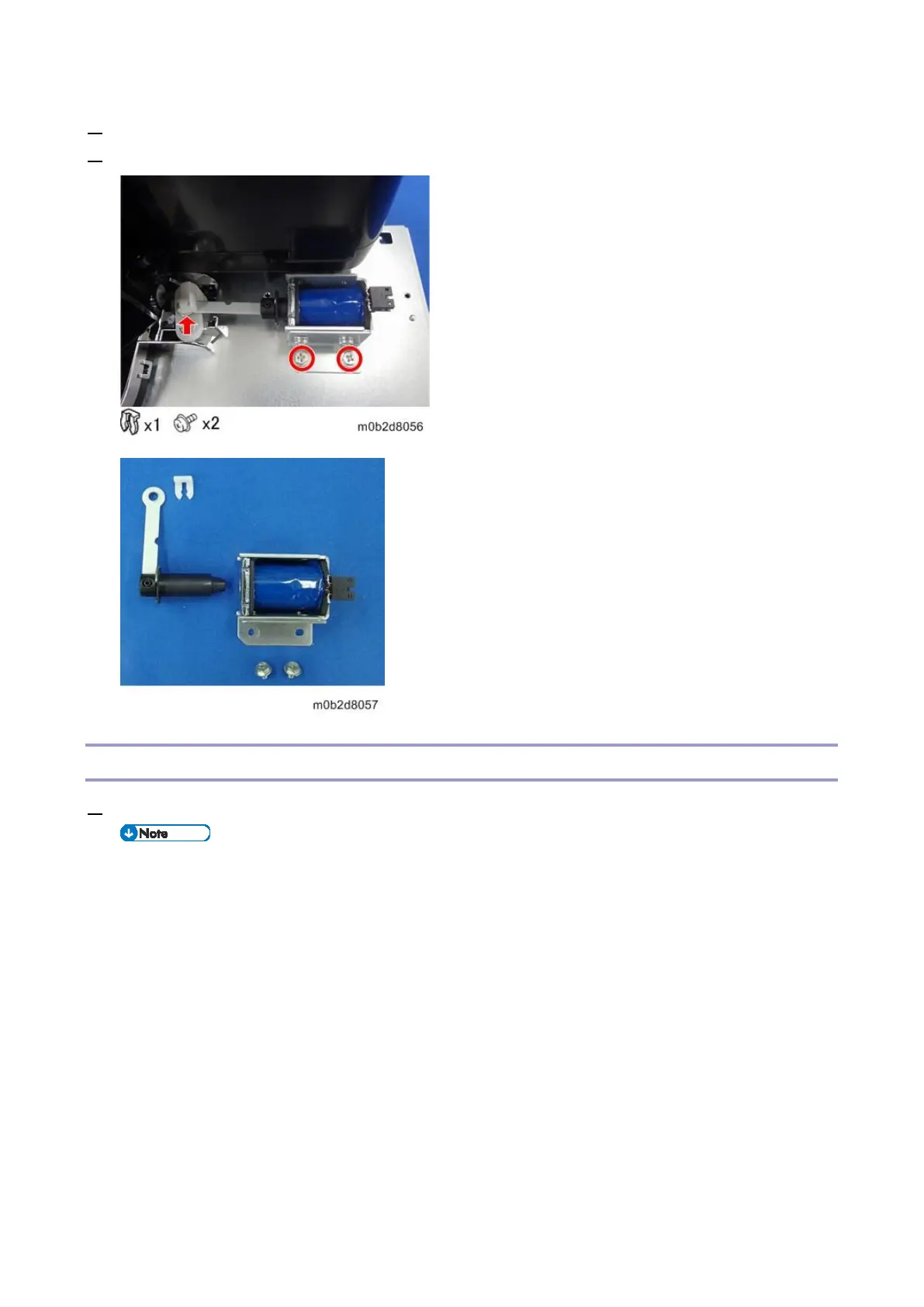
2. Remove the clip of the return solenoid.
3. Remove the screws to detach the return solenoid.
Paper Upper Limit Sensor 1, 2
1. Remove the float/separation/return fan duct (Float/Separation/Return Fan Duct)
The position of the paper upper limit sensor 1 [A], 2 [B]









 To Next Page