1.Replacement and Adjustment
48
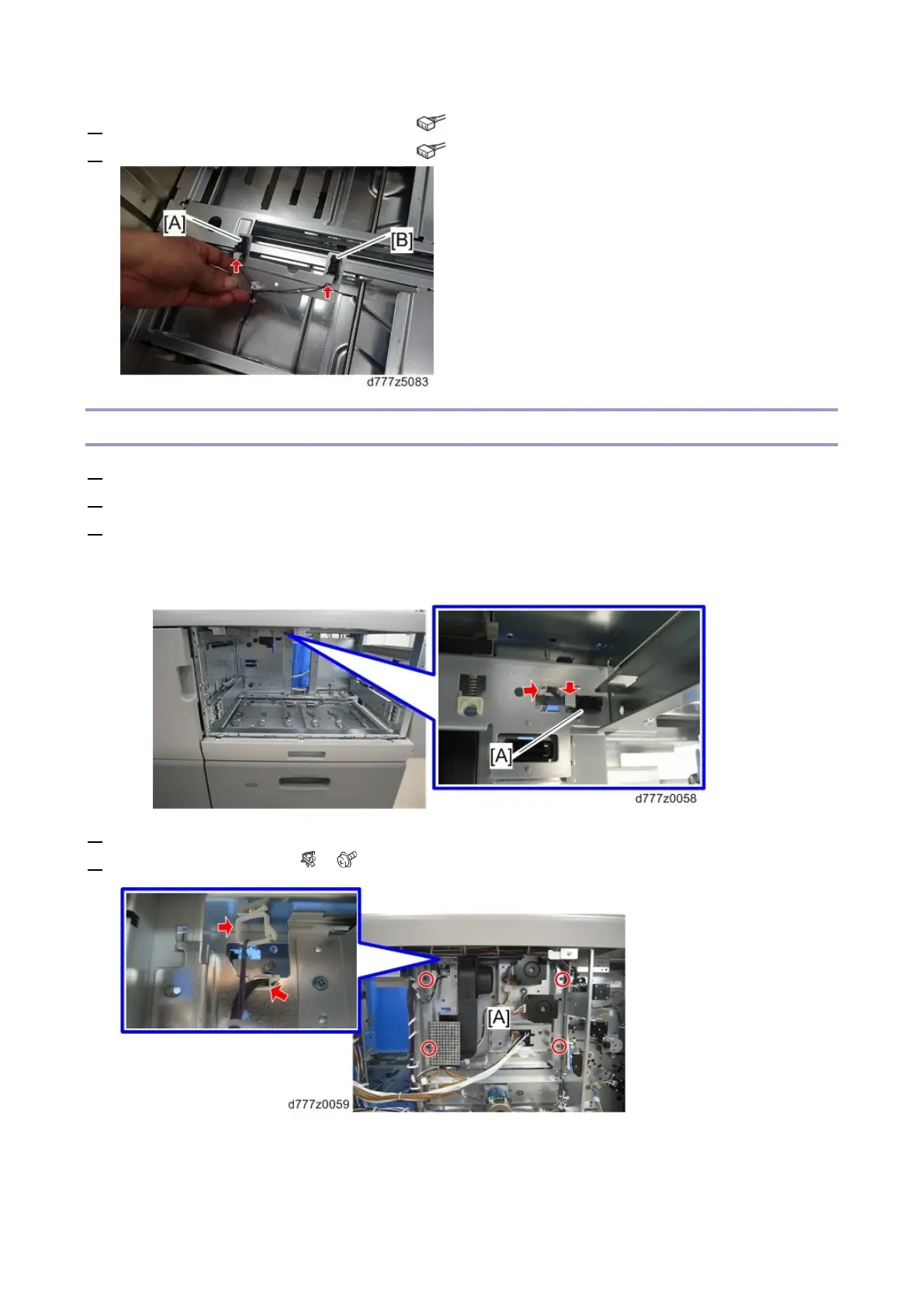
5. Remove LCIT paper length sensor 1 [A] ( x1)
6. Remove LCIT paper length sensor 2 [B] ( x1)
Tray Upper Limit Sensor
1. Remove the paper tray (Paper Tray)
2. Remove the paper feed belt unit (Paper Feed Belt Unit)
3. Remove the tray upper limit sensor [A]
The sensor pawl is on the rear of the frame. Access it from the rear of the main unit if it proves
difficult to remove it from the front.
4. Remove the rear right and left covers (Rear Right Cover,Rear Left Cover).
5. Remove the bracket [A] ( x2, x4)









 To Next Page