1.Replacement and Adjustment
11
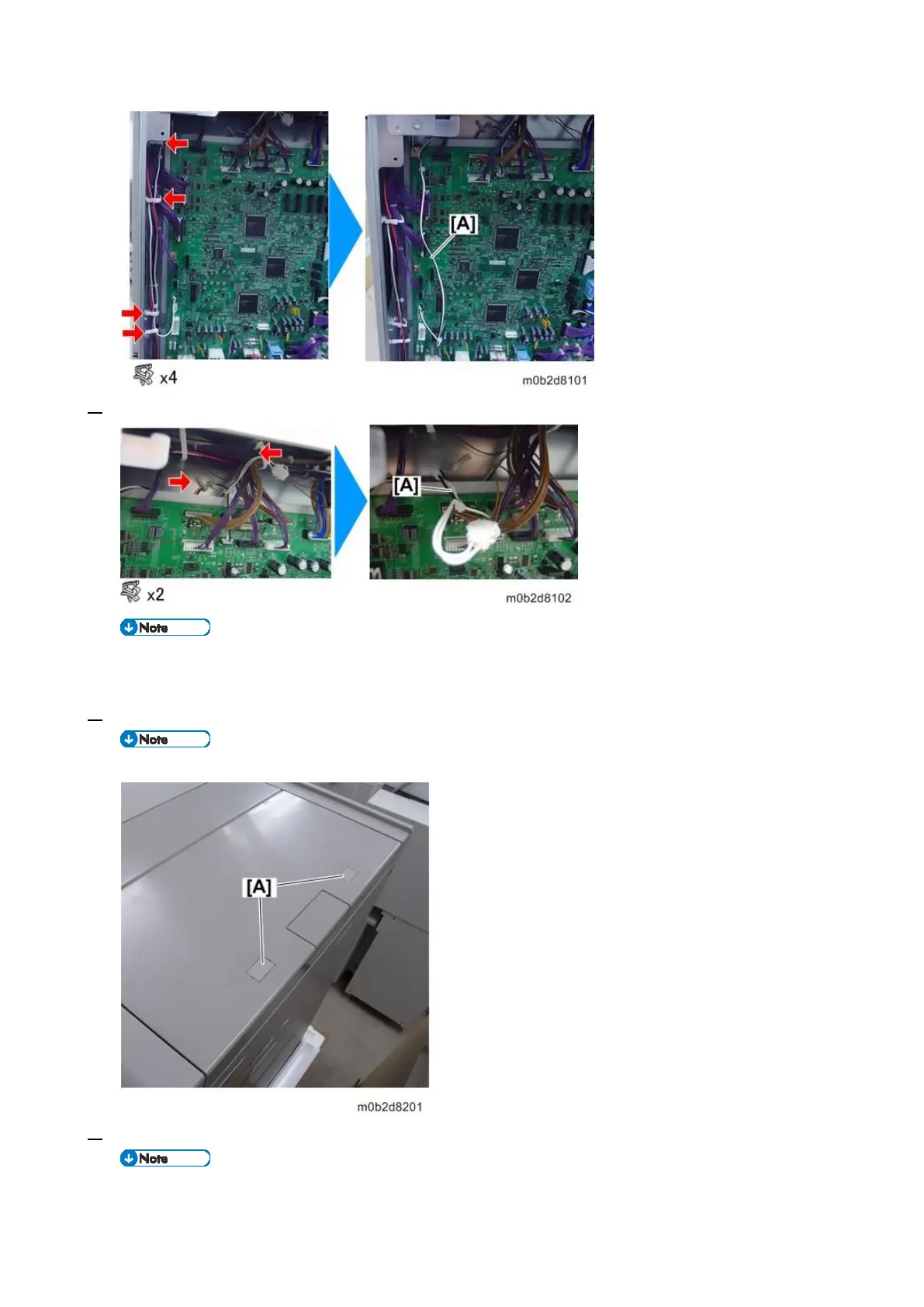
3. Loosen the white/black harness [A] on the upper side of the board.
By loosening the harnesses, you can pull out the bracket of the interlock switch more in the later
step, leading to facilitating the removal of the switches.
4. Remove the caps [A].
If Vacuum Feed Banner Sheet Tray Type S9 is installed, skip this step.
5. Remove the screws on the top cover.
If Vacuum Feed Banner Sheet Tray Type S9 is installed, skip this step.









 To Next Page