1.Replacement and Adjustment
18
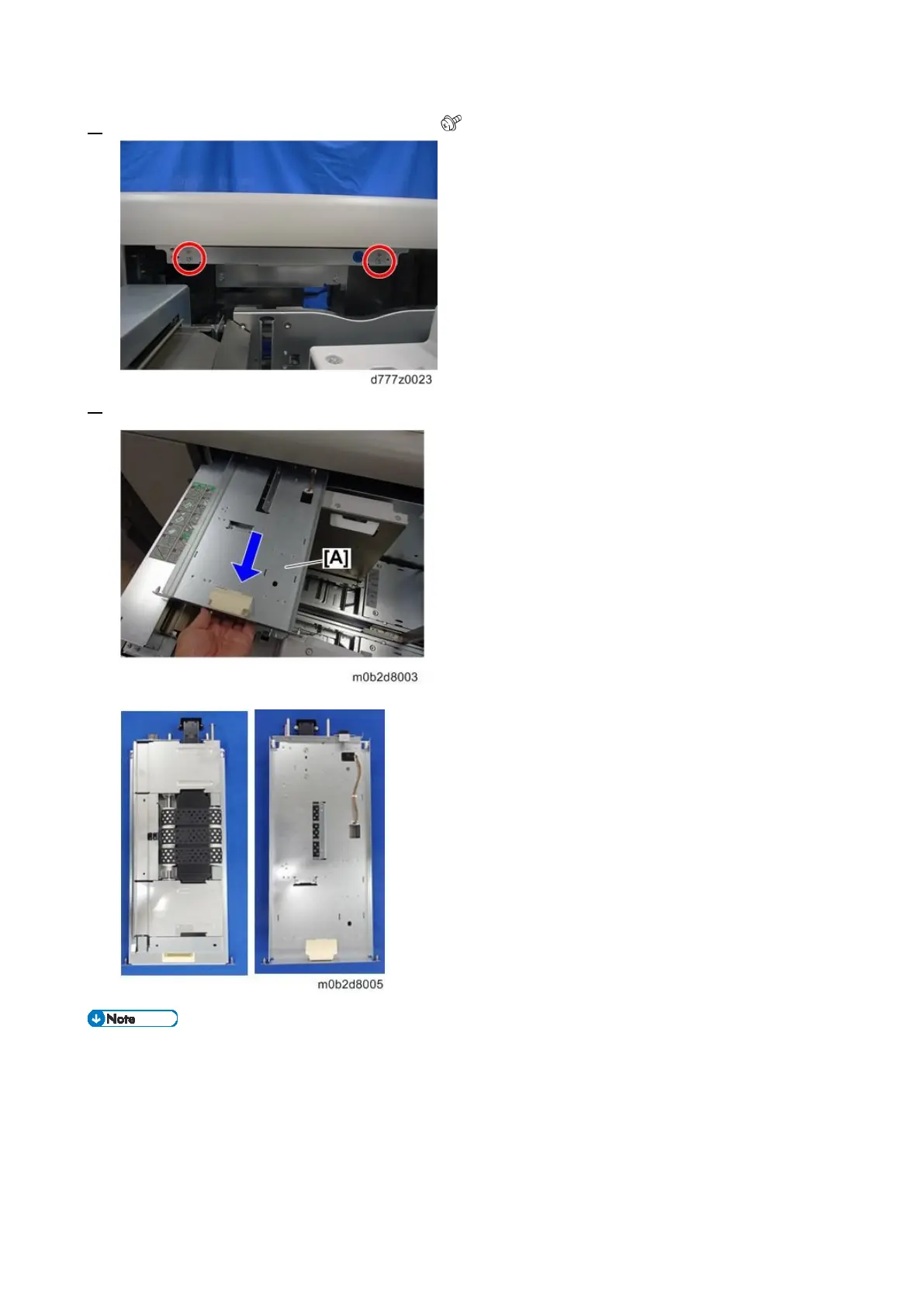
2. Remove the lock of the paper feed belt unit ( x2).
3. Hold the knob of the paper feed belt unit [A] and pull out the paper feed belt unit [A].
The paper feed belt unit must be pulled out horizontally relative to the paper tray, to ensure
that the paper feed belt is not damaged by getting caught in the side fences or other parts.
To prevent damaging the paper feed belt when you return the paper feed belt unit to its original
position, align the right and left guides [A] with the rails [B] on the paper tray side and raise
them slightly before replacing the unit.









 To Next Page