1.Replacement and Adjustment
20
Installing the paper feed belt unit
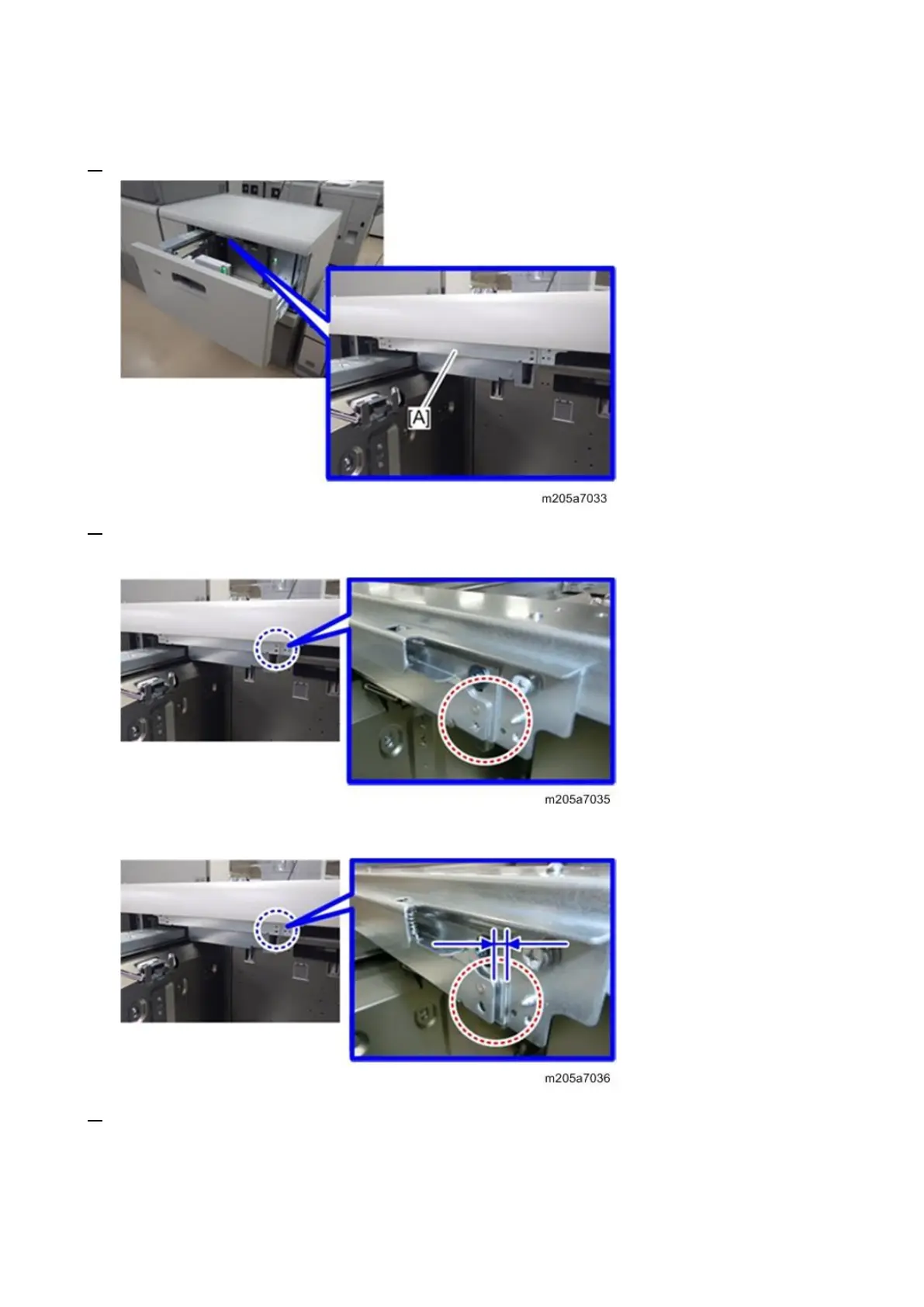
1. Attach the paper feed belt unit [A].
2. Check that there is no gap at the position indicated by the red dotted circle. Then, secure the paper
feed belt unit firmly with two screws.
If there is a gap, proceed to the following step.
3. If there is a gap, pull out the paper feed belt unit [A], rotate the paper feed belt [B] upwards to
change the position of the rear spring pin and coupling position slightly and then set the paper feed
belt unit again. Repeat it until the paper feed belt unit is tightly attached and there are no gaps
between the frames.









 To Next Page