6.4 WINDOWS: RESUME AFTER MALFUNCTION
RIELE BERLIN Photometer 5010 / V4 6.10 25.08.2003
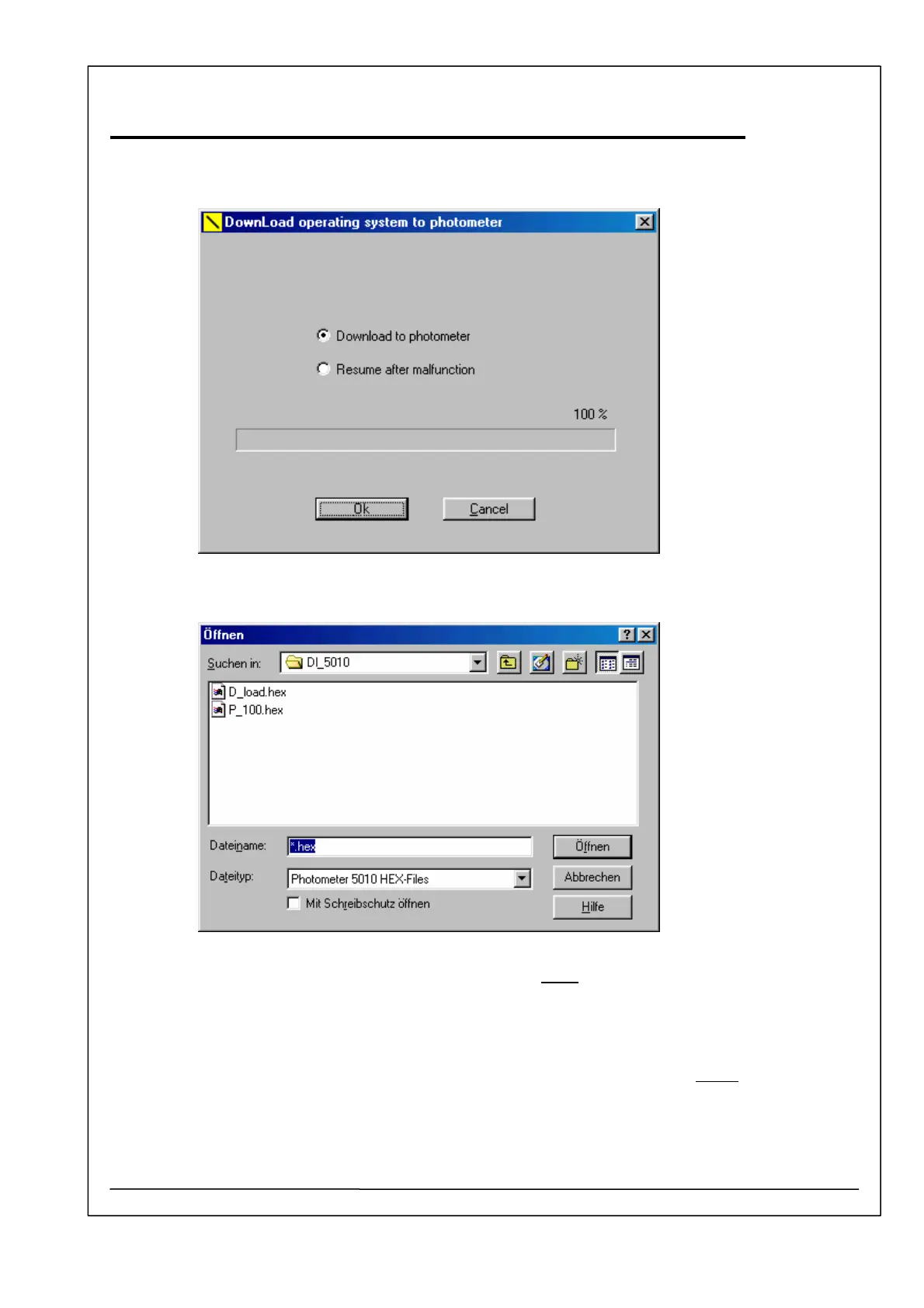
8. Select „Download operating system“.
9. Select the second option – Resume after malfunction – and confirm with [ENTER].
10.
An open dialog is shown. Open the file e.g. P_100.hex. Never open the file D_load.hex. The
download begins…
The window is closed and the progressbar shows the proceding of operation. After three up to
seven minutes the PC stops the transferring of data.
11. After end of operation switch off Photometer 5010.
12. Change the position of the jumper beside the FLASH memory IC 14 (29F010) to normal
.
13. Close lid



 To Next Page