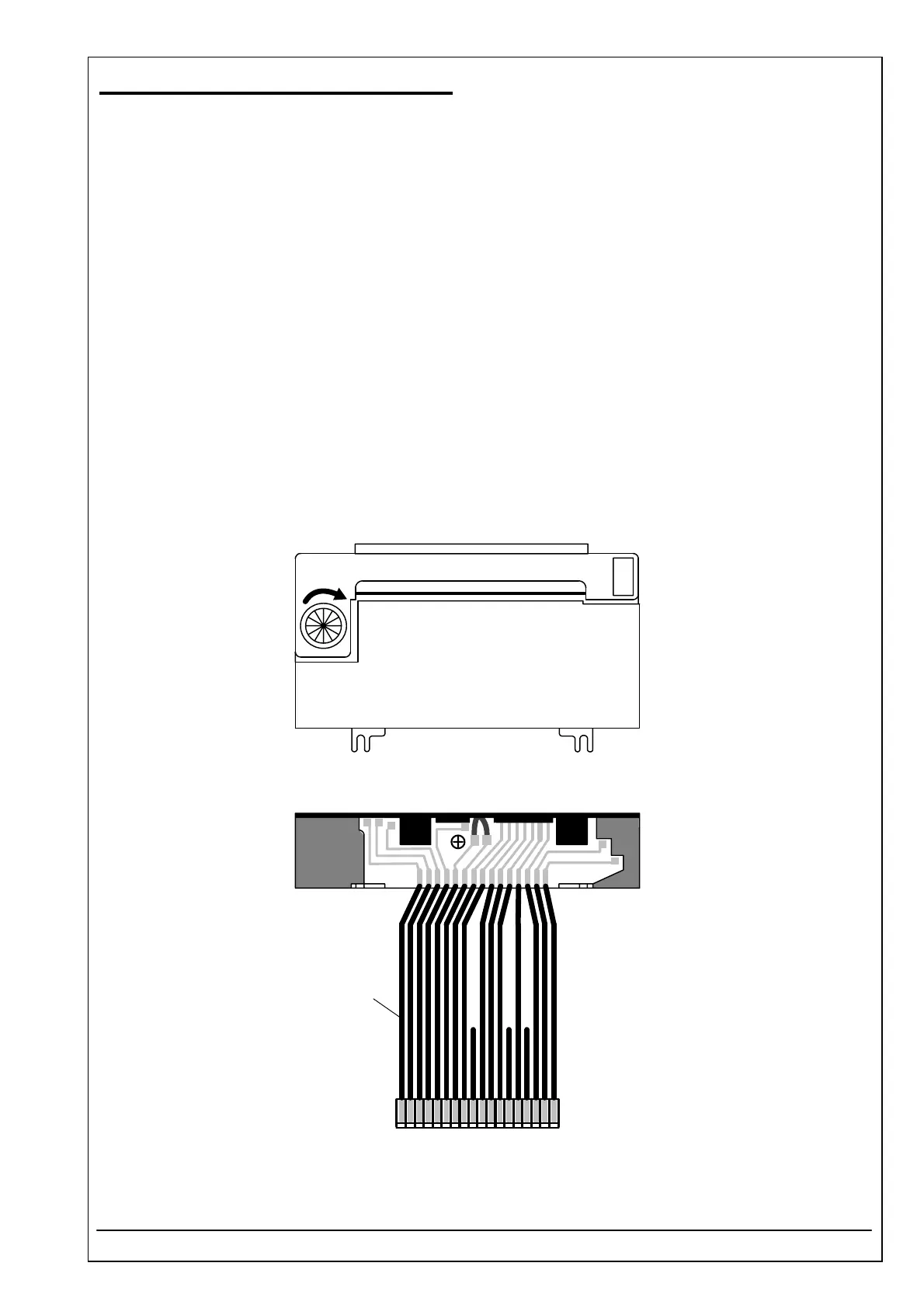
4.35 PRINTER MECHANISM ID 1223003001
RIELE BERLIN Photometer 5010 / V4 4.35.1 23.08.2003
Function Description
The printer prints texts and graphics.
Location
Top case
Replacement
The Photometer 5010 has to be opened. The top case has to be separated from the bottom case.
Remove top cover for printer, paper and ribbon.
Disconnect 18-pin plug CN16 from printer-controller-pcb.
Loosen 2 front screws in the hollows and remove the other 2 screws.
Remove printer mechanism.
Installation
Solder printer connection cable (ID 1707655001) to printer mechanism (ID 1223003001). Take care not to
solder 3 wires which are not used (see drawing). Also care for blue mark.
For installation proceed in reverse order.
EJECT
PUSH
blue
1



 To Next Page