6.4 WINDOWS: RESUME AFTER MALFUNCTION
RIELE BERLIN Photometer 5010 / V4 6.9 25.08.2003
In case of having a malfunction during download of operating system the Photometer 5010 shows following
dialog after finishing the download to Photometer 5010 and after waiting more than 10 minutes:
Following procedure is recommended:
1. Switch off Photometer 5010.
2. Turn device on its top side.
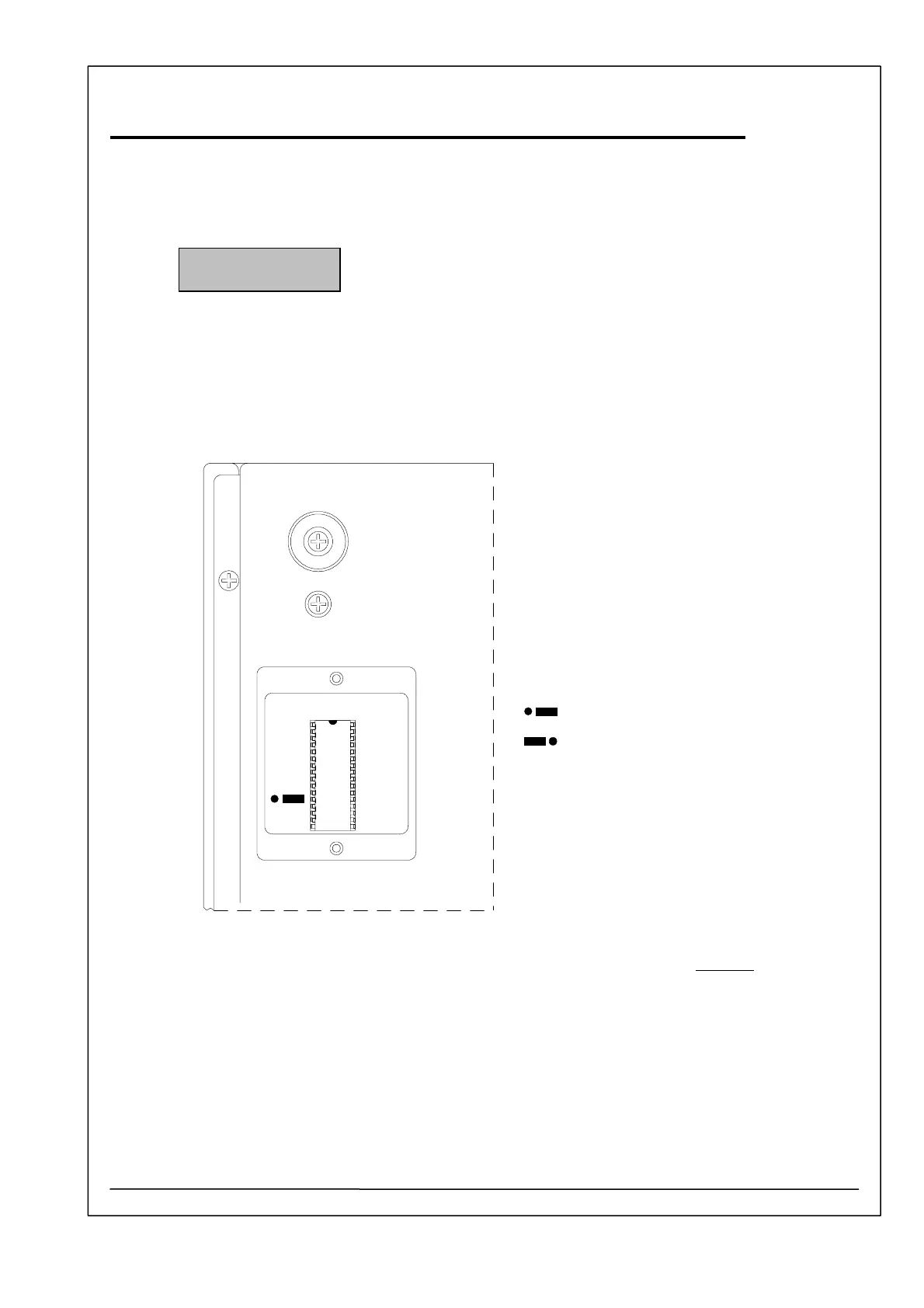
3. Dismantle lid of FLASH MEMORY or EPROM.
FLASH MEMORY
Jumper position
Normal
Bootstrap
Jumper
4. Change the position of the jumper beside the FLASH memory IC 14 (29F010) to bootstrap.
5. Turn device on its bottom side.
6. Switch on Photometer 5010.
7. Run on PC the application „Serial Monitor 5010“ (Smon5010.exe)“.
DOWNLOAD Vx.x
PLEASE WAIT



 To Next Page