Measurements
100 SmartLab: Automated Multi Purpose X-Ray Diffractometer
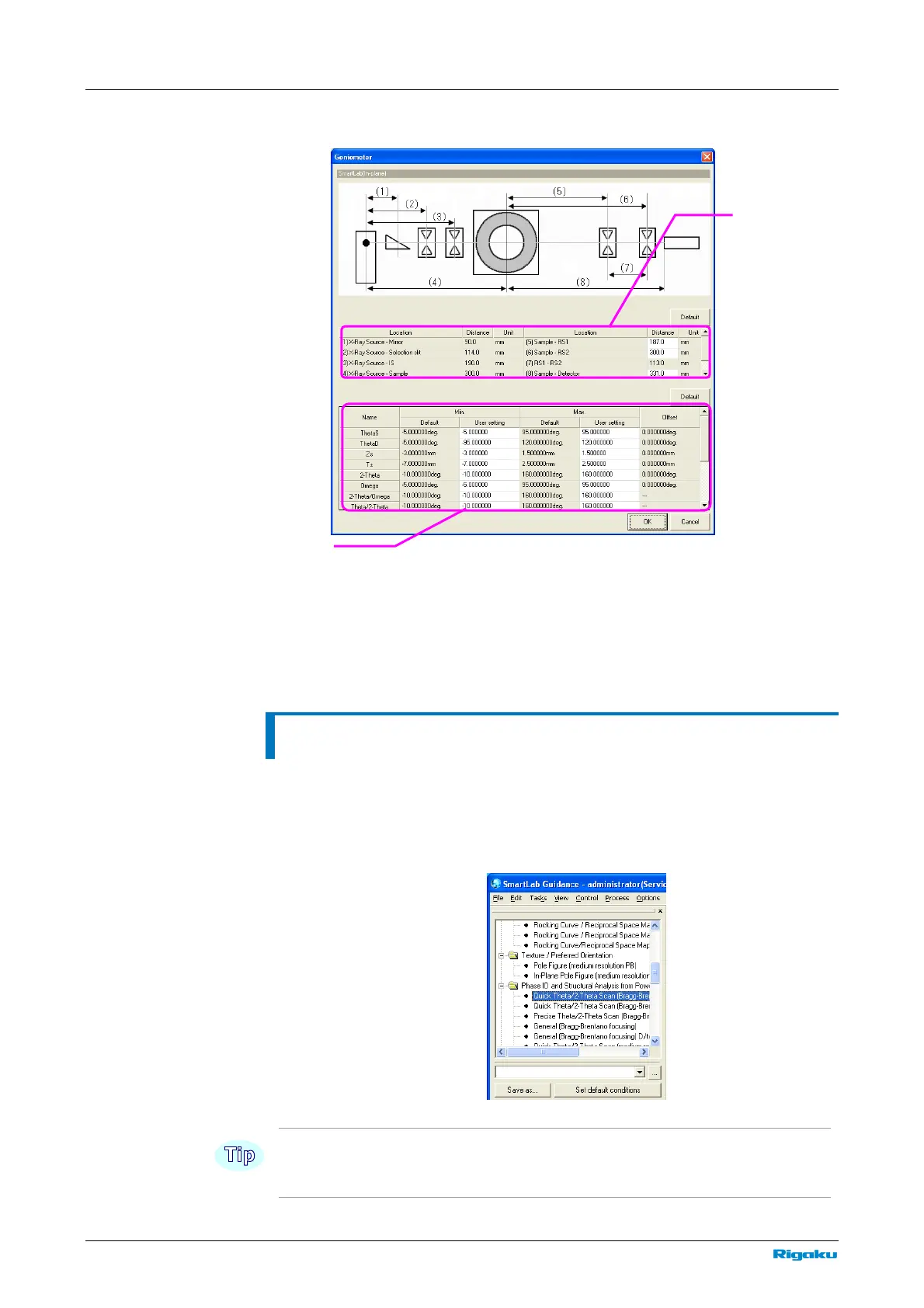
2 Click Goniometer to open the Goniometer dialog box.
3 Set the position of each optical device. To change the optical devices of
the receiving optics, inspect the installation positions of the standard
receiving slit box # 1, standard receiving slit box # 2, and detector
adaptor and enter the correct corresponding values.
Selecting a Package Measurement
1 Click Package Measurement under the Task menu.
2 Registered Package measurements are displayed in tree view. Select the
Package Measurement that matches the purpose of the measurement.
For information on the procedures of each Package Measurements, refer to the Package
Measurement Help Topic of the online help section of the SmartLab Guidance software.
Distance table



 To Next Page