Turning On and Off SmartLab
22 SmartLab: Automated Multipurpose X-ray Diffractometer
Exiting SmartLab Guidance
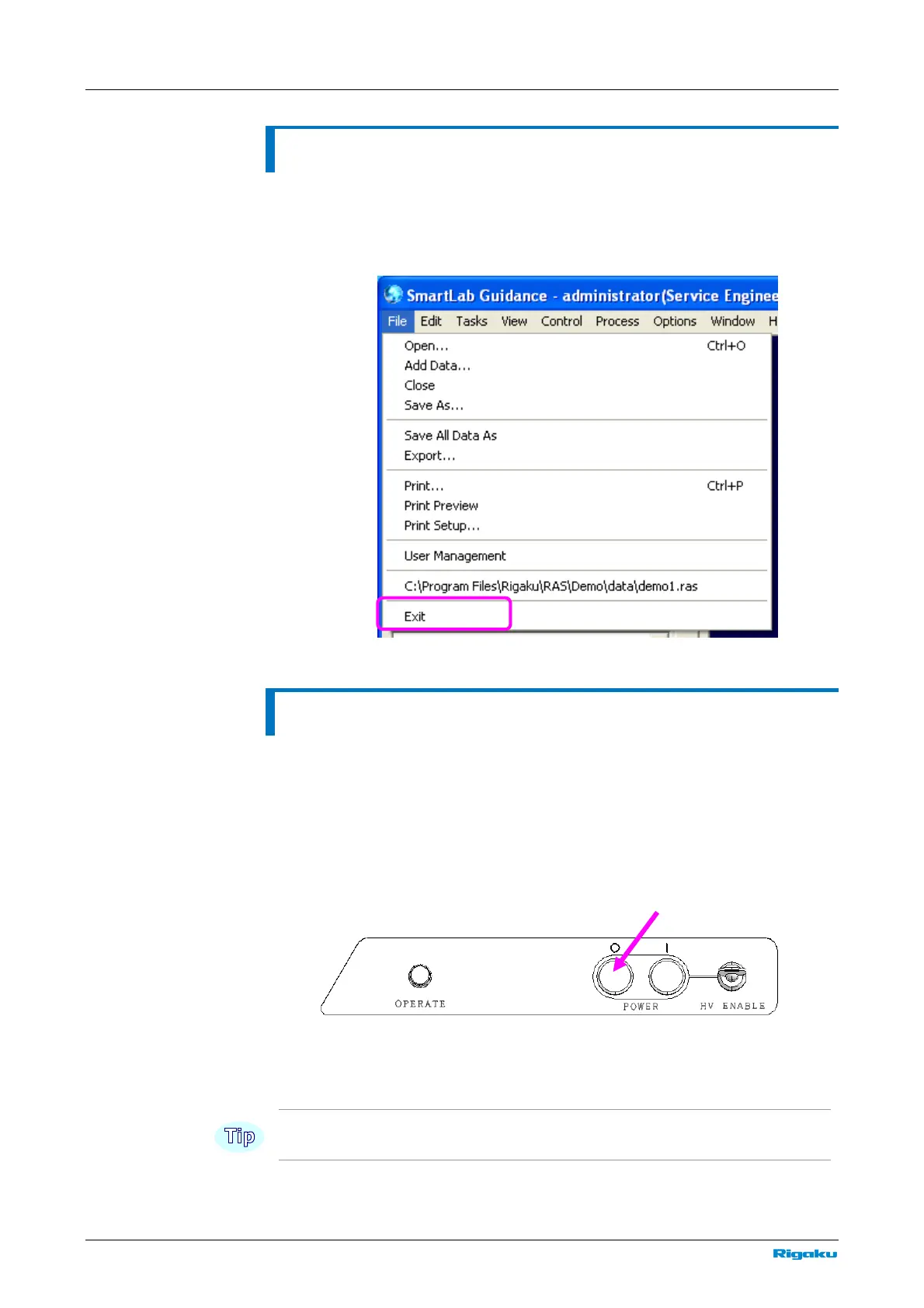
After turning off the x-rays, exit SmartLab Guidance.
1 Click the Exit command under the File menu to exit SmartLab
Guidance.
Turning off SmartLab
If SmartLab is unused for a while (New Year Holidays, etc.), turn off SmartLab
according to the following procedure.
1 Check the SmartLab status (e.g., confirm that measurements have
been completed).
2 Press the “O” OFF button on the main panel.
main panel
3 Make sure the OPERATE lamp has turned off.
This procedure completely shuts down the SmartLab internal power supply.



 To Next Page