SmartLab: Automated Multipurpose X-ray Diffractometer 103
Troubleshooting
Problem Remedy
1 The OPERATE lamp does not change
color to green (remains red).
The controller may be in the process of starting up.
Wait several minutes.
If the lamp fails to turn green after several minutes, the
controller may be malfunctioning. Press the OFF
button on the main panel to shut down SmartLab, then
press the ON button to restart SmartLab.
2 An error occurs during SmartLab
Guidance startup.
SmartLab startup procedure fails to
complete properly.
There may be a problem in the connection between the
SmartLab and the controller. Confirm that the
OPERATE lamp on the main panel is lighting up in
green. Confirm the connection status of the RS232C
connectors is OK.
After checking these items, shut down SmartLab
Guidance, then restart it. Restart SmartLab Guidance
after the SmartLab is restarted.
3 SmartLab stops abruptly during
measurement or other operation.
Make sure the OPERATE lamp on the main panel has
turned to red. SmartLab may have stopped due to
excessive force applied to the theta_s or theta_d arm.
Press the OFF button on the main panel to stop
SmartLab. Check the arms to see if any item obstructs
their operation, then restart SmartLab.
4 The x-ray generator stops during
measurement or other operations.
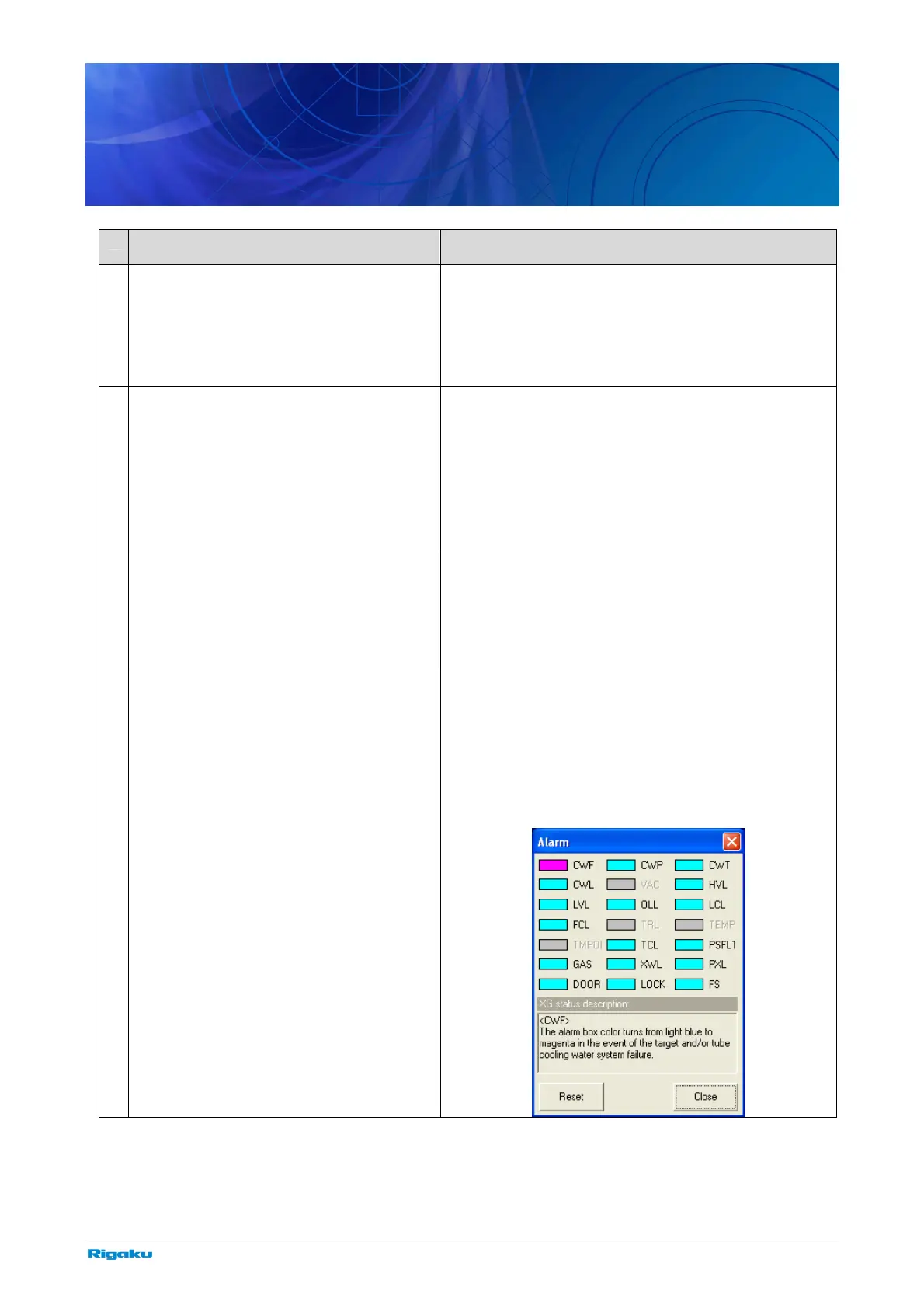
Click XG Control in the Control menu to open the
XG Control dialog box. Click Display in the Alarm
section to open the Alarm dialog box. Check for x-ray
generator alarms.
Refer to the XG status description box in the Alarm
dialog box that will indicate the details of the alarm,
which is brought when the pink alarm box in the
Alarm dialog box is clicked.
* If a problem other than those described above occurs or if the problem cannot be corrected by taking the countermeasure described,
please contact the sales representative who you purchased the instrument from.



 To Next Page