ProSYS User Guide 59
Using a Proximity Tag
When using a proximity tag, the following points regarding assigned
partitions are relevant:
Ê If your user code is assigned to only one partition, then the
partition will set or unset automatically.
Ê If your user code is assigned to more than one partition, use the
or the keys to select the required partition(s) and
press
.
To use a proximity tag:
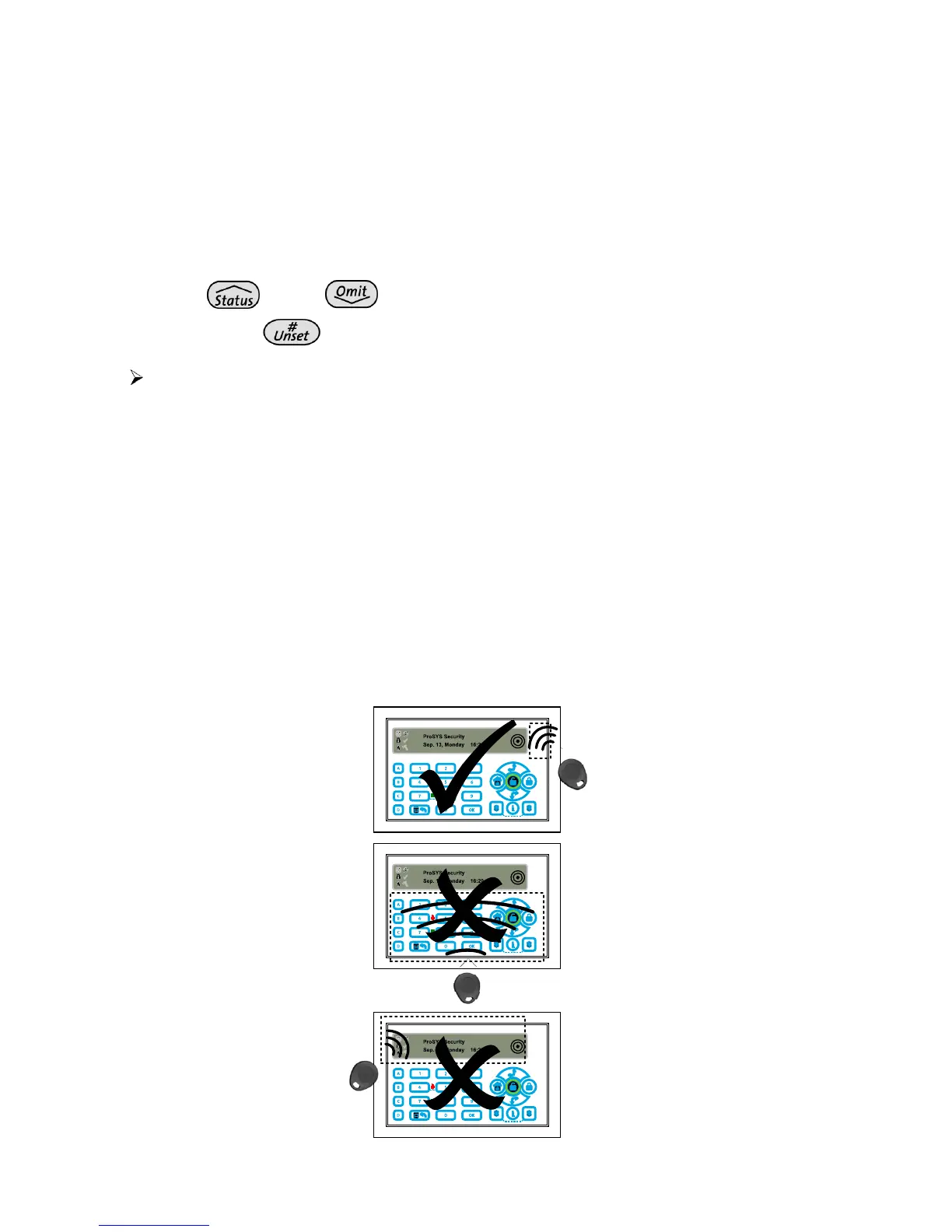
Hold the proximity tag close to the keypad's keys at a distance of
approximately 3 to 7 cm.
Based on your user definitions:
• The partition(s) assigned to your user code are set/unset. (Ask your
engineer for the number of partitions that are assigned to your user
code.)
-OR-
• The defined device(s) operate(s) (based on its current status).
Note:
To use a proximity tag with the ProSYS Touchscreen Keypad present the
tag as follows:



 To Next Page