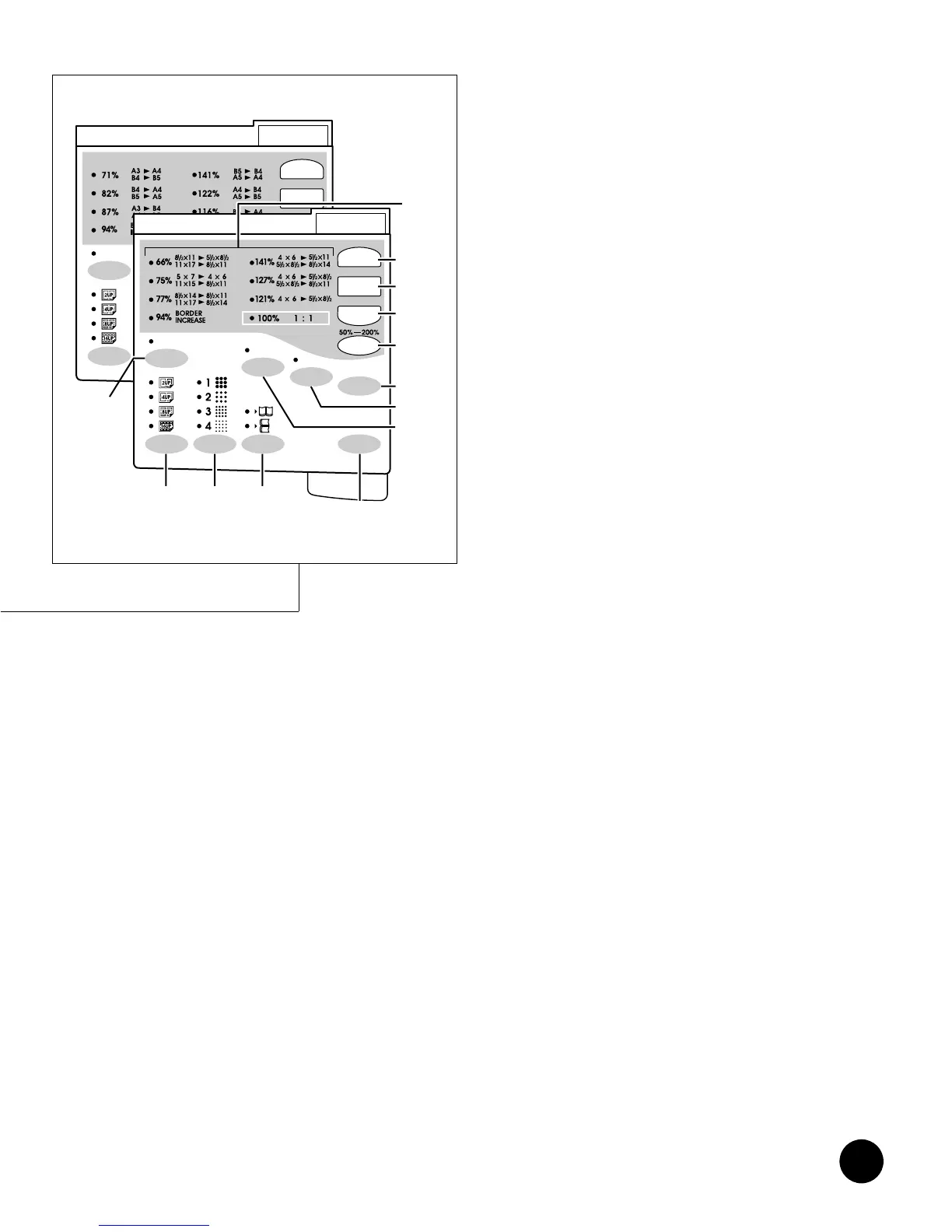
=RN2050/2150=
13
!9 VERTICAL PRINT POSITION CENTER
Key (☞ p.39)
Moves vertical print position back to center.
@0 VERTICAL PRINT POSITION Adjustment
Keys
(
hhgg
) (☞ p.39)
Adjust vertical print position.
@1 Function Keys
Functions differently depending on the menu in the
Main Display.
@2 Cursor Keys
Change selection in the Main Display.
Display
@3 Main Display (☞ p.14)
Shows the current equipment status or gives
instructions for operation.
@4 VERTICAL PRINT POSITION Indicator (☞ p.39)
Shows the current vertical print position.
@5 PRINT DENSITY Indicator
(
☞ p.41)
Shows the selected print density.
@6 PRINT SPEED Indicator (☞ p.40)
Shows the selected print speed.
@7 Print Quantity Display
Counts the number of printed copies.
Sub Control Panel
@8 Preset Reduction/Enlargement Size
Indicator (☞ p.34)
Shows the current preset reduction or enlargement
size.
@9 ENLARGE Key (☞ p.34)
Selects one of three preset enlargement sizes.
#0 1:1 Key (☞ p.34, 35)
Returns the reproduction size to 1:1 (100%). This key
is also used to cancel the zoom feature.
#1 REDUCE Key (☞ p.34)
Selects any of four preset reduction sizes.
#2 ZOOM Key (☞ p.35)
Opens the zoom selection window.
#3 SCANNING CONTRAST Adjustment
Key (☞ p.36)
Selects contrast adjustments (on a 1 to 5 scale) for
the darkness of the original to be scanned.
#4 CUSTOM SETTING Key (☞ p.70)
Provides access to the settings whose initial condition
can be customized.
#5 CONFIDENTIAL Key (☞ p.48)
Protects confidential documents from unauthorized
duplication. The indicator lights when the feature is
active.
#6 DATA Source Selection Key
(☞ p.76, 80, 82)
Switches between the PC data mode and Scan data
mode.
#7 BOUND ORIGINAL Selection Key (☞ p.38)
Erases the binding shadow (gutter) of an open, bound
original placed on the Stage Glass. The indicator
lights when the feature is active.
#8 DOT PHOTO Selection Key (☞ p.37)
Selects among 4 kinds of Dot screens. The Dot Photo
feature processes a photo original with dot screen.
The corresponding indicator lights when the feature is
active.
#9 MULTI-UP PRINT Key (☞ p.45, 46)
Reproduces multiple prints (2, 4, 8 or 16) side by side
on one sheet of paper. The corresponding indicator
lights when the feature is active.
$0 AUTO IDLE Key (☞ p.69)
When switched ON, the Print Cylinder (Drum) is
automatically rotated on a preset basis to ensure
excellent first print quality. The indicator lights when
AUTO IDLE is switched ON.
The Control Panel
=RN2000/2030/2130=











 To Next Page