84
Selecting Pages
When the "Document Data Spooling" function is activated,
the Output option window appears in the Main Display
after all document data are received.
Select a page or pages you want to print out in this
window and press the START key.
The selected page or pages will be processed and printed
out as specified.
= Selecting a desired single page =
Press the
x
or
c
function key and show a
desired page number in the window.
Selecting Output Pages on Your
RISOGRAPH
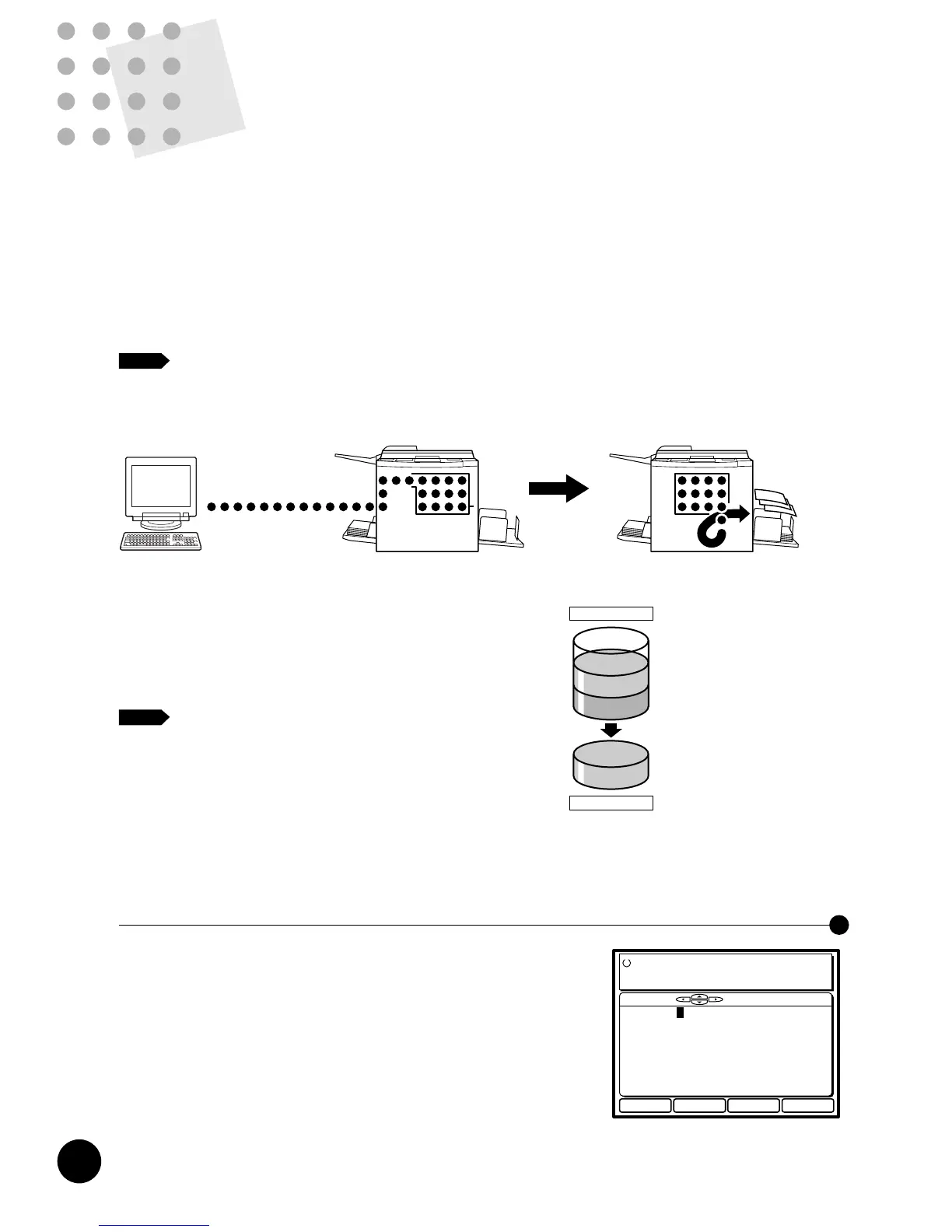
Your RISOGRAPH can store the document data received from the computer in the
memory without printing them, allowing you to select the pages to be printed out on
the RISOGRAPH.
Besides, the document data stored in the memory remain there until they are cleared
with key operation, enabling the repeated output of the same document data.
To enable this function of your RISOGRAPH, open the Mode configuration window in
the Main Display and change the setting of the "Document Data Spooling" function to
"ON".
☞ p.89
When the communication mode is changed to "Remote Transmission", the
"Document Data Spooling" function is automatically activated.
It is highly recommended to keep this function activated in the "Remote
Transmission" mode.
In the RISOGRAPH, each document data is first stored in
the Job memory in a compressed format and then
transferred into the Print memory and developed there to
be printed out. While the Job memory is not full, the
RISOGRAPH can receive document data additionally.
If the Document Data Spooling function is not
selected, further operation will automatically start
in your RISOGRAPH after all document data
have been received, thus printing out all pages of
the received document data in order.
NOTE
NOTE
Document Data
Memory
Select pages
PC Data Mode
Black
Close
Ready to Print
Page No.99/99
Communication Mode :Remote
Doc.Data Spooling :ON
Data Process Step :Semi-Auto (Master)
180* Rotation :OFF
Communication :Data Receivable
Select with [ ][ ] and Start
Skip Current Page
Renew Current Page
Rotate and Renew Current Page
Cancel Current Print Job
Letter
Close OK
PC Data Mode Settings
Communication Mode Remote Transmit
Copy Count Entry Not necessary
RMT Error Transact Pause
Doc.Data Spooling ON
Data Process Step Semi-Auto>Master
RMT Data Receiver Modem
Serial Com.Speed 115200bps
Resolution Review OFF











 To Next Page