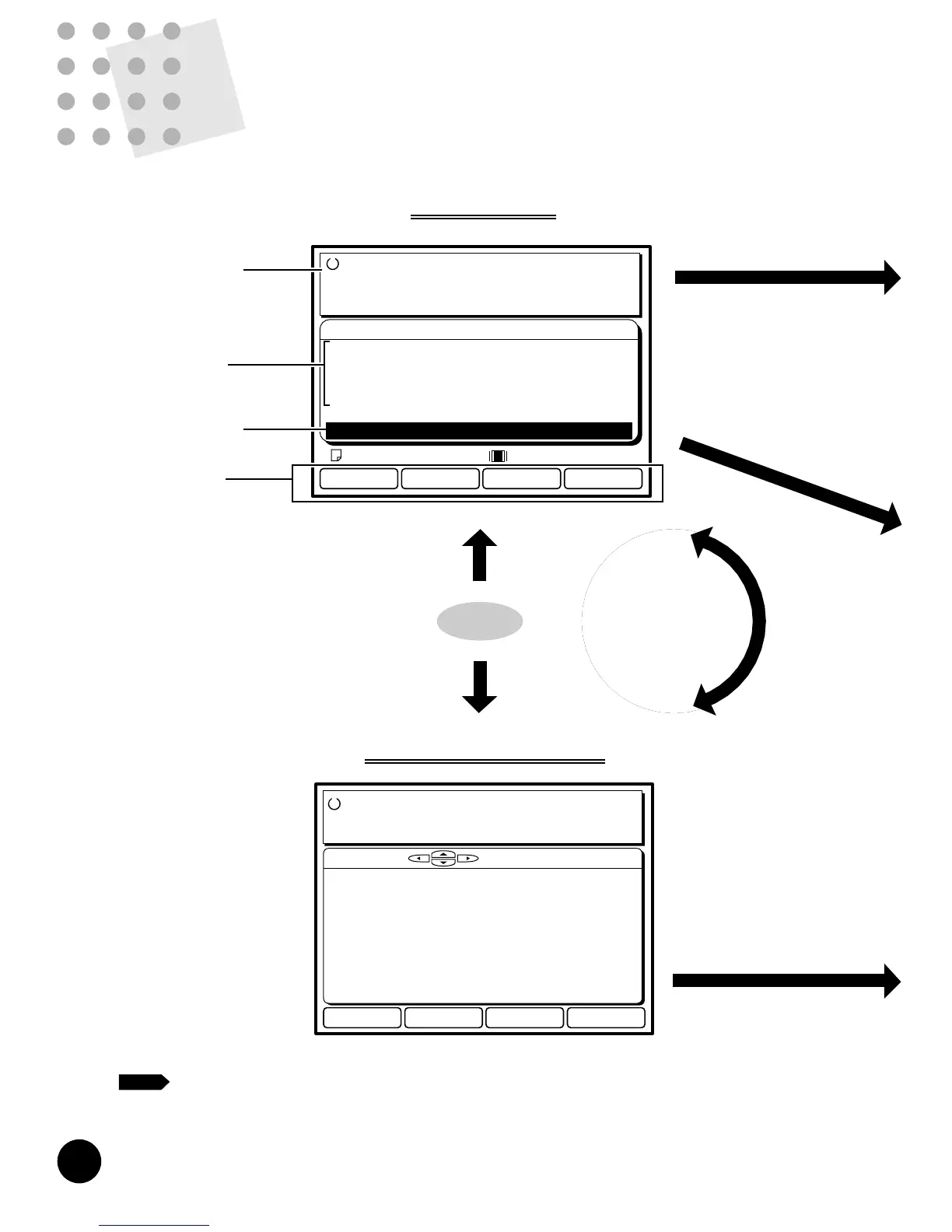
PC Data Mode
Black
Settings
Ready to Receive Data
Communication Mode :Remote Transmit
Doc.Data Spooling :ON
Data Process Step :Semi-Auto>Master
180˚ Rotation :OFF
Communication :Data Receivable
Letter
Operation guide
message
Configuration
data
Communication
status
Function key
assignment
Connecting to a Computer
PC Data Mode Display
Basic Interface Operation
Selecting Output Pages on Your RISOGRAPH
Rotating Images by 180 Degrees
Changing Print Job Flow
Changing the PC Data Mode Configuration
78
80
82
84
86
87
89
CC
omputer
Interface Guides
- Optional for RN20 Series Models
This section describes various operation patterns and functions which are available for
printing out the document files created on your computer in the PC data mode.
77











 To Next Page