40
Changing Print
Speed
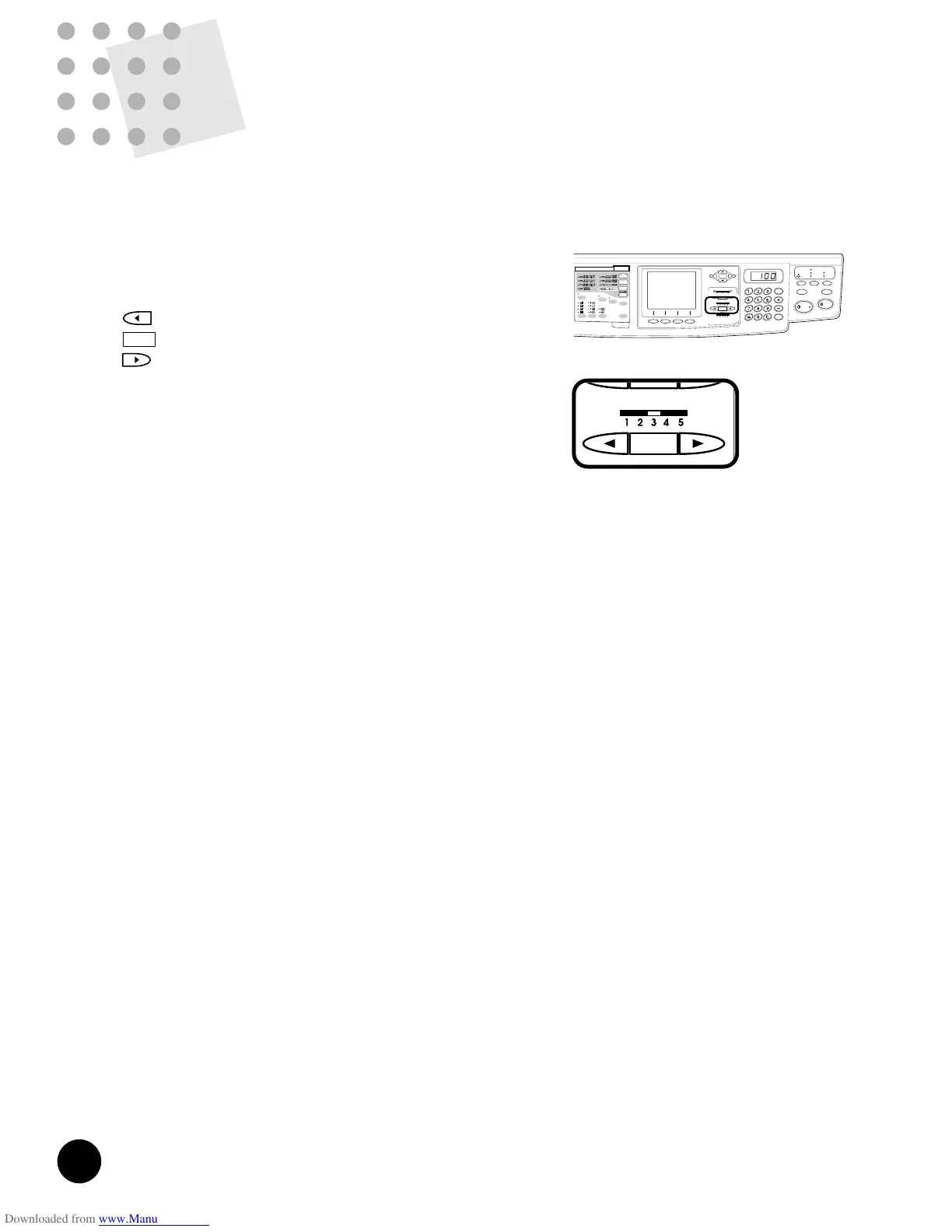
Print speed can be set at any of five levels, ranging between 60 and 130 sheets per
minute .
Press the PRINT SPEED Adjustment keys to
change print speed.
Decreases print speed.
Returns the print speed to the standard level (Level 3).
Increases print speed.
☞ p.62 ....Print speed setting can be saved in memory for
quick recall.
Holding down the RESET key longer than one second
returns print speed to the initial setting.
☞ p.70 ....You can customize initial settings.
37
Producing Dotted Images
You can enhance photograph or half-tone images on an
original copy by processing images with a dot screen.
4 types of dot screens are available.
Press the DOT PHOTO Selection key in the sub control
panel.
When this feature is selected, the corresponding indicator
lights and " (,
,
or )Dot Photo" appears in
the Main Display.
• 1 - 30 lpi equivalent Coarse
• 2 - 40 lpi equivalent
• 3 - 60 lpi equivalent
• 4 - 120 lpi equivalent Fine
This feature is not available in the line processing
mode.
Hold down the RESET key longer than one second
returns processing to the initial setting.
☞ p.62 ....The selected processing can be saved in
memory for quick recall.
NOTE











 To Next Page