79
Connecting to a Computer
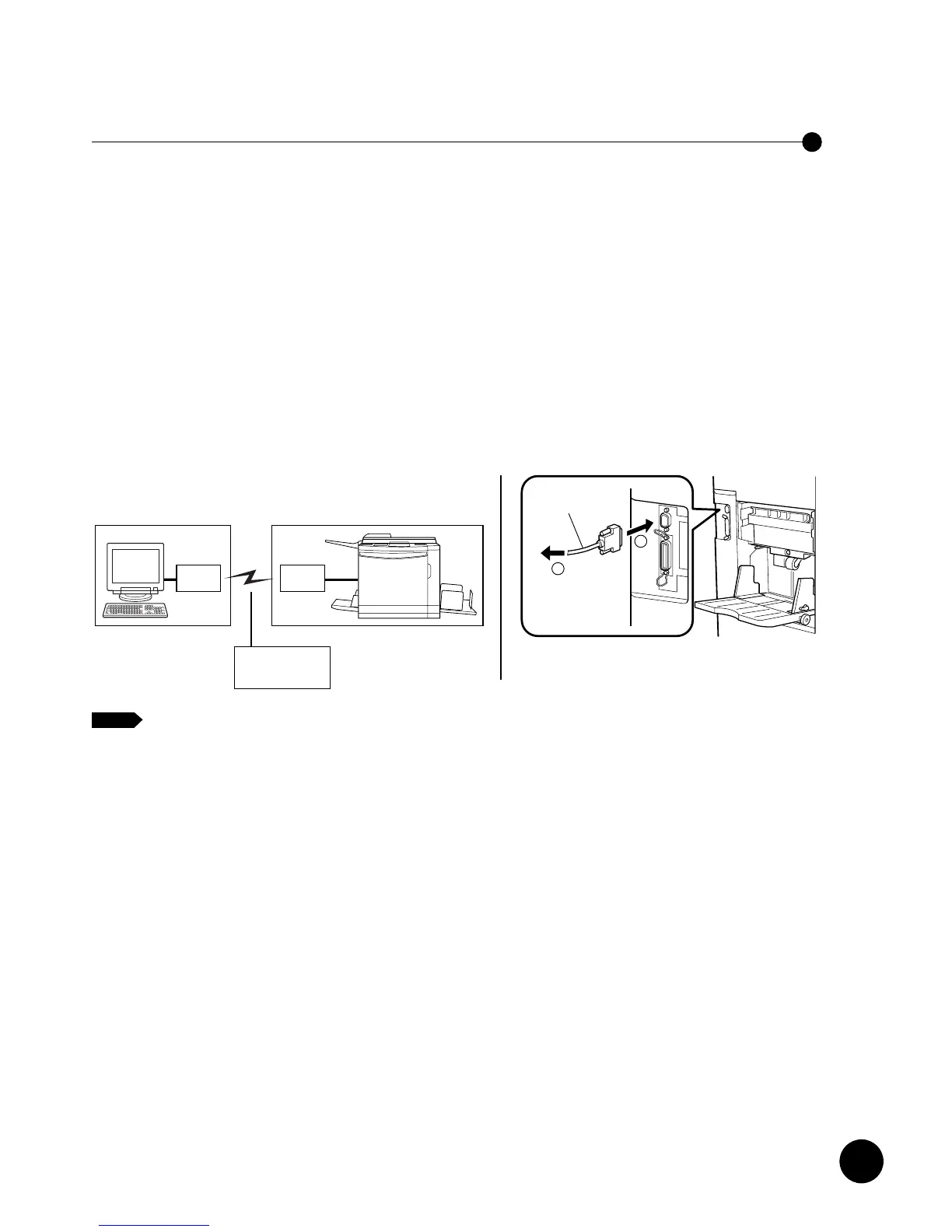
To print out the document file sent from a remote location over the public
telecommunication lines, connect the standard serial communication cable (RS-232C)
between the modem (or terminal adapter) and the DB-9 serial port of your
RISOGRAPH. With this connection, you will be able to receive the document data
created on the computer in a remote location over the public telecommunication lines.
In this case, you are required to select "Remote transmission" as communication
mode on your RISOGRAPH.
Important!
• Be sure to turn off the modem (or terminal adapter) and the RISOGRAPH when
connecting the cable.
• The allowable maximum input voltage of the serial port is 12 V.
• Poor contact trouble may occur when a 9-pin-to-25-pin adapter is used for this
connection.
• In some countries, this communication mode may not be available due to the
unsuitable local telecommunication environment.
To assist you to transmit the document data from the remote location to the
RISOGRAPH, the dedicated communication utility software, RISORINC
Manager, is included in the accessory software CD-ROM.
NOTE
Using the Public Telecommunication Lines
78
Connecting to a Computer
You can connect your RISOGRAPH to a computer in two ways, i.e. with direct cable
connection (Local connection mode) and over the public telecommunication lines
(Remote transmission mode).
For direct cable connection, the standard parallel port (IEEE 1284A) is provided on
your RISOGRAPH.
For data transmission over the public telecommunication lines, on the other hand, the
standard serial port (DB-9) is mounted there.
An extra network port can be added to enable the connection of standard
Ethernet cables (10Base-T and 100Base-TX) by building the optional network
interface card into your RISOGRAPH.
☞ p.122
NOTE
To print out the document file created on your Windows PC which is placed beside
your RISOGRAPH, connect the standard parallel printer cable, IEEE 1284-compliant
one, between the printer port of your computer and the parallel port of your
RISOGRAPH.
With this connection, you will be able to send the document data created on your
Windows PC directly to your RISOGRAPH.
In this case, you are required to select "Local connection" as communication mode on
your RISOGRAPH.
Important!
• Always use a commercially available IEEE 1284-compliant printer cable.
• Be sure to turn off the personal computer and the RISOGRAPH when connecting
the cable.
• The allowable maximum input voltage of the parallel port is 5 V.
If you want to connect your RISOGRAPH to a Macintosh PC or use your
RISOGRAPH in the LAN (Local area network) environment, you are required
to install the optional network interface card into the RISOGRAPH and add
the Ethernet network port (RJ45) to allow the connection of the 10Base-T or
100Base-TX Ethernet cable.











 To Next Page