75
4
Remove the Print Cylinder (Drum)
from the unit.
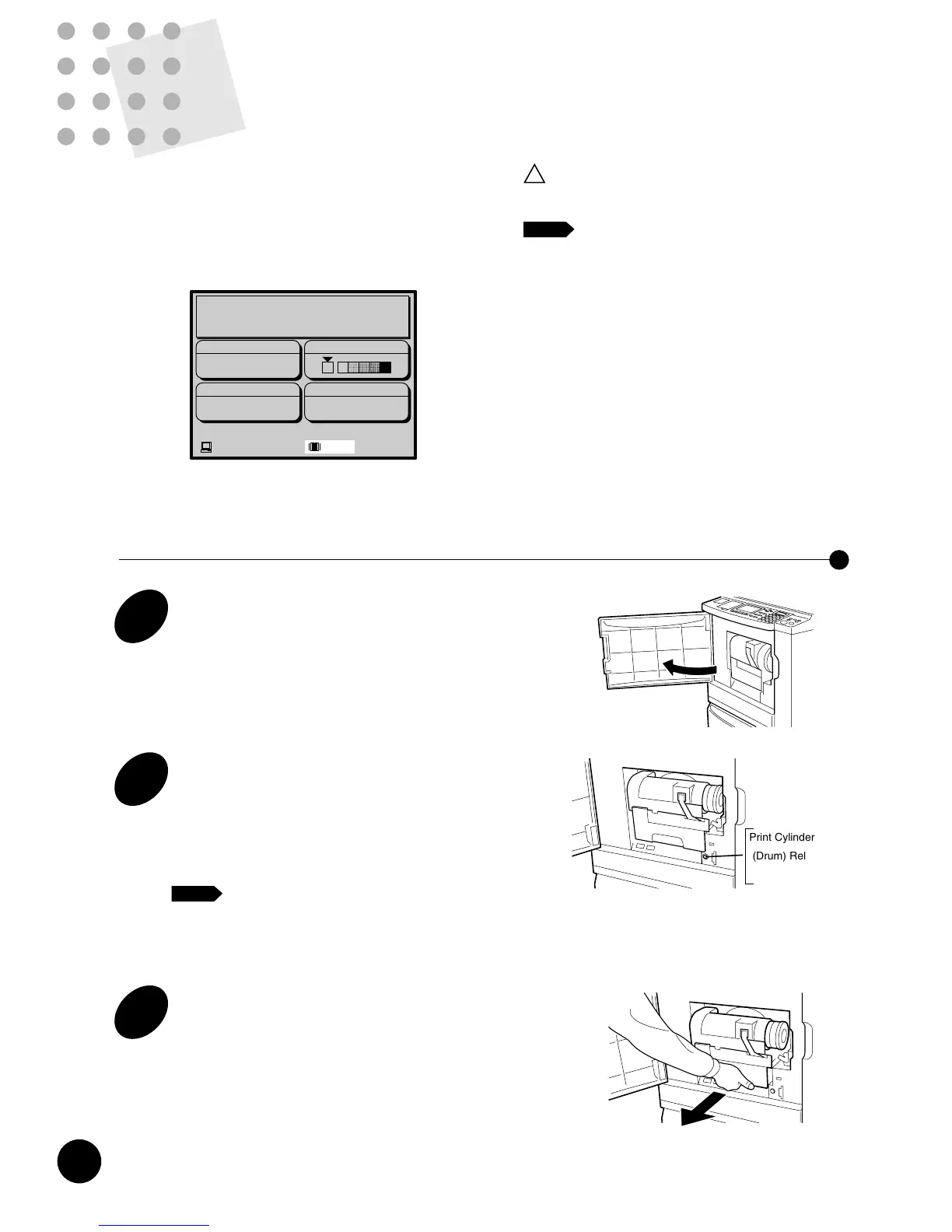
Lift the Print Cylinder (Drum) with both hands to
remove it.
Important!
There is ink on the master wrapped
around the Print Cylinder (Drum). Keep
your hands and clothing away from it.
If your hands come into contact with ink, wash
thoroughly.
5
Load another color Print Cylinder
(Drum) onto the holder.
Place another Print Cylinder (Drum) on the holder
horizontally.
6
Slide the Print Cylinder (Drum) into
the unit.
Holding the Print Cylinder (Drum) Handle, slide
the Print Cylinder (Drum) into the unit until it
stops. Then release the handle and close the
Front Cover.
Caution
!
The Print Cylinder (Drum) contains
highly sensitive electronic components.
To avoid damage by an electrostatic
charge, do not touch the Print Cylinder
(Drum) Connector.
Connector
Changing Print Color
Changing Print
Color
To print with an optional color Cylinder (Drum), simply
remove the existing Cylinder (Drum) from your
RISOGRAPH and replace with the color of choice.
When a Print Cylinder (Drum) other than the Black one is
in place, the "Color" message appears in the Main
Display.
Caution Only use RISOGRAPH RN Print
Cylinder (Drum).
• Change Print Cylinder (Drum) with the
power ON.
• Store the removed Print Cylinder (Drum)
horizontally in the Print Cylinder (Drum)
case.
• Never store Print Cylinder (Drum) in an
upright position.
NOTE
Changing Print Cylinders (Drums)
1
Open the Front Cover.
3
Pull out the Print Cylinder (Drum).
Grasp the Print Cylinder (Drum) Handle and pull
out the Print Cylinder (Drum) until it stops.
2
Be sure that the Print Cylinder
(Drum) Release Button lights.
If not, press it. The Print Cylinder (Drum) will
rotate and stop at the release position, leading the
button to light.
If the Print Cylinder (Drum) Release
Button does not light, the Print Cylinder
(Drum) cannot be pulled out.
!











 To Next Page