83
Basic Interface Operation
5
Send the document data to your
RISOGRAPH.
Using the dedicated printer driver or the
communication utility software, send your selected
document file from the computer to the
RISOGRAPH.
The RISOGRAPH processes the received
document data according to the current mode
configuration and the print conditions specified on
the computer. If required, operate the control
panel of the RISOGRAPH to finish your print job.
To interrupt operation, press the STOP
key.
For detailed descriptions about the operation with
the computer, consult the user's guides included
in the accessory software CD-ROM or those of
the related software.
The dedicated printer driver program,
which is included in the accessory
software CD-ROM, is required to be
installed in the computer in advance.
NOTE
NOTE
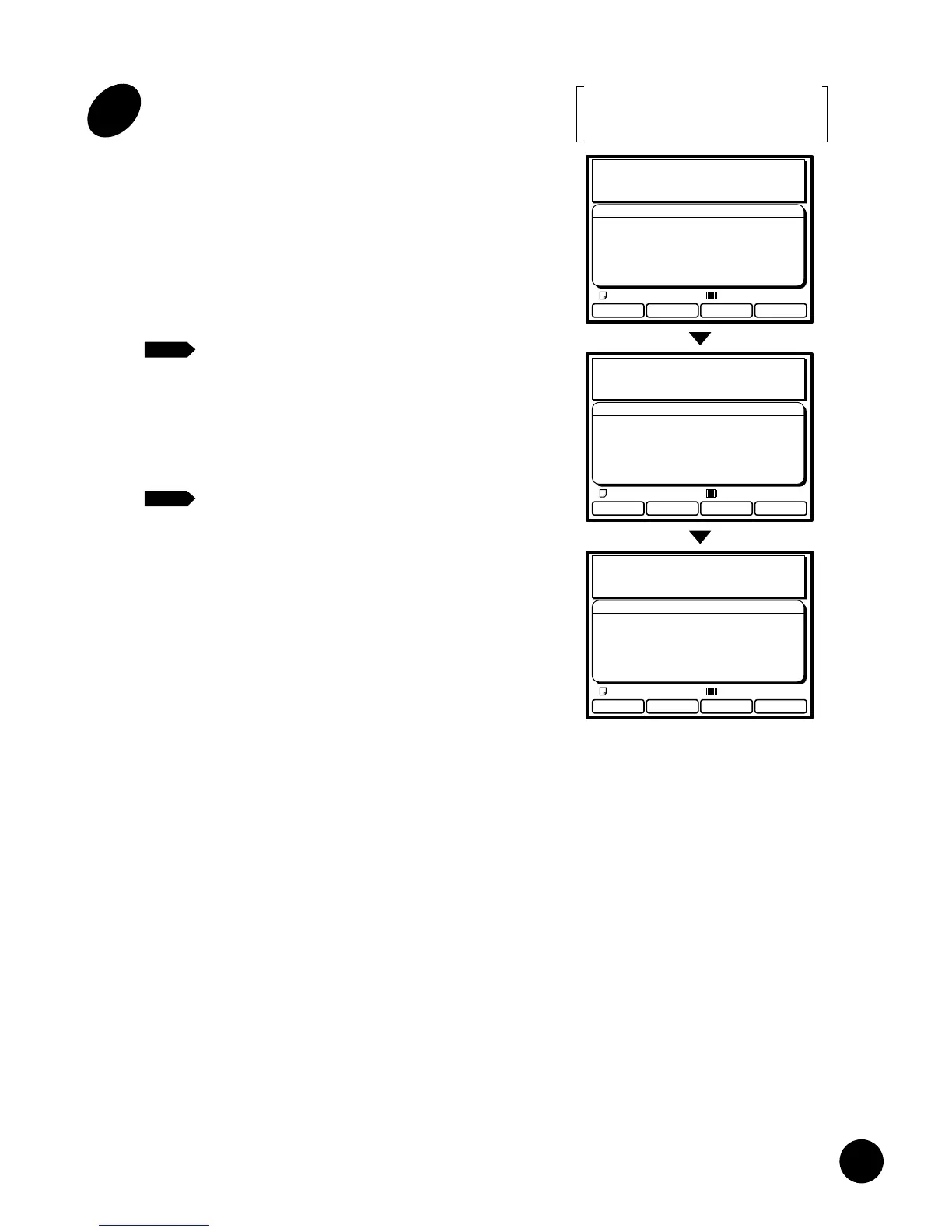
PC Data Mode
Black
Processing Data
Communication Mode :Local Connection
Doc.Data Spooling :OFF
Data Process Step :PC Selection
180˚ Rotation :OFF
Communication :Receiving Data
Letter
PC Data Mode
Black
Making Master
Page No.1
Communication Mode :Local Connection
Doc.Data Spooling :OFF
Data Process Step :PC Selection
180˚ Rotation :OFF
Communication :Receiving Data
Letter
PC Data Mode
Black
Printing
Communication Mode :Local Connection
Doc.Data Spooling :OFF
Data Process Step :PC Selection
180˚ Rotation :OFF
Communication :Receiving Data
Letter
Display transition pattern for the
full automatic process operation in
the Local connection mode
NOTE
82
4
Check the current paper size and
print color.
If you require another size of paper and/or print
color, replace paper on the Paper Feed Tray
and/or the Print Cylinder (Drum).
☞ p.20 ....Setting Up the Paper Feed Tray
☞ p.74 ....Changing Print Cylinders (Drums)
PC Data Mode
Black
Settings
Ready to Receive Data
Communication Mode :Local Connection
Doc.Data Spooling :OFF
Data Process Step :PC Selection
180˚ Rotation :OFF
Letter
Basic Interface Operation
1
2
Open the PC data mode basic
window in the Main Display.
Press the Data Source Selection key.
If this window is already opened, skip this step.
3
Check the mode configuration
data in the Main Display.
Confirm that your RISOGRAPH is appropriately
configured to process your print job.
If not, change the configuration in the Mode
configuration window.
☞ p.89
Always confirm that the correct
communication mode is selected.
- Local Connection: To send data
directly from your Windows PC.
- Remote Transmit: To receive data over
the public telecommunication lines.
NOTE
PC Data Mode
Black
Settings
Ready to Receive Data
Communication Mode :Local Connection
Doc.Data Spooling :OFF
Data Process Step :PC Selection
180˚ Rotation :OFF
Letter
= Local connection mode =
PC Data Mode
Black
Settings
Ready to Receive Data
Communication Mode :Remote Transmit
Doc.Data Spooling :ON
Data Process Step :Semi-Auto>Master
180˚ Rotation :OFF
Communication :Data Receivable
Letter
= Remote transmission mode =
I –ON
– OFF
Turn the power switch ON.
The power switch is located on the lower right
side of the machine.
When your RISOGRAPH is sleeping in
the Energy Saving mode, the indicator
on the START key lights. In this case,
press the START key to wake up your
RISOGRAPH.
☞ p.72











 To Next Page