SteelFusion Edge Hardware and Maintenance Guide
55
Adding and replacing memory modules Replacing SteelFusion Edge Components
To replace the memory modules in the 1U SteelFusion Edge appliances
1. Power down the appliance.
2. Remove the chassis cover.
See “Removing the chassis cover” on page 46.
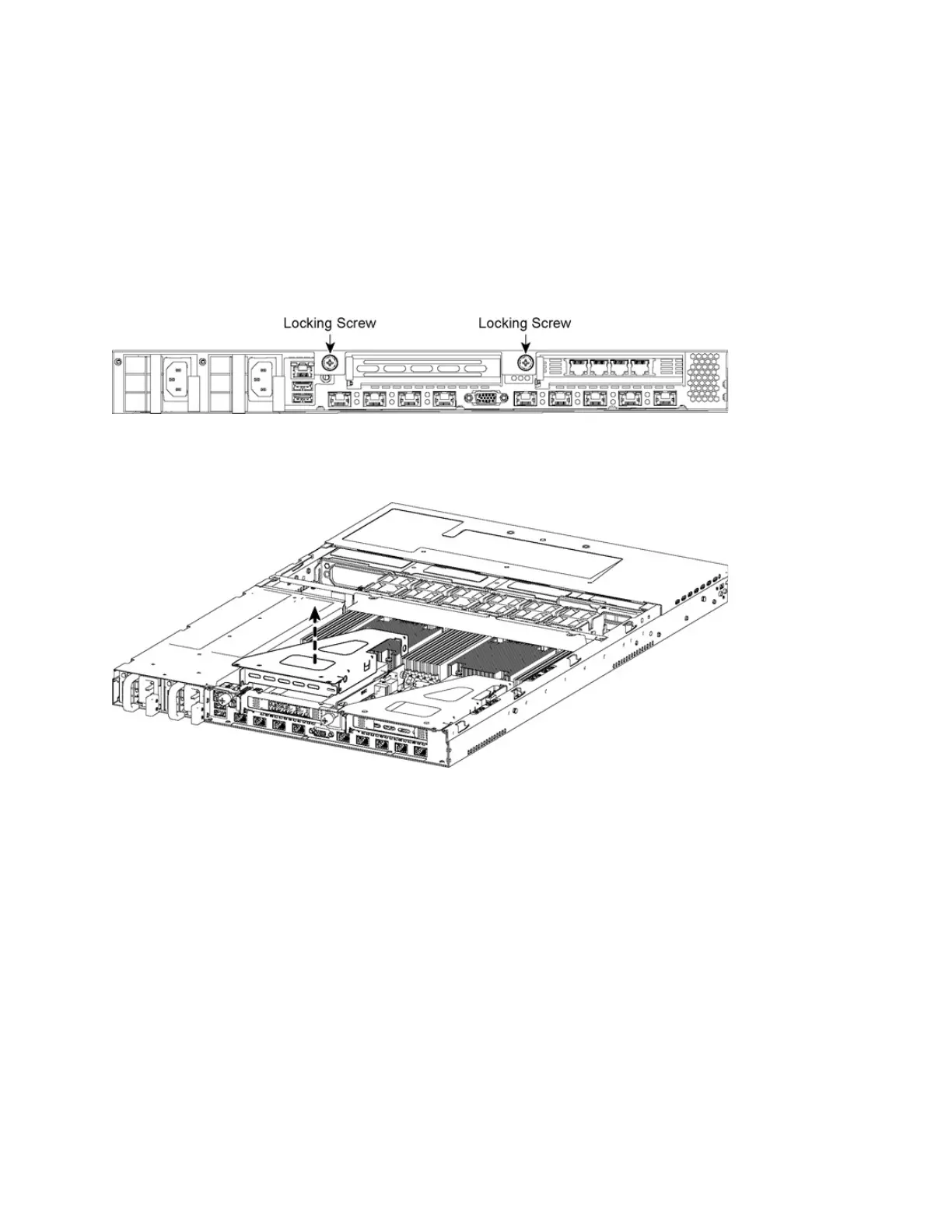
3. To access the memory modules, you must remove the PCIe carriers. Remove the locking screws of
the PCIe carrier on the back of the appliance. (Figure 4-14.)
Figure 4-14. Removing PCIe carrier locking screws
4. Lift the PCIe carrier straight out of the appliance using the attached strap. (Figure 4-15.)
Figure 4-15. Removing PCIe carrier



 To Next Page