SteelFusion Edge Hardware and Maintenance Guide
57
Adding and replacing memory modules Replacing SteelFusion Edge Components
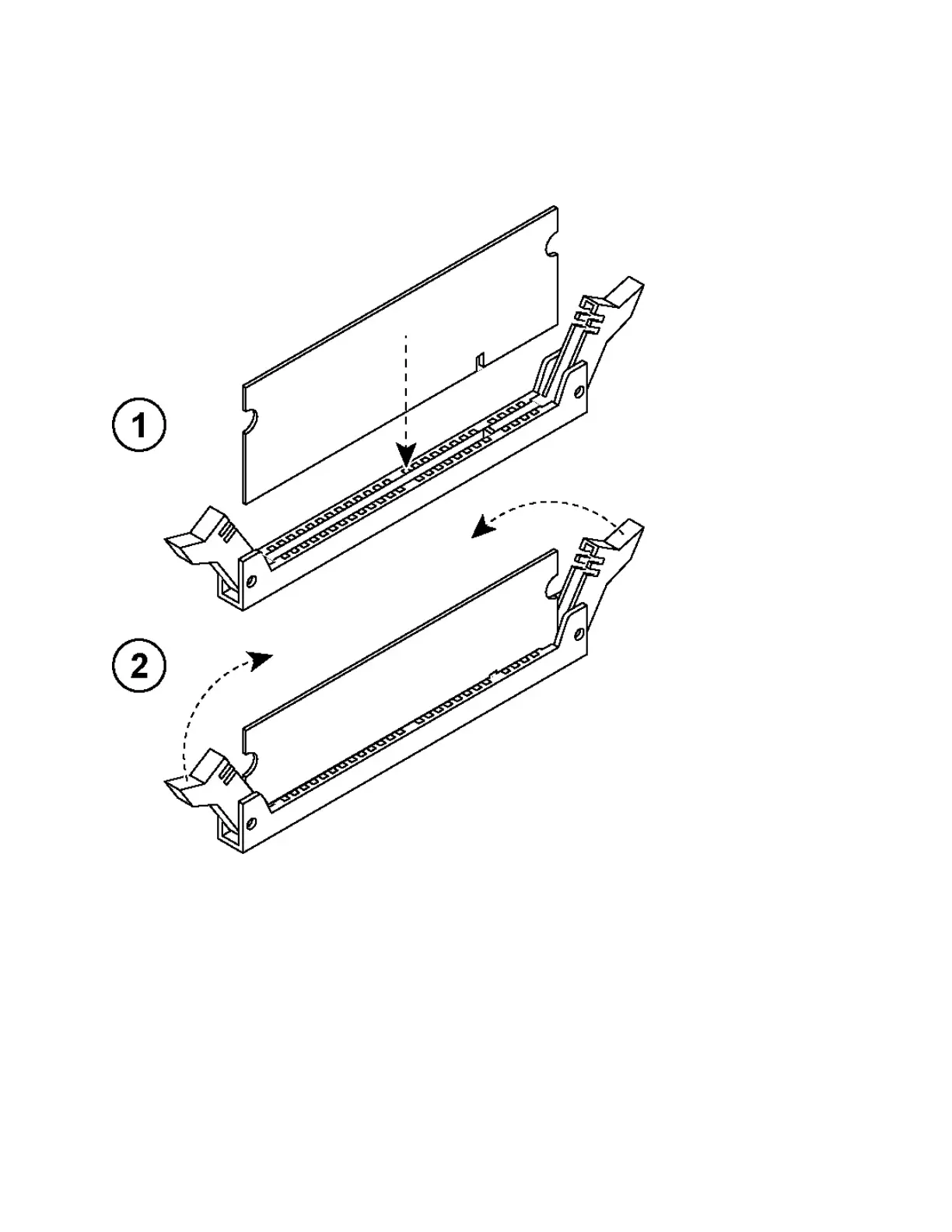
8. Align the memory-module edge connector with the slot alignment keys and insert it into the slot.
The module slot has two alignment keys that allow you to install the module in only one direction.
(Figure 4-18.)
Figure 4-18. Inserting the memory modules into the connector slot and securing
9. Press down on the memory module with your thumbs until you hear it click.
10. Ensure that all ejector tabs are in the upright locked position.
11. If necessary, replace the PCIe carrier.
12. Reinstall the cooling shroud.
13. Reinstall the chassis cover.



 To Next Page