SteelFusion Edge Hardware and Maintenance Guide
63
Adding and replacing memory modules Replacing SteelFusion Edge Components
To replace memory modules in a 2U SteelFusion Edge appliance with the QPI module installed
1. Power down the appliance.
2. Remove the chassis cover.
See “Opening the bezel” on page 44.
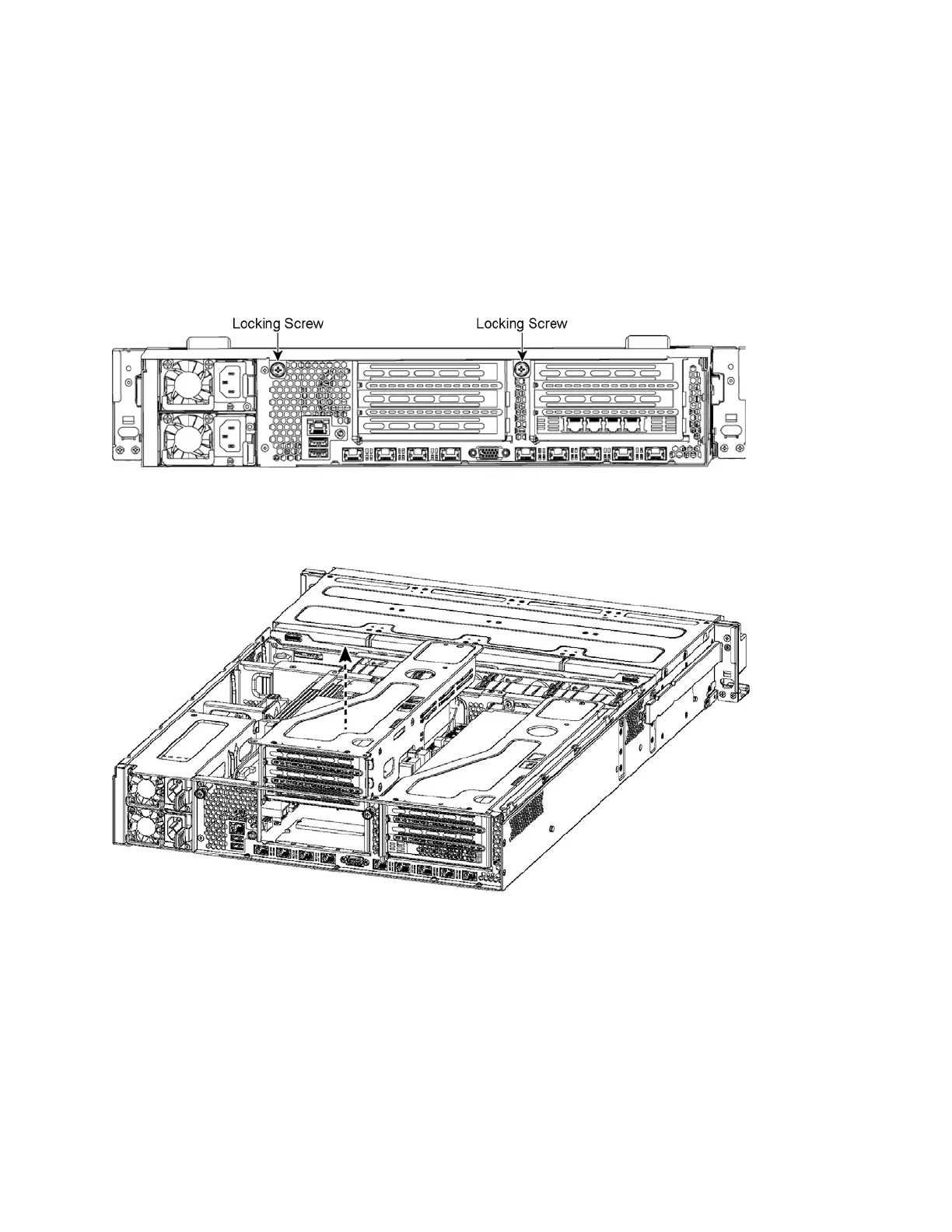
3. To release the PCIe carrier, remove the two locking screws on the top of the carrier (see Figure 4-26)
and the one locking screw on the rear panel.
Figure 4-26. Locking screws
4. To remove the right and left PCIe carrier from the chassis, place your fingers in the carrier holes and
lift straight up. (See Figure 4-27.)
Figure 4-27. Removing the PCIe carriers from the chassis
Note: Use extreme care when removing the QPI module. Damage to the module can cause unexpected results.
5. Remove the two small cooling shrouds by flipping them up and off of the module.
6. Disconnect the power to the QPI module.
7. Unscrew the four screws on the QPI module. There are two on the top, one in the middle, and one at
the bottom of the QPI module.
8. Carefully lift the QPI module up and remove it from the appliance.



 To Next Page