64 SteelFusion Edge Hardware and Maintenance Guide
Replacing SteelFusion Edge Components Adding and replacing memory modules
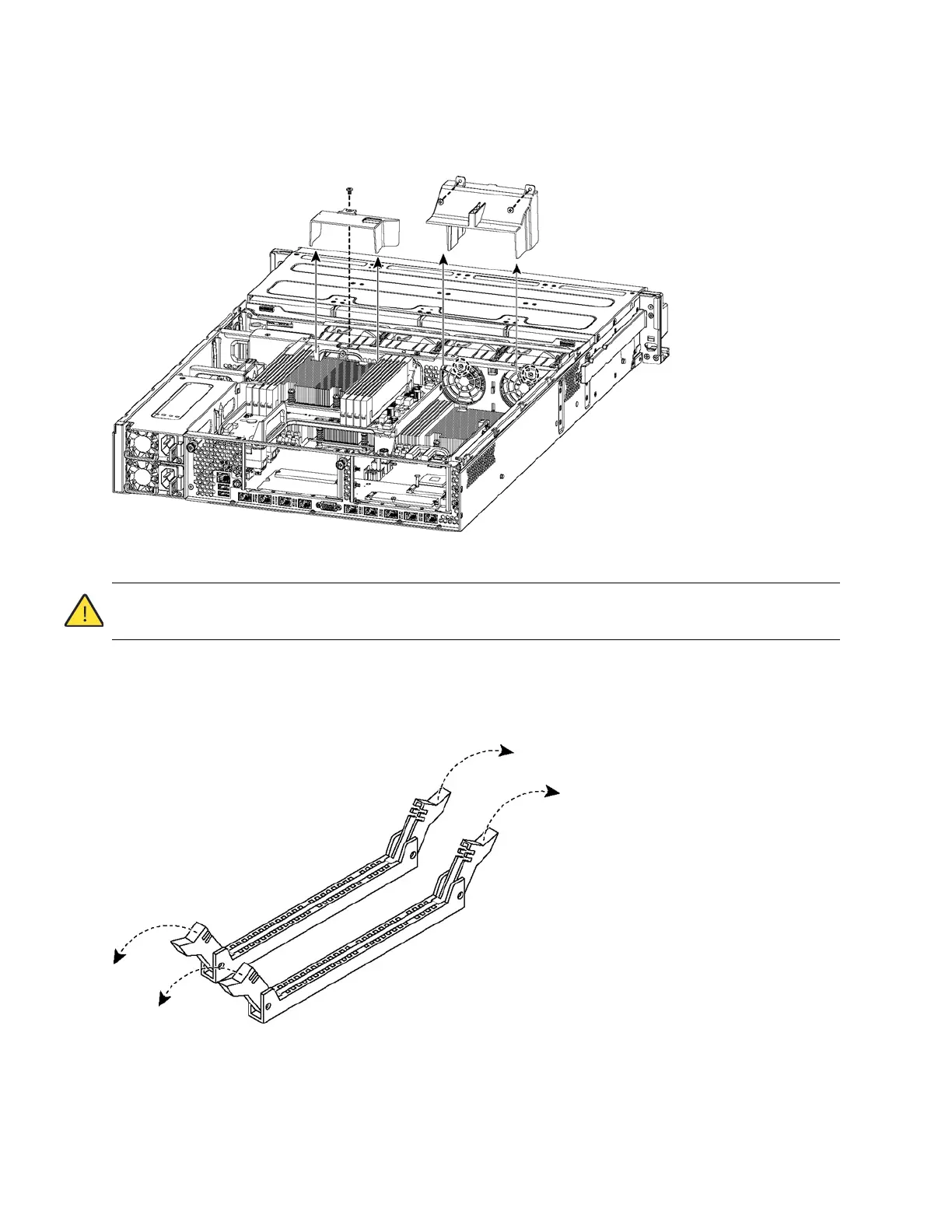
9. Remove the screws securing the cooling shroud to access the memory module slots. (See
Figure 4-28.)
Figure 4-28. Removing cooling shroud
Caution: Be careful not to damage any surrounding components when removing and installing the cooling shroud.
Lift the shroud straight up to avoid damaging any components of the appliance.
10. Press the ejector tabs on the memory module slot down and outward and gently pull the memory
module out of the slot. (See Figure 4-29.)
Figure 4-29. Accessing the memory modules



 To Next Page