C2 User Manual, Release 1.0.0
4.12.1 Connection Interrupted
This connection interrupted error is a result of the main electronics board not being detected. There are a few ways
this can happen - more discussed below.
1. First step in resolving this error is trying to reset the connection to the printer. A button is displayed within the
error message labeled ‘Reset’. Press that to initiate an electronics reset. If this doesn’t work, look to the next
step to try and resolve the problem.
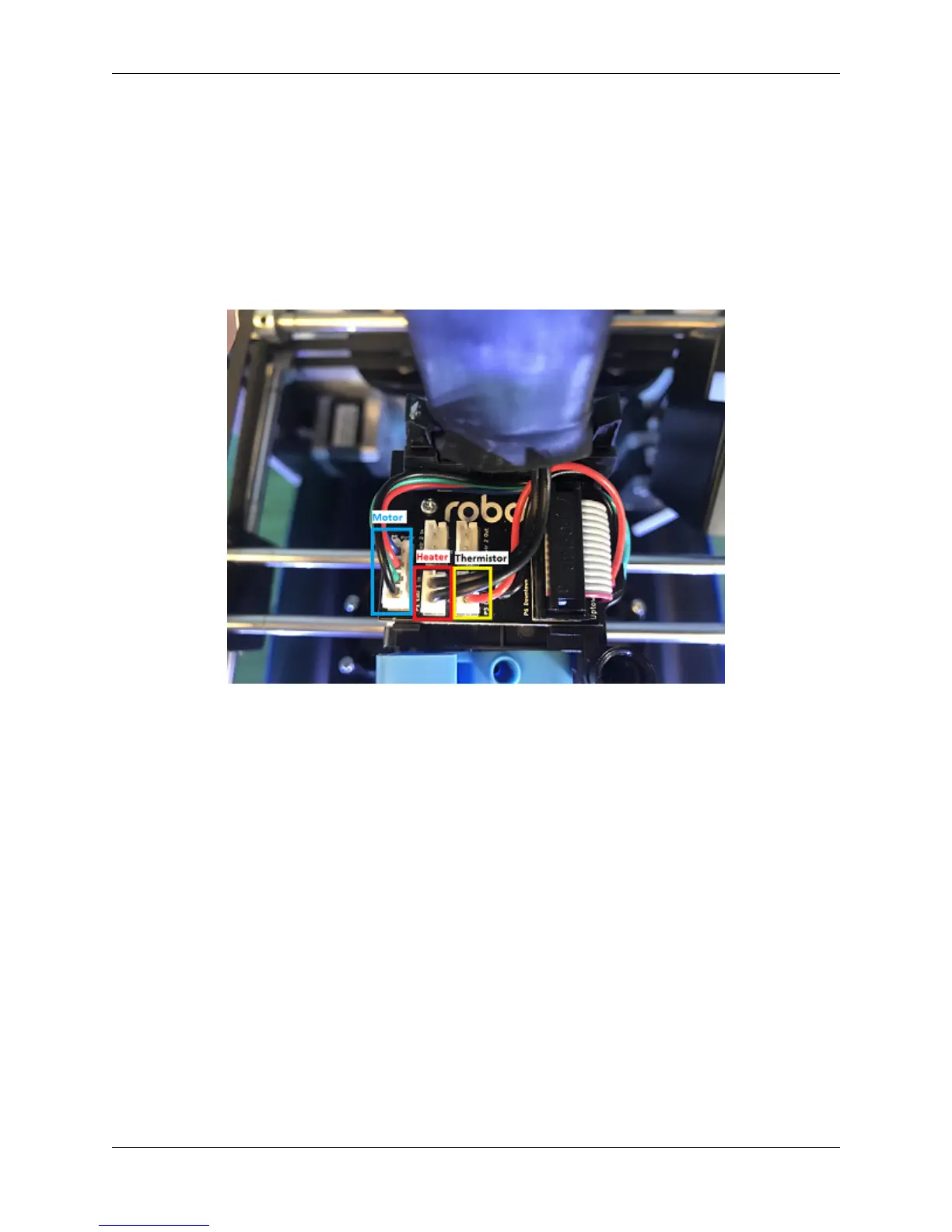
2. Check your wiring on the top of your extruder. Make sure the two ribbon cables on the top of extruder are
locked into place. Also, make sure the other white plugs are seated into their sockets all the way.
3. Check the wiring on your hotend. Sometimes these can come loose and send an error to the electronics. There
will be two sets of wires. One for the temperature reading, and one for the heating power. Make sure these plugs
are seated all the way up into their sockets. The wires should be seated all the way to the left. The thinner wires
are the ones that go toward the front of the extruder, and the thicker, all red wires should be plugged into the
plug towards the back of the extruder.
4.12. Error Messages 55



 To Next Page