C2 User Manual, Release 1.0.0
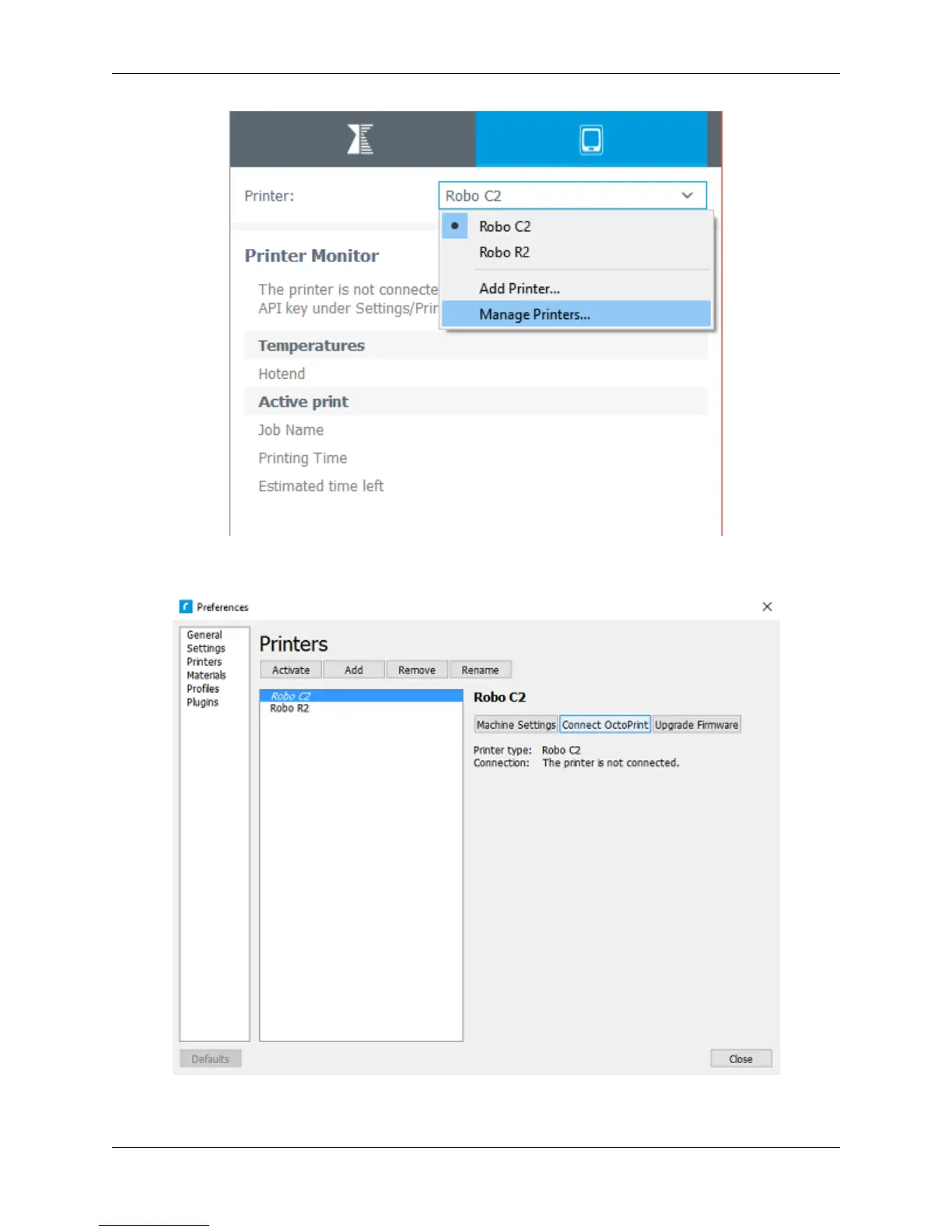
3. A ‘Printers’ window will pop up. In the middle right of this pop up window, click on the button labeled ‘Connect
Octoprint’.
4. A new window labeled ‘Connect Octoprint’ will pop up. In the top middle of this window, click on the button
76 Chapter 5. Cura for Robo Desktop



 To Next Page