ORBIT 16
6.3.1.USING THE PANEL
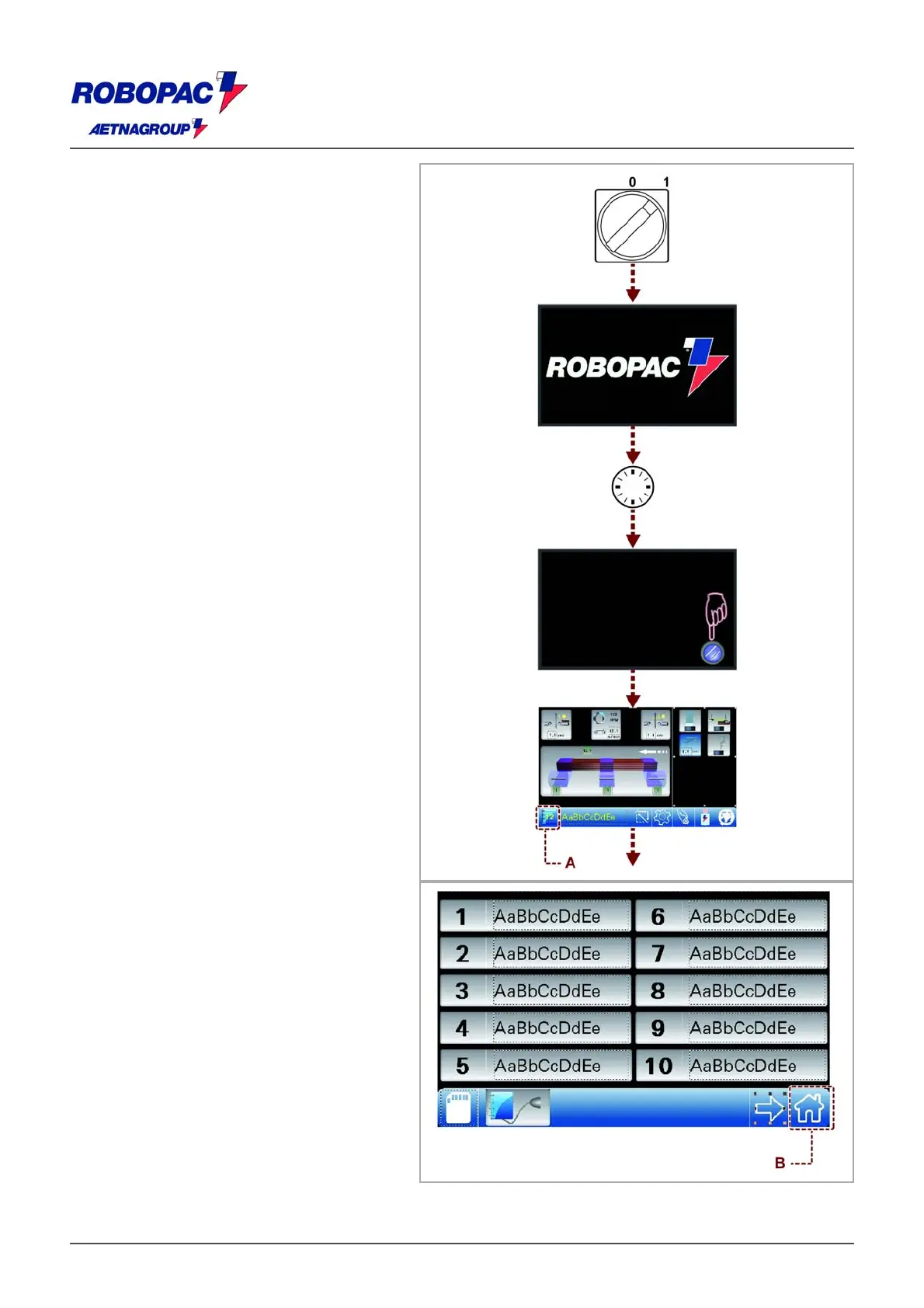
Switching on the machine the introduction page
is displayed. It contains.
‒ Manufacturer’s name.
‒ Press the "Reset" button.
‒ Machine ready; the main page is being
displayed.
‒ Press the "Start" button to enable the
automatic mode, accept the recipe
displayed or touch the (A) key to display
the recipe list.
‒ Choose the recipe (type of processing
operation desired) by touching one of the
keys and confirm by touching key (B) (to
set the recipe see 6.5. “Cycle
parameters setting”).
The machine is ready to run in automatic
mode all the cycle parameters displayed
on the main screen.
‒ Press the “Start” button on the control
panel to begin the work cycle.







 To Next Page