ORBIT 16
6.9.3.INSERT THE FILM IN THE
CLAMP
For this operation proceed in the
following way.
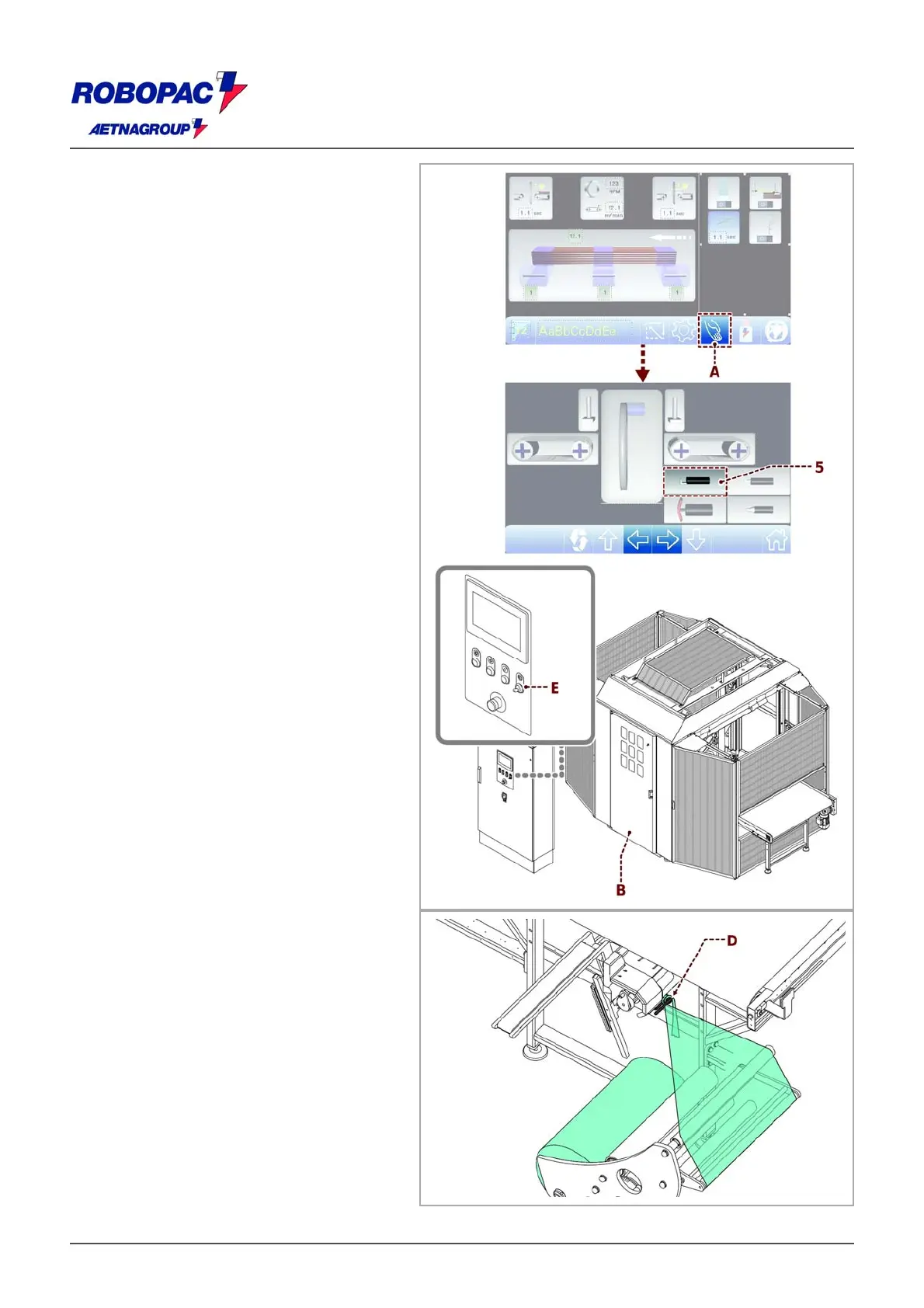
1. Display the main page.
2. Make sure the rotating ring is in phase.
3. Tap the key (A) to open the manual
controls screen.
Danger - Warning
Do not expose your hands to the cutting area.
5. Set the “door opening request” selector
switch (selector switch (E), see 6.2.
“Controls description”) to “doors open”
position.
6. Open protection (B).
7. Release a metre of film by hand and tie it
to the lateral (D) hook.
8. Close the guard (B).
9. Press the “Reset” (E) button.







 To Next Page