ORBIT 16
6.9.2.FILM SPOOL LOADING
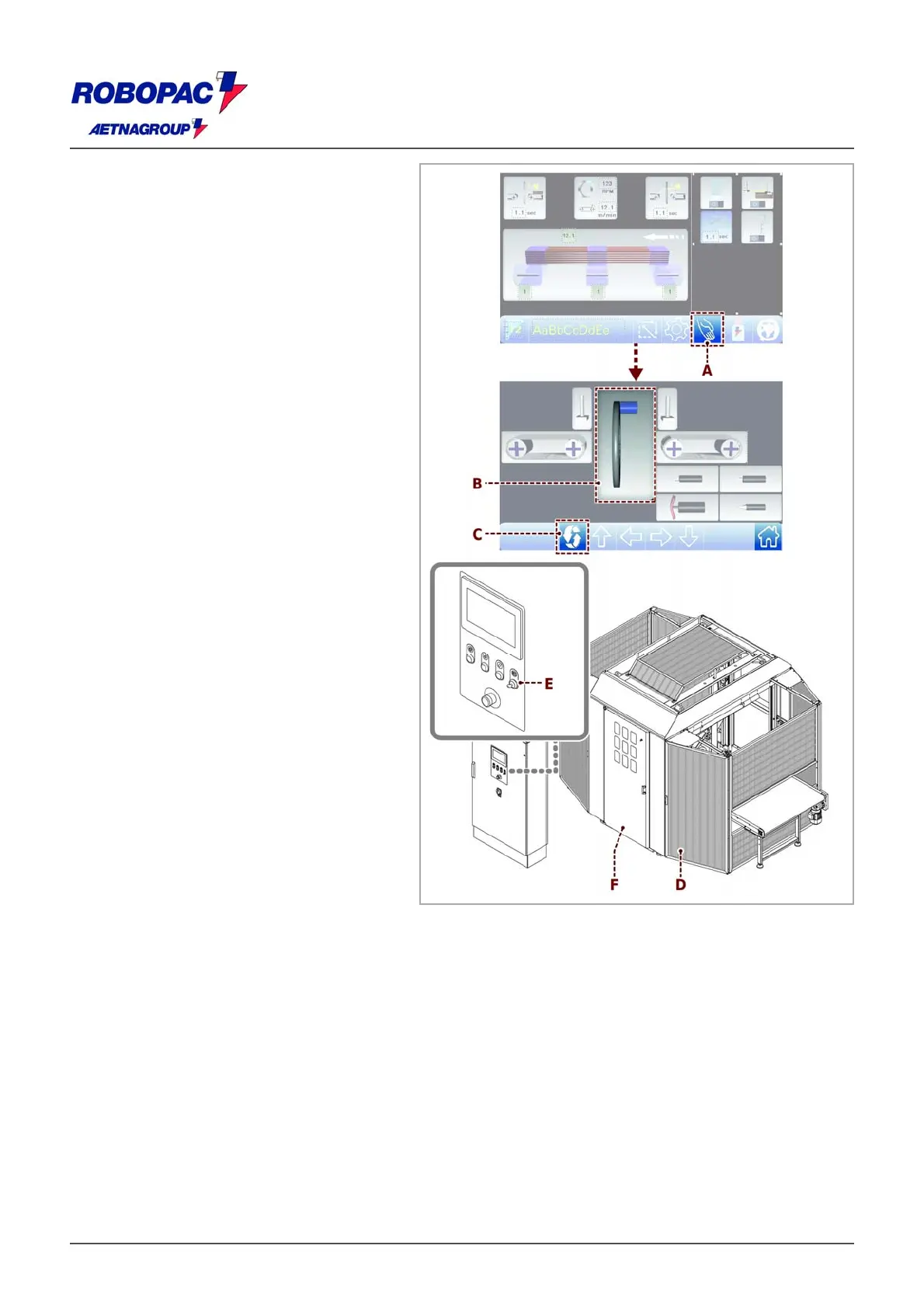
1. Display the main page.
2. Touch the key (A) to access the manual
movements (see section 6.3.
“Description of the operating terminal” -
“Description of manual controls”).
3. Touch the wheel (B) key to enable it and
then the "reel" key (C).
The reel unit will move in front of the
door (D) automatically.
4. Set the “door opening request” selector
switch (selector switch (E), see 6.2.
“Controls description”) to “doors open”
position.
5. In case of 500 reel open the door (D) to
access the reel.
In case of 250 reel open the door (F) to
access the reel.







 To Next Page